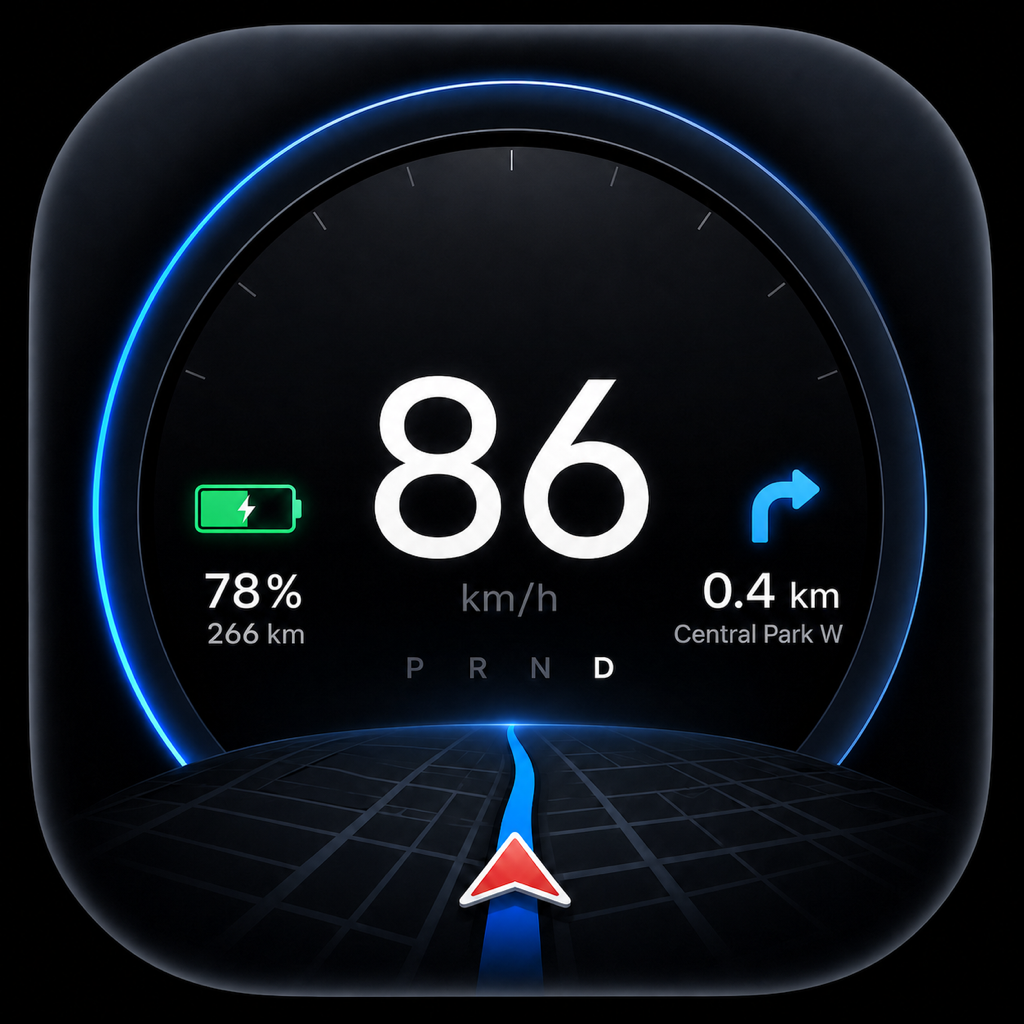
Tespitの変更点――新機能、改善、不具合修正を、バージョンごとに時系列でご紹介します。

バージョン履歴

バージョン 1.1.16

最新バージョン
iOSAndroid

Tespit 1.1.16では、3D車両のラッピング、22の新言語、km/miで表示できる走行距離などが加わりました。

新機能
  • 自分でデザインしたラッピングを3D車両に貼れます。車内で使うものと同じPNGファイルを使用します(Toybox › Paint Shop › Wrap)。対象はすべてのモデルで、Model 3、Model Y、Model S、Model X、Cybertruck に対応しています。試着は無料です。車内のコックピットでは Tespit Premium で利用できます。
  • Tespitが35言語に対応しました。新たに追加された22言語は、ノルウェー語、スウェーデン語、フィンランド語、ポルトガル語(ポルトガル)、ギリシャ語、ルーマニア語、スロバキア語、クロアチア語、スロベニア語、ウクライナ語、ロシア語、カタルーニャ語、韓国語、日本語、中国語(繁体字)、ヘブライ語、アラビア語、タイ語、マレー語、インドネシア語、ベトナム語、ヒンディー語です。言語は設定で選べます。
  • アラビア語とヘブライ語では、メニュー、設定、ツアーが右から左に表示されます。コックピットは車の左右を表しているため、左から右のままです。
  • 単位設定で、走行距離を速度とは別に設定できるようになりました。
改善
  • ハロウィーンのデザインは終了しました。設定からいつでも再び有効にできます。
修正
  • 価格改定までのカウントダウンは、お使いのデバイスが別の暦を使っていても、常にグレゴリオ暦で計算されます。

バージョン 1.1.15

iOSAndroid

Tespit 1.1.15 では、新しい Premium コックピット、好みに合わせてカスタマイズできるコックピット、ショートカット、そして走行データの数多くの新機能が加わりました。

新機能
  • 1回タップすると、各要素のスイッチが表示されます(11種類すべてのコックピットで利用可能)。
  • 「配置」:要素を自由に移動したり、大きさを変更したり、ガイドラインに合わせて整列したりできます。
  • 「個別パーツ」:時刻や温度など、個々の表示を非表示にできます。
  • タップしてもズームしなくなりました。マップのズームは「設定 › ナビゲーション」で調整できます。
  • (iOS)ショートカット:ショートカットアプリに「Tespit を開始」と「Tespit を終了」を追加。たとえば車内での Bluetooth オートメーションに使えます。iOS 26 以降では、iPhone がロック中でも Tespit がバックグラウンドで起動し、短いアナウンスが流れます。
  • 走行後、P レンジに入ると、Tespit が共有や保存に使える走行の画像を表示します。設定すれば自動で表示することもできます。
  • (iOS)走行の再生、速度や出力に応じたルートの色分け、市街地・一般道・高速道路別の走行プロフィール、記録、共有できる振り返り。
  • (iOS)Touring:上部中央に時刻、現在の走行の消費量を表示。
  • Minimal:希望すれば、現在の出力を kW とバーで表示します。
Premiumで利用可能
  • 新しい Premium コックピット「Panorama」:ルートと曲がる方向の案内が付いたライブマップを、斜めに配置された2つのメーターの間に表示。各メーターに何を表示するかは自分で選べます。
  • スワイプで切り替えられる3つのデザイン:「メーター」「背景にマップ」「コンパクト」。
  • 時速20 km未満では、マップが屋根の上を見渡すようなフラットな視点になり、建物は3Dで表示されます。
改善
  • (iOS)Apple マップ:曲がる交差点での案内が正確になり、ラウンドアバウトでは進入まで案内し、目的地にはゴールフラッグを表示します。
  • (Android)Bluetooth の検索には正確な位置情報が必要になりました。接続が使用中の場合や、ルートが利用できない場合の案内もわかりやすくなりました。

バージョン 1.1.14

iOSAndroid

Tespit 1.1.14:サブスクリプションが有効でも、Lifetime Premiumを購入できます。

新機能
  • 設定 › コックピットの「Premium有効」の下に、新しく「Premium購入オプション」が表示されます。月額、四半期、年額のサブスクリプションをご利用中でも使えます。
改善
  • すでにお持ちのLifetimeを検出し、同じ権利を誤って再購入するのを防ぎます。
  • 重要:Lifetimeを購入しても、既存のサブスクリプションは自動では終了しません。必要に応じて、App StoreまたはGoogle Playのアカウントで管理または解約してください。
修正
  • 有効なサブスクリプションがあっても、購入オプションがブロックされなくなりました。iOSでは、意図的に開いた購入メニューが、Premiumの状態が更新されても開いたままになります。

バージョン 1.1.13

iOSAndroid

Tespit 1.1.13 · 新しいコックピットが2つ登場:速度がはっきり見える Minimal と、アニメーションする3D車両の Performance。さらに、共有できる走行画像付きの走行データ、ハロウィンモード、小さなウィンドウでの速度表示、Minimal用の走行サウンドも追加されました。

新機能
  • ハロウィンモード:コックピットごとに専用のハロウィンの夜が用意されています。幽霊、かぼちゃ、ほうきに乗った魔女、ゾンビが登場。設定やメニューもオレンジとバイオレットに輝きます。スイッチは設定 › 一般にあります。
  • Minimal – 無料:大きな速度表示、縦向きと横向き、選べるフォント、クイックスイッチ。充電中は、充電残量または充電出力が中心に表示されます。
  • 走行データ:ご希望に応じて、Tespitはすべての走行を記録します。ルート、速度、バッテリー、推定消費量を保存します。走行データは設定内に専用のタブがあり、すべてあなたのデバイス上に保存されます。走行を画像として共有できます。暗いマップ上のルートに、距離、時間、バッテリーを添えて、シンプルな表示またはすべての指標付きで出力できます。PDFとExcelも引き続き利用できます。充電ごとの料金を入力すると、Tespitが各走行の電気代を計算します。海外での充電向けに、日ごとの為替レートを使うこともできます。
  • 小さなウィンドウで速度表示:設定 › ナビゲーションで「ピクチャ・イン・ピクチャ」をオンにします。Tespitを離れても、小さなウィンドウに速度が表示され続けます。たとえば通話中などに便利です。
  • 走行サウンド:Minimalコックピットでは、速度と出力に反応する8種類のサウンドプロファイルを選べます。オプション機能で、初期設定はオフ、試聴も可能です。サウンドはアプリ内で生成され、回転数とシフト操作はシミュレーションです。
  • (iOS)車両データと充電ログ:タップで、充電、タイヤ、空調、車両の詳細をさらに表示できます。ローカルの充電ログ、充電・プレコンディショニングのスケジュール、ソフトウェアの詳細も追加されました。空調のプレコンディショニングは、停車中に有効または無効にできます。詳細表示は、操作がないまま3秒経つと自動的に消えます。当面は、フルスクリーンマップなしの標準コックピットで利用できます。
Premiumで利用可能
  • Performanceコックピット:Performanceは新しいPremiumコックピットです。アニメーションする3D車両が、動く道路を走ります。力強い加速では光のトンネルが現れます。自動カメラは速度に合わせて調整され、短い惰性走行中は視点を維持します。車の周囲を自由に見回し、お気に入りの視点を保存できます。操作しない場合、カメラは3秒後に元の位置へ戻ります。アニメーションは、発進時のみ、または走行中も150 kW以上かつ加速を検知したときに表示するよう選べます。充電中は、車両ビューと、実際に取得した値による充電カーブを切り替えられます。
改善
  • その他の改善:Bluetoothデータ転送の安定性向上、停車時と発進時のドア表示更新の高速化、設定でのスクロールの滑らかさ向上。
  • (iOS)古いiPhone向けの省電力:省電力モードは、車両への問い合わせを適応モードと同じ速さで行うようになりました。その代わり、Liquid Glassをオフにし、3D車両を非表示にします(Performanceコックピットを除く)。これにより古いiPhoneの負荷が減ります。iPhone XRからiPhone 13までは自動でオンになります。設定 › ナビゲーション › 更新モードで変更できます。
  • (iOS)独自の案内表示:Apple Maps · 開発者モードで、新しいルート案内を有効にできます。ルートに基づく独自の矢印、アプリの言語での案内、直後に続く操作のプレビューに対応します。従来の案内もスイッチで引き続き利用できます。
修正
  • (iOS)ライブ走行データとナビゲーション分数の中国語表示で、適切な用語を使うようになりました。
  • Teslaの目的地が再び正しく同期されます(Android)。

バージョン 1.1.12

iOSAndroid

Tespit 1.1.12:OBD経由でTeslaからライブデータを直接取得。ステップごとのセットアップ、全モデルの3D表示、より滑らかなマップに対応。日常で使いやすくなる改善も多数あります。

新機能
  • ステップごとのセットアップ(iOS):画像と回転できる3Dプレビューで、モデルとバリエーションを選択できます。TespitはBluetoothと位置情報を確認し、キーカードの動画を表示して、VINとペアリングのヒントへ案内します。
  • 全モデルを3D表示(iOS):Model 3 と Model Y に加えて、Model S、Model X、Cybertruck も3Dで表示されます。コックピットと、回転できるセットアップのプレビューの両方に対応。ボディカラーとドアやハッチの開閉状態は車両に連動し、Model X のファルコンウィングドアにも対応しています。
  • 全コックピットのPremiumデモ:8種類すべてのコックピットをサンプルデータで試せます(設定 › 一般)。停車中のみ利用できます。デモで機能が解除されることはなく、あなたのコックピットも変更されません。
  • クラスタージェスチャーを試せます(Android):短いデモで、クラスターコックピットでのスワイプ方法と、メーターを横にずらす方法を紹介します。再生し直すには、設定 › 一般 › Premiumデモ › クラスター › 「スワイプジェスチャーを学ぶ」を開いてください。
  • 太陽に合わせた明るい/暗い表示:明るい表示と暗い表示の自動切り替えが、7時と19時の固定ではなく、現在地の太陽に基づくようになりました。日没直後に暗く、日の出直前に明るくなります。スマートフォンが常に明るい、または常に暗い設定でも動作します。設定で次の切り替え時刻を確認できます。
  • アプリから直接ヘルプ(iOS):設定の「サポート」で、ご用件と車両を選択します。Tespitがアプリとデバイスのバージョン情報を入れたメールを準備します。
  • バックグラウンドでもLive Activity(iOS):Tespitがバックグラウンドで動作していても、Live Activityは継続的に更新されます。3桁の速度も1行に収まるようになりました。
Premiumで利用可能
  • PremiumでOBD:Vgate vLinker MS などの対応OBDアダプターと、適合するTesla用接続ケーブルを使うと、Tespitは追加の車両データを読み取ります。Tespitは読み取るだけで、車両には一切変更を加えません。
  • BluetoothかOBDか:OBDメニューの「TespitがOBDで表示するもの」で、速度をTeslaのBluetoothから取得するか、OBDから直接取得するかを選べます。Teslaの表示値か、内部で計測した値かも選択できます。選択内容は保存されます。
  • コックピットにウインカー:左右のウインカーが、車内と同じようにコックピットで点滅します。車両から直接読み取っています。
  • 充電カーブ付きエネルギーコックピット(Android):充電中、エネルギーコックピットが充電出力をカーブで表示します。現在の充電、または直近1〜60分を選べます。15 kmウィンドウも新たに追加され、大きな表示欄では速度か車両を選べます。
  • 制限速度と速度警告:Tespitは車が認識した制限速度を表示し、速度警告が出るタイミングも検知します。警告はmph表示の車両にも正しく対応するようになりました。Tespitは読み取るだけで、車両には何も操作しません。
  • 死角:死角に車両がいると、コックピットの該当する側が赤く点灯します。
  • OBDでエネルギーデータ:バッテリー、充電、出力は車から直接取得します。停車中は、Tespitがすべてのエネルギー値を自動で順に読み取ります。
  • 新しいOBDメニュー:接続、データソース、ヘルプを一目で確認できます。診断とプロ向け設定は「上級者向け」にあります。
改善
  • マップが常にあなたと一緒に(iOS):標準コックピットでは、縦向きでも矢印が見えたままになります。マップと矢印は位置の間をより滑らかに動き、カーブにも追従します。停止時、矢印は最後の向きを保ちます。向きがまだ分からない場合のみ、点が表示されます。
  • Teslaとの接続の負荷を軽減:OBDが速度を提供する場合、TespitはBluetooth経由で車に問い合わせる頻度を減らします。短い通信の途切れで接続が切れることもなくなりました。
  • より安定したOBD接続(iOS):中断後にアダプターが再接続され、OBDウィンドウも滑らかなままです。離脱機能を有効にすると、アプリを短時間切り替えても接続が維持されます。バックグラウンドで2分経つと切断され、アプリを開くと再接続します。Bluetooth LEアダプターの切断と再接続も修正しました。
  • より安定したOBD接続(Android):中断後、アダプターは自動で再接続します。最初はすぐに、その後は間隔を広げながら試みます。データバッファが満杯になった場合や、データが届かなくなった場合は、Tespitが記録を自動的に再開します。
  • すべて翻訳済み:未翻訳だった最後のテキストも、全13言語で利用できるようになりました。ペアリング、VINの貼り付け、キーカード、再ペアリングに関するヒントも修正し、より分かりやすくなりました。
修正
  • VINの貼り付けが常に可能に(iOS):他のアプリからコピーしたVINが、ペアリングの開始を妨げることはなくなりました。Tespitは見えない文字、スペース、ハイフンを自動で削除します。無効な文字を含むVINはすぐに検出されます。
  • 言語リストが再びスクロール可能に(iOS):走行中、設定の言語リストが何度も先頭に戻ってしまっていました。今はいつでも最後までスクロールできます。
  • 単位と形式を修正(iOS):TouringとUltraで、温度が正しく°Fに換算されるようになり、標準コックピットでもmphが丸められます。距離はアプリの言語形式に、到着時刻はデバイスの時刻形式に従います。クラスターでの度記号の重複も解消しました。

バージョン 1.1.11

Tespit 1.1.11 brings animated 3D vehicles, smarter map zoom and cockpits you control directly with your finger.

新機能
  • Animated 3D vehicles: Model Y Juniper, Model 3 Highland and Model 3 Legacy show open doors, frunk, trunk and your paint color in 3D.
  • Smart map zoom: Choose Near, Adaptive or Far – distance and viewing angle adapt smoothly to your speed.
  • New vehicle page in the Standard cockpit with all key data at a glance. The side panel can be hidden and shown again with a swipe.
  • The Live Activity stays up to date while you drive and handles short connection drops.
  • Quick introduction: On first launch, a landscape demo walks you through the new swipe gestures step by step.
Premiumで利用可能
  • Google Maps as map provider – with live traffic and routes to your Tesla destinations.
  • Control Cluster and Ultra with swipes: switch displays or push instruments all the way aside.
  • Energy cockpit: a real charging curve with live kW, added kWh and remaining time – for the whole session or the last 1 to 60 minutes. Also new: the 15 km consumption window.
改善
  • Translations reviewed and completed in all 13 languages.
  • Clearer instruments and layouts in the Cluster and Standard cockpits.
修正
  • Many small bug fixes.

このリリースノートは、お使いの言語ではまだ提供されていません。

バージョン 1.1.10

Version 1.1.10 adds the new Energy cockpit, more precise navigation with traffic data, the first OBD vehicle-data integration and a more robust vehicle connection.

新機能
  • New Energy cockpit with consumption, energy flow and driving history for a trip, 50, 100, 150 or 300 km.
  • Traffic data is highlighted with colours on the map so dense traffic and jams are visible at a glance.
  • OBD integration begins: supported adapters can be configured in Settings and used as an additional vehicle-data source.
  • The full-screen map can now be opened and closed more quickly with a swipe in the Standard cockpit.
改善
  • More precise route guidance, with the gauge and directions positioned according to the selected driver side.
  • Cockpit layouts, the top bar, 12-hour time display, Split view, Speedway charging animation and support for different device sizes have been refined.
  • Bluetooth reconnect, charging detection and live vehicle-data handling are more stable.
修正
  • Three-digit speeds are displayed completely again in the Standard cockpit.
  • Numerous issues around Settings, navigation, cockpits, vehicle data and rendering were fixed.

このリリースノートは、お使いの言語ではまだ提供されていません。

バージョン 1.1.9

Version 1.1.9 improves the stability and reliability of vehicle connections, expands connection diagnostics and adds a complete reset of local app data.

新機能
  • New connection diagnostics for Bluetooth, pairing and Tesla connection issues, even before a vehicle connection is established.
  • New option to completely reset Tespit-owned local app data. StoreKit purchases and Premium access remain intact.
改善
  • Vehicle connection stability and reliability have been further improved.
  • Diagnostic information is handled more securely, is never transferred automatically and remains under the user's control.
修正
  • Settings open more reliably even when saved values are damaged or outdated.
  • Resetting app data is more stable and no longer requires a restart, with additional bug fixes.

このリリースノートは、お使いの言語ではまだ提供されていません。

バージョン 1.1.8

Version 1.1.8 makes vehicle data faster and more stable. Bluetooth communication, telemetry, scheduling and recovery were extensively analyzed, optimized and validated on real Tesla drives.

新機能
  • A new technical details view in What’s New explains the latency optimization and real-world validation.
改善
  • Faster vehicle data, smoother telemetry, safer scheduling and stronger recovery.
  • The changes were measured and validated on several real Tesla drives.
修正
  • A Settings crash in cockpit personalization was fixed without changing existing options.

このリリースノートは、お使いの言語ではまだ提供されていません。

バージョン 1.1.7

Version 1.1.7 expands Tespit with new languages, a more readable interface and focused improvements for cockpits, localisation and security.

新機能
  • A new “What’s new in 1.1.7” window that appears once and can be reopened in Settings.
  • Hungarian, Simplified Chinese and Luxembourgish as additional fully supported app languages.
  • A Bold Text setting for a more readable interface.
  • A Vgate cooperation notice as an outlook: OBD groundwork began with 1.1.10; larger OBD features are currently expected in 1.1.12 and were not part of 1.1.7.
改善
  • Local Premium verification based exclusively on verified StoreKit 2 entitlements and a signed local hint cache.
  • The Speedway “Distance” display shows distance driven since the last parking event instead of the full odometer.
  • A full localisation review, including iOS permission texts and dynamic navigation instructions.
修正
  • The Basel promotion no longer opens automatically and remains available in Settings.
  • Split cockpit dividers are black in light mode and white in dark mode, in both the driving view and preview.

このリリースノートは、お使いの言語ではまだ提供されていません。

バージョン 1.1.6

Version 1.1.6 brings refinements to the cockpits, a more stable Bluetooth connection and better charging views.

新機能
  • Faster vehicle pairing flow with clearer key-card instructions.
  • New charging details in the Split cockpit.
改善
  • More reliable Bluetooth reconnection after standby.
  • Smoother animations in all cockpits.
  • Refined typography and readability in direct sunlight.
  • Localisation improvements across all languages.
修正
  • Rare issue where the speed display froze after longer standing times.
  • Corrected range values with certain unit settings.
  • General stability fixes.

このリリースノートは、お使いの言語ではまだ提供されていません。

バージョン 1.1.5

Version 1.1.5 introduces the new Split cockpit, improved navigation guidance and smoother map animations.

新機能
  • New Split cockpit: map and driving data side by side in a clear split screen.
  • The standard full-screen map is now available to all users free of charge.
改善
  • More precise navigation guidance with improved maneuver hints and instructions.
  • Smoother map display animations with support for 30, 60 and 120 Hz ProMotion.
  • Performance hints for performance-oriented camera settings.
  • Optimised charging views and refined vehicle renderings.
修正
  • General stability improvements and performance optimisations.

このリリースノートは、お使いの言語ではまだ提供されていません。

バージョン 1.1.4

Version 1.1.4 improves the cockpits, the vehicle rendering and the settings.

新機能
  • New vehicle renderings and cleaner colour reproduction.
  • Liquid Glass can optionally be disabled in the HUD.
  • Basel promotion extended until 30/08/2026.
改善
  • Cockpit text now follows the actual map or background: light = black, dark = white, independent of the app or iOS dark mode.
  • Standard, Horizon, Ultra, Touring and Speedway have been optimised in portrait and landscape.
  • Navigation, map contrast and layouts are more stable.
  • Speedway charging view with better animation, matching charge port and cleaner info cards.
  • The settings run more smoothly and previews render more efficiently.
修正
  • Many small bug fixes for truncated texts, overlaps and layout errors.

このリリースノートは、お使いの言語ではまだ提供されていません。

バージョン 1.1.3

新機能
  • FAQ section in the settings with answers about navigation, Bluetooth, privacy, Premium, CarPlay and more.
  • Model 3/Y body generation can be set manually to Auto, Legacy, Highland or Juniper.
改善
  • Improved charging views with voltage, current and smoother charging animations.
  • More accurate VIN detection for Model Y Juniper.
修正
  • Many layout, translation and rendering fixes in the cockpits and the Live Activity.

このリリースノートは、お使いの言語ではまだ提供されていません。

バージョン 1.1.2

Version 1.1.2 brings one major improvement and several bug fixes.

改善
  • Music playback progress is now shown correctly in all cockpits.
  • Cluster cockpit: the battery arc at the bottom now fills correctly from left to right instead of symmetrically from the centre.
修正
  • In some places raw text keys were shown instead of translated terms, among others in Horizon, Cluster and Ultra.
  • The settings now scroll noticeably more smoothly.
  • Further smaller improvements.
  • Note: Basel promotion – until Sunday, 2 August 2026, 11:59 pm, the code BASEL gave one month of Premium free of charge.

このリリースノートは、お使いの言語ではまだ提供されていません。

バージョン 1.1.1

Version 1.1.1 brings further improvements and bug fixes.

新機能
  • Animated video guide for key card placement, matching model and vehicle generation: Model 3/Y Legacy and facelift separately as well as Model S, Model X and Cybertruck.
  • A real photo of the key card instead of placeholder text during setup.
改善
  • Light, dark and system appearance now switch instantly without leaving the settings.
  • “Disconnect automatically when leaving” now closes the app reliably, even in the background.
  • Automatic day/night map theme and automatic map zoom are now enabled by default.
修正
  • Speedway cockpit: music and battery displays no longer overlap, texts are centred, the energy element turns green during regeneration, the live map in the widget no longer freezes and the layout on smaller devices has been corrected.
  • Further smaller bug fixes.

このリリースノートは、お使いの言語ではまだ提供されていません。

バージョン 1.1

Version 1.1 brings noticeable improvements to connectivity and display.

新機能
  • New designed “Speedway” cockpit with a speed bar at the bottom and a freely selectable element in the centre, for example the live map.
  • Reworked “Ultra” cockpit with smoother transitions.
  • “Cluster” cockpit: music element with playback progress along the edge and better readability of the gauges.
改善
  • Connecting to the vehicle via Bluetooth is significantly more reliable.
  • The music source is now detected correctly: Apple Music, Spotify, Audible, TuneIn, YouTube Music and more instead of a generic “Bluetooth”.
  • Updated key card placement guide for Model 3/Y; Legacy and the new hardware generation are described separately.
修正
  • Numerous smaller bug fixes and user interface improvements.

このリリースノートは、お使いの言語ではまだ提供されていません。

バージョン 1.0

First release of Tespit on the App Store.

このリリースノートは、お使いの言語ではまだ提供されていません。

詳細はApp StoreとGoogle Playでご確認いただけます。

App Storeで見るGoogle PlayストアでTespitをダウンロード
今後の展望

開発中の内容。

今後のステップをオープンにご紹介します。

  • 公開済み

    OBDライブデータ – Tespit 1.1.12(読み取り専用)

    Tespit 1.1.12とVgate vLinker MSを組み合わせると、コックピットに車両から直接取得した追加データが表示されます。読み取り専用で、車両への制御コマンドは一切送信しません。

    • コックピットにウインカーを表示
    • 速度制限とスピード警告(試験的)
    • 死角(試験的)
    • OBD経由の速度と新しいOBDメニュー
    • ハザードランプ、ギア、その他のバッテリー値、アダプターやモデルへの対応は今後のアップデートで順次追加

    Model Y(Juniper)でテスト済みです。利用できるデータは、車両、ソフトウェア、アダプター、ケーブルによって異なります。OBDアダプターはサードパーティ製のアクセサリーであり、付属していません。

  • 検討中

    拡張CANデータ(読み取り専用)

    CANインターフェース経由で、さらに多くの車両データを解析します。現在検討中で、読み取り専用であり、制御コマンドは送信しません。

    • 読み取りのみで、バスへの書き込みは行わない
    • 安全に関わる車両制御は行わない
    • 実現可能性と範囲は現在検討中

    実際にどのデータが利用可能になるかは、車両プラットフォーム、ハードウェア、CANバス、および技術テストの結果によって決まります。

すべての項目は意向の表明であり、確定した期日はありません。内容や順序は変更される場合があります。