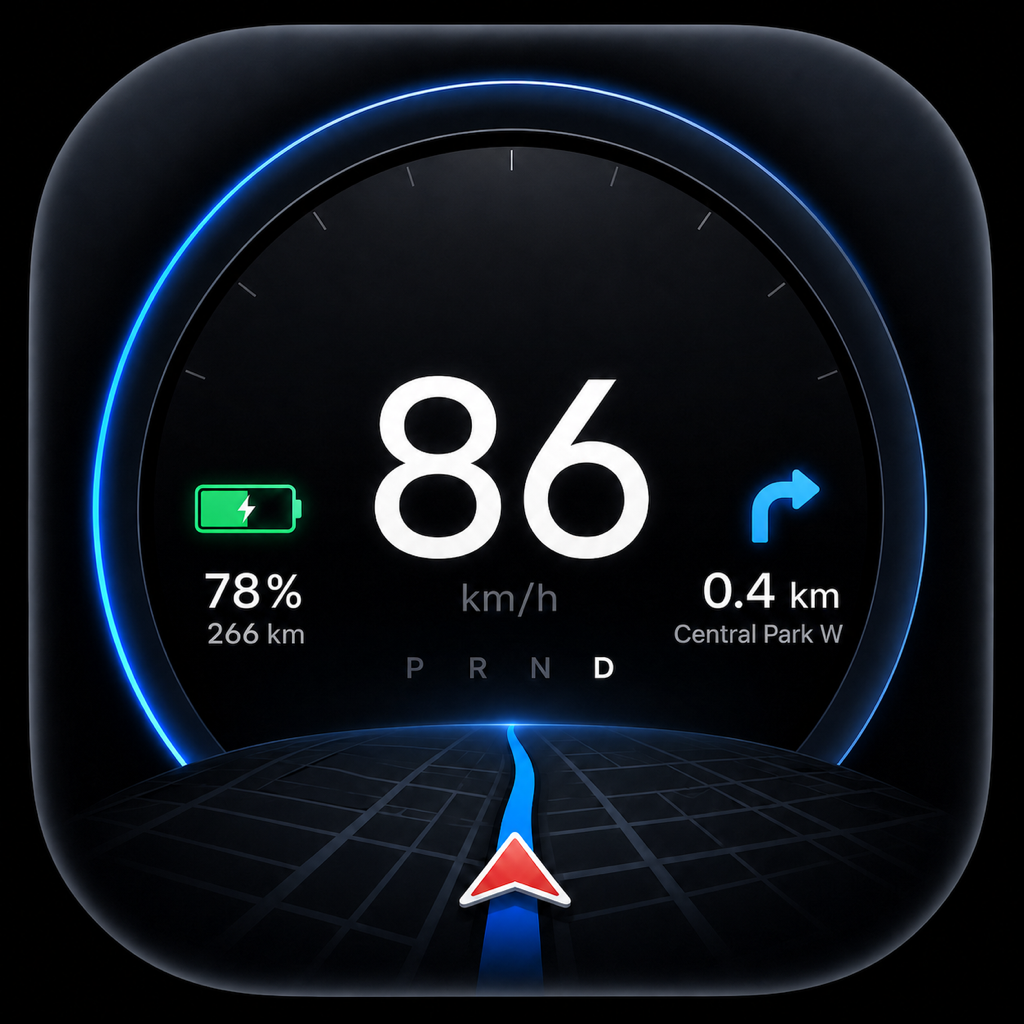
Tespit 有哪些變化——新功能、改進與錯誤修正,依版本按時間順序排列。

版本記錄

版本 1.1.16

最新版本
iOSAndroid

Tespit 1.1.16 帶來 3D 車輛的車身貼膜、22 種新語言、以公里或英里顯示的里程數,以及更多功能。

新增
  • 將你自己的車身貼膜套用到 3D 車輛上,使用與車內相同的 PNG 檔案(Toybox › Paint Shop › Wrap)。適用所有車款:Model 3、Model Y、Model S、Model X 和 Cybertruck。試用免費;在座艙內使用需要 Tespit Premium。
  • Tespit 現已支援 35 種語言。新增 22 種語言:挪威語、瑞典語、芬蘭語、葡萄牙語(葡萄牙)、希臘語、羅馬尼亞語、斯洛伐克語、克羅埃西亞語、斯洛維尼亞語、烏克蘭語、俄語、加泰隆尼亞語、韓語、日語、中文(繁體)、希伯來語、阿拉伯語、泰語、馬來語、印尼語、越南語和印地語。你可以在設定中選擇語言。
  • 使用阿拉伯文和希伯來文時,選單、設定和行程都會由右至左排列。Cockpit 仍維持由左至右,因為那裡顯示的是車輛的左右兩側。
  • 在單位設定中,現在可以獨立於車速單位來設定里程數的顯示單位。
改進
  • 萬聖節造型到此為止,你可以在設定中重新開啟。
已修正
  • 價格調整的倒數計時一律以西曆計算,即使你的裝置使用其他曆法也一樣。

版本 1.1.15

iOSAndroid

Tespit 1.1.15 帶來全新的 Premium 座艙、可依你喜好調整的座艙、捷徑,行車資料方面也有許多新功能。

新增
  • 輕點一下即可顯示各元素的開關——適用於全部十一個座艙。
  • 「排列」:自由移動元素、放大或縮小,並沿輔助線對齊。
  • 「個別項目」:隱藏個別顯示內容,例如時間或溫度。
  • 輕點時不再縮放;地圖縮放請在「設定 › 導航」中調整。
  • (iOS) 捷徑:「捷徑」App 中提供「啟動 Tespit」與「結束 Tespit」,例如可用於車內的藍牙自動化。從 iOS 26 起,即使 iPhone 已鎖定,Tespit 也會在背景啟動,並附帶簡短語音播報。
  • 行程結束後,排入 P 檔時,Tespit 會顯示一張你的行程圖片,供你分享或儲存,也可設定為自動進行。
  • (iOS) 回放行程、依速度或功率為路線上色、依市區、郊區道路與高速公路區分的駕駛概況、個人紀錄,以及可分享的回顧。
  • (iOS) Touring:上方中央顯示時間,以及目前行程的耗電量。
  • Minimal:可選擇以 kW 顯示目前功率,並搭配長條圖。
Premium 專屬
  • 全新 Premium 座艙 Panorama:兩個傾斜儀表之間是即時地圖,顯示路線與轉彎提示;每個儀表顯示什麼,由你自己選擇。
  • 滑動即可切換三種設計:儀表、背景地圖與精簡。
  • 車速低於 20 km/h 時,地圖會以低角度平視越過屋頂,建築物以 3D 呈現。
改進
  • (iOS) Apple 地圖:轉彎提示會出現在正確的路口,圓環則會顯示到入口處,並在目的地顯示終點旗。
  • (Android) 藍牙搜尋現在需要精確位置;連線被占用及路線無法使用時,提示更為清楚。

版本 1.1.14

iOSAndroid

Tespit 1.1.14:即使已訂閱,仍可購買終身版 Premium。

新增
  • 在設定 › 駕駛艙的「Premium 已啟用」下,現在可看到「Premium 購買選項」——即使已訂閱月方案、季方案或年方案也一樣。
改進
  • 系統會辨識已擁有的終身版,避免你不小心重複購買相同的權益。
  • 重要:購買終身版不會自動終止你現有的訂閱。如有需要,請在你的 App Store 或 Google Play 帳號中管理或取消訂閱。
已修正
  • 購買選項不再因啟用中的訂閱而無法使用。在 iOS 上,刻意開啟的購買選單即使在 Premium 狀態更新時也會保持開啟。

版本 1.1.13

iOSAndroid

Tespit 1.1.13 · 兩款全新駕駛艙:Minimal 讓你清楚掌握速度,Performance 則搭載動態 3D 車輛。另有可分享行程圖片的行車資料、萬聖節模式、小視窗中的速度顯示,以及 Minimal 的行車音效。

新增
  • 萬聖節模式:每款駕駛艙都有專屬的萬聖節夜晚:幽靈、南瓜、騎掃帚的女巫和殭屍。設定和選單也會亮起橘色與紫色。開關位於設定 › 一般。
  • Minimal——免費:大尺寸速度數字、直向與橫向模式、可選字型和快速開關。充電時,以電量或充電功率為主要顯示。
  • 行車資料:Tespit 可依你的需求記錄每次行程:路線、速度、電池和估計能耗。行車資料在設定中有獨立的分頁,所有內容都保留在你的裝置上。你可以將行程分享為圖片:深色地圖上的路線,加上距離、時間和電量——可選簡潔版或包含所有數據的版本。仍可使用 PDF 和 Excel。輸入每次充電的價格,Tespit 就會計算每趟行程的電費。也可依需求使用每日匯率,用於國外充電。
  • 小視窗中的速度:在設定 › 導航中開啟「子母畫面」:當你離開 Tespit 時,小視窗仍會顯示你的速度——例如在通話時。
  • 行車音效:Minimal 駕駛艙提供八種可選的音效設定檔,會依速度和功率變化。為選用功能,預設關閉,並可試聽。聲音由 App 產生;轉速和換檔皆為模擬。
  • (iOS)車輛資料與充電紀錄:輕觸即可查看更多充電、輪胎、空調和車輛詳細資訊,另有本機充電紀錄、充電與預調節排程以及軟體詳細資訊。空調預調節可在靜止時啟用或停用。詳細資訊畫面在三秒無操作後會自動隱藏。目前先在沒有全螢幕地圖的標準駕駛艙中提供。
Premium 專屬
  • Performance 駕駛艙:Performance 是全新的 Premium 駕駛艙:你的動態 3D 車輛行駛在移動的道路上;強力加速時會產生光隧道。自動鏡頭會配合你的速度調整,短暫滑行時會保持其視角。你可以自由環視車輛,並儲存你最愛的視角。若無觸控,鏡頭會在三秒後滑回。可選擇動畫僅在起步時出現,或在行駛中功率達 150 kW 且測得加速時也出現。充電時,你可以在車輛視圖和依實際記錄數值繪製的充電曲線之間切換。
改進
  • 其他改進:更穩定的藍牙資料傳輸、靜止與起步時更快的車門更新,以及設定中更流暢的捲動。
  • (iOS)適合舊款 iPhone 的省電模式:省電模式現在查詢車輛資料的頻率與自適應模式相同。為此,它會關閉 Liquid Glass 並隱藏 3D 車輛——Performance 駕駛艙除外。這能減輕舊款 iPhone 的負擔。iPhone XR 至 iPhone 13 會自動開啟此模式。你可以在設定 › 導航 › 更新模式中更改。
  • (iOS)自訂導引指示:Apple Maps · 在開發者模式中可以開啟新的路線導引:根據路線產生的專屬箭頭、使用 App 語言的提示,以及對接下來近距離操作的預覽。原有的導引仍可透過開關使用。
已修正
  • (iOS)即時行車資料和導航分鐘數的中文顯示現在使用正確的用語。
  • Tesla 目的地再次正確同步(Android)。

版本 1.1.12

iOSAndroid

Tespit 1.1.12:透過 OBD 直接從你的 Tesla 取得即時資料、逐步設定引導、所有車型皆支援 3D,以及更流暢的地圖。另有多項日常使用上的改進。

新增
  • 逐步設定引導(iOS):透過圖片和可旋轉的 3D 預覽選擇車型與配置。Tespit 會檢查藍牙和位置資訊,顯示鑰匙卡影片,並透過 VIN 與配對的相關提示一步步引導你。
  • 所有車型皆支援 3D(iOS):除了 Model 3 和 Model Y,現在 Model S、Model X 和 Cybertruck 也以 3D 呈現——包括各個駕駛艙和可旋轉的設定預覽。車漆顏色以及開啟的車門或艙蓋都會與車輛同步,Model X 的鷹翼門也不例外。
  • 包含所有駕駛艙的 Premium 示範:以範例資料試用全部八種駕駛艙:設定 › 一般。僅限靜止時使用。示範不會解鎖任何功能,也不會更改你的駕駛艙。
  • 試用 Cluster 手勢(Android):簡短的示範會說明如何在 Cluster 駕駛艙中滑動,並將儀表推到一側。重新播放:設定 › 一般 › Premium 示範 › Cluster ›「學習滑動手勢」。
  • 依太陽自動切換淺色與深色:淺色與深色之間的自動切換,現在依據你所在位置的日出日落,而不再固定於 7 點和 19 點:日落後不久切換為深色,日出前不久切換為淺色。即使你的手機固定設為淺色或深色,也同樣適用。你可以在設定中查看接下來的切換時間。
  • 直接從 App 取得協助(iOS):在設定的「支援」中選擇你的問題和車輛。Tespit 會準備好一封附有 App 與裝置版本資訊的電子郵件。
  • Live Activity 在背景也能運作(iOS):即使 Tespit 在背景執行,Live Activity 也會持續更新。三位數的速度現在可以顯示在同一行。
Premium 專屬
  • 搭配 Premium 的 OBD:使用相容的 OBD 轉接器(如 Vgate vLinker MS)和合適的 Tesla 連接線,Tespit 可讀取更多車輛資料。Tespit 僅讀取資料,不會對車輛做任何更改。
  • 藍牙或 OBD:在 OBD 選單的「Tespit 透過 OBD 顯示的內容」中,你可以選擇速度來自 Tesla 藍牙還是直接來自 OBD——可以是 Tesla 顯示的數值,也可以是內部測得的數值。你的選擇會保留下來。
  • 駕駛艙中的方向燈:左右方向燈在駕駛艙中的閃爍與車內完全一致——直接從車輛讀取。
  • 含充電曲線的能源駕駛艙(Android):充電時,能源駕駛艙會以曲線顯示充電功率——可顯示目前這次充電,或最近 1 至 60 分鐘。另新增 15 公里視窗,並可在大區塊中選擇速度或車輛。
  • 速限與超速警示:Tespit 會顯示車輛辨識到的速限,並偵測超速警示何時出現。警示現在也能正確處理使用 mph 的車輛。Tespit 僅讀取資料,不會控制車內的任何功能。
  • 盲點:當盲點中有車輛時,駕駛艙中對應的一側會亮起紅色。
  • 透過 OBD 取得能源資料:電池、充電和功率直接來自車輛。靜止時,Tespit 會自動依序讀取所有能源數值。
  • 全新 OBD 選單:連線、資料來源和說明一目了然。診斷與進階設定請見「更多專業功能」。
改進
  • 地圖始終跟著你(iOS):在標準駕駛艙中,直向模式下你的箭頭始終可見。地圖和箭頭在各位置之間的移動現在更流暢,並會跟隨彎道。停車時,箭頭會保持最後的方向;只有在尚不知道方向時,才會顯示圓點。
  • 減輕 Tesla 連線負擔:當 OBD 提供速度時,Tespit 會減少透過藍牙查詢車輛的頻率。短暫的訊號中斷不會再讓連線斷開。
  • 更穩定的 OBD 連線(iOS):中斷後轉接器會重新連線,OBD 視窗也保持流暢。啟用離開功能後,短暫切換 App 時仍會保持連線。在背景兩分鐘後會中斷連線,並在開啟 App 時重新連線。藍牙 LE 轉接器的中斷與重新連線問題也已修正。
  • 更穩定的 OBD 連線(Android):中斷後轉接器會自動重新連線——先立即重試,之後間隔逐漸拉長。若其資料緩衝區已滿或不再收到資料,Tespit 會自動重新啟動記錄。
  • 全部翻譯完成:最後尚未翻譯的文字現在已有全部 13 種語言版本。關於配對、貼上 VIN、鑰匙卡和重新配對的提示也已修正,並更容易理解。
已修正
  • 貼上 VIN 一律可行(iOS):從其他 App 複製的 VIN 不再妨礙開始配對。Tespit 會自動移除不可見字元、空格和連字號。含有無效字母的 VIN 會立即被偵測出來。
  • 語言清單再次可捲動(iOS):行駛期間,設定中的語言清單會不斷跳回頂端。現在隨時都可以捲動到底。
  • 單位與格式正確(iOS):Touring 和 Ultra 現在會正確將溫度換算為 °F,標準駕駛艙中的 mph 也會四捨五入。距離遵循 App 的語言格式,抵達時間則遵循你裝置的時間格式。Cluster 中重複的度數符號已修正。

版本 1.1.11

Tespit 1.1.11 brings animated 3D vehicles, smarter map zoom and cockpits you control directly with your finger.

新增
  • Animated 3D vehicles: Model Y Juniper, Model 3 Highland and Model 3 Legacy show open doors, frunk, trunk and your paint color in 3D.
  • Smart map zoom: Choose Near, Adaptive or Far – distance and viewing angle adapt smoothly to your speed.
  • New vehicle page in the Standard cockpit with all key data at a glance. The side panel can be hidden and shown again with a swipe.
  • The Live Activity stays up to date while you drive and handles short connection drops.
  • Quick introduction: On first launch, a landscape demo walks you through the new swipe gestures step by step.
Premium 專屬
  • Google Maps as map provider – with live traffic and routes to your Tesla destinations.
  • Control Cluster and Ultra with swipes: switch displays or push instruments all the way aside.
  • Energy cockpit: a real charging curve with live kW, added kWh and remaining time – for the whole session or the last 1 to 60 minutes. Also new: the 15 km consumption window.
改進
  • Translations reviewed and completed in all 13 languages.
  • Clearer instruments and layouts in the Cluster and Standard cockpits.
已修正
  • Many small bug fixes.

這些版本說明尚未提供你所用的語言。

版本 1.1.10

Version 1.1.10 adds the new Energy cockpit, more precise navigation with traffic data, the first OBD vehicle-data integration and a more robust vehicle connection.

新增
  • New Energy cockpit with consumption, energy flow and driving history for a trip, 50, 100, 150 or 300 km.
  • Traffic data is highlighted with colours on the map so dense traffic and jams are visible at a glance.
  • OBD integration begins: supported adapters can be configured in Settings and used as an additional vehicle-data source.
  • The full-screen map can now be opened and closed more quickly with a swipe in the Standard cockpit.
改進
  • More precise route guidance, with the gauge and directions positioned according to the selected driver side.
  • Cockpit layouts, the top bar, 12-hour time display, Split view, Speedway charging animation and support for different device sizes have been refined.
  • Bluetooth reconnect, charging detection and live vehicle-data handling are more stable.
已修正
  • Three-digit speeds are displayed completely again in the Standard cockpit.
  • Numerous issues around Settings, navigation, cockpits, vehicle data and rendering were fixed.

這些版本說明尚未提供你所用的語言。

版本 1.1.9

Version 1.1.9 improves the stability and reliability of vehicle connections, expands connection diagnostics and adds a complete reset of local app data.

新增
  • New connection diagnostics for Bluetooth, pairing and Tesla connection issues, even before a vehicle connection is established.
  • New option to completely reset Tespit-owned local app data. StoreKit purchases and Premium access remain intact.
改進
  • Vehicle connection stability and reliability have been further improved.
  • Diagnostic information is handled more securely, is never transferred automatically and remains under the user's control.
已修正
  • Settings open more reliably even when saved values are damaged or outdated.
  • Resetting app data is more stable and no longer requires a restart, with additional bug fixes.

這些版本說明尚未提供你所用的語言。

版本 1.1.8

Version 1.1.8 makes vehicle data faster and more stable. Bluetooth communication, telemetry, scheduling and recovery were extensively analyzed, optimized and validated on real Tesla drives.

新增
  • A new technical details view in What’s New explains the latency optimization and real-world validation.
改進
  • Faster vehicle data, smoother telemetry, safer scheduling and stronger recovery.
  • The changes were measured and validated on several real Tesla drives.
已修正
  • A Settings crash in cockpit personalization was fixed without changing existing options.

這些版本說明尚未提供你所用的語言。

版本 1.1.7

Version 1.1.7 expands Tespit with new languages, a more readable interface and focused improvements for cockpits, localisation and security.

新增
  • A new “What’s new in 1.1.7” window that appears once and can be reopened in Settings.
  • Hungarian, Simplified Chinese and Luxembourgish as additional fully supported app languages.
  • A Bold Text setting for a more readable interface.
  • A Vgate cooperation notice as an outlook: OBD groundwork began with 1.1.10; larger OBD features are currently expected in 1.1.12 and were not part of 1.1.7.
改進
  • Local Premium verification based exclusively on verified StoreKit 2 entitlements and a signed local hint cache.
  • The Speedway “Distance” display shows distance driven since the last parking event instead of the full odometer.
  • A full localisation review, including iOS permission texts and dynamic navigation instructions.
已修正
  • The Basel promotion no longer opens automatically and remains available in Settings.
  • Split cockpit dividers are black in light mode and white in dark mode, in both the driving view and preview.

這些版本說明尚未提供你所用的語言。

版本 1.1.6

Version 1.1.6 brings refinements to the cockpits, a more stable Bluetooth connection and better charging views.

新增
  • Faster vehicle pairing flow with clearer key-card instructions.
  • New charging details in the Split cockpit.
改進
  • More reliable Bluetooth reconnection after standby.
  • Smoother animations in all cockpits.
  • Refined typography and readability in direct sunlight.
  • Localisation improvements across all languages.
已修正
  • Rare issue where the speed display froze after longer standing times.
  • Corrected range values with certain unit settings.
  • General stability fixes.

這些版本說明尚未提供你所用的語言。

版本 1.1.5

Version 1.1.5 introduces the new Split cockpit, improved navigation guidance and smoother map animations.

新增
  • New Split cockpit: map and driving data side by side in a clear split screen.
  • The standard full-screen map is now available to all users free of charge.
改進
  • More precise navigation guidance with improved maneuver hints and instructions.
  • Smoother map display animations with support for 30, 60 and 120 Hz ProMotion.
  • Performance hints for performance-oriented camera settings.
  • Optimised charging views and refined vehicle renderings.
已修正
  • General stability improvements and performance optimisations.

這些版本說明尚未提供你所用的語言。

版本 1.1.4

Version 1.1.4 improves the cockpits, the vehicle rendering and the settings.

新增
  • New vehicle renderings and cleaner colour reproduction.
  • Liquid Glass can optionally be disabled in the HUD.
  • Basel promotion extended until 30/08/2026.
改進
  • Cockpit text now follows the actual map or background: light = black, dark = white, independent of the app or iOS dark mode.
  • Standard, Horizon, Ultra, Touring and Speedway have been optimised in portrait and landscape.
  • Navigation, map contrast and layouts are more stable.
  • Speedway charging view with better animation, matching charge port and cleaner info cards.
  • The settings run more smoothly and previews render more efficiently.
已修正
  • Many small bug fixes for truncated texts, overlaps and layout errors.

這些版本說明尚未提供你所用的語言。

版本 1.1.3

新增
  • FAQ section in the settings with answers about navigation, Bluetooth, privacy, Premium, CarPlay and more.
  • Model 3/Y body generation can be set manually to Auto, Legacy, Highland or Juniper.
改進
  • Improved charging views with voltage, current and smoother charging animations.
  • More accurate VIN detection for Model Y Juniper.
已修正
  • Many layout, translation and rendering fixes in the cockpits and the Live Activity.

這些版本說明尚未提供你所用的語言。

版本 1.1.2

Version 1.1.2 brings one major improvement and several bug fixes.

改進
  • Music playback progress is now shown correctly in all cockpits.
  • Cluster cockpit: the battery arc at the bottom now fills correctly from left to right instead of symmetrically from the centre.
已修正
  • In some places raw text keys were shown instead of translated terms, among others in Horizon, Cluster and Ultra.
  • The settings now scroll noticeably more smoothly.
  • Further smaller improvements.
  • Note: Basel promotion – until Sunday, 2 August 2026, 11:59 pm, the code BASEL gave one month of Premium free of charge.

這些版本說明尚未提供你所用的語言。

版本 1.1.1

Version 1.1.1 brings further improvements and bug fixes.

新增
  • Animated video guide for key card placement, matching model and vehicle generation: Model 3/Y Legacy and facelift separately as well as Model S, Model X and Cybertruck.
  • A real photo of the key card instead of placeholder text during setup.
改進
  • Light, dark and system appearance now switch instantly without leaving the settings.
  • “Disconnect automatically when leaving” now closes the app reliably, even in the background.
  • Automatic day/night map theme and automatic map zoom are now enabled by default.
已修正
  • Speedway cockpit: music and battery displays no longer overlap, texts are centred, the energy element turns green during regeneration, the live map in the widget no longer freezes and the layout on smaller devices has been corrected.
  • Further smaller bug fixes.

這些版本說明尚未提供你所用的語言。

版本 1.1

Version 1.1 brings noticeable improvements to connectivity and display.

新增
  • New designed “Speedway” cockpit with a speed bar at the bottom and a freely selectable element in the centre, for example the live map.
  • Reworked “Ultra” cockpit with smoother transitions.
  • “Cluster” cockpit: music element with playback progress along the edge and better readability of the gauges.
改進
  • Connecting to the vehicle via Bluetooth is significantly more reliable.
  • The music source is now detected correctly: Apple Music, Spotify, Audible, TuneIn, YouTube Music and more instead of a generic “Bluetooth”.
  • Updated key card placement guide for Model 3/Y; Legacy and the new hardware generation are described separately.
已修正
  • Numerous smaller bug fixes and user interface improvements.

這些版本說明尚未提供你所用的語言。

版本 1.0

First release of Tespit on the App Store.

這些版本說明尚未提供你所用的語言。

更多詳情請見 App Store 與 Google Play。

在 App Store 查看從 Google Play 商店下載 Tespit
展望

正在開發的項目。

坦誠地展示接下來的步驟。

  • 已發佈

    OBD 即時資料 – Tespit 1.1.12(唯讀)

    搭配 Tespit 1.1.12 與 Vgate vLinker MS,儀表板會顯示直接來自車輛的額外資料——僅限讀取,不會向車輛發送任何控制指令。

    • 儀表板顯示方向燈
    • 速限與超速警示(實驗性)
    • 盲點(實驗性)
    • 透過 OBD 取得車速與全新 OBD 選單
    • 危險警示燈、檔位、更多電池數值、轉接器與車型將於未來更新中推出

    已在 Model Y(Juniper)上測試。可用的資料取決於車輛、軟體、轉接器與線材。OBD 轉接器為第三方配件,不包含在隨附內容中。

  • 評估中

    進階 CAN 資料(唯讀)

    透過 CAN 介面解析更多車輛資料。評估中,僅限讀取,不含控制指令。

    • 僅讀取,不會寫入匯流排
    • 不涉及安全關鍵的車輛控制
    • 可行性與範圍仍在評估中

    實際可取得哪些資料,取決於車輛平台、硬體、CAN 匯流排與技術測試。

所有項目僅為意向聲明,沒有固定時程。範圍與順序可能會變動。