


Tespit Social app icon

Companion app to Tespit · free

Share trips with friends.

Tespit Social is a separate app next to Tespit. It shows all your trips from Tespit, analyses them and lets you compare with friends – only what you allow is shared. Tespit itself stays as it is: no account and no server.

Download Tespit Social on the App StoreGet Tespit Social on Google Play

Now free in the App Store for iPhone and iPad and on Google Play for Android.

  • Friends only once accepted
  • Rankings without speed
  • Routes only if you choose
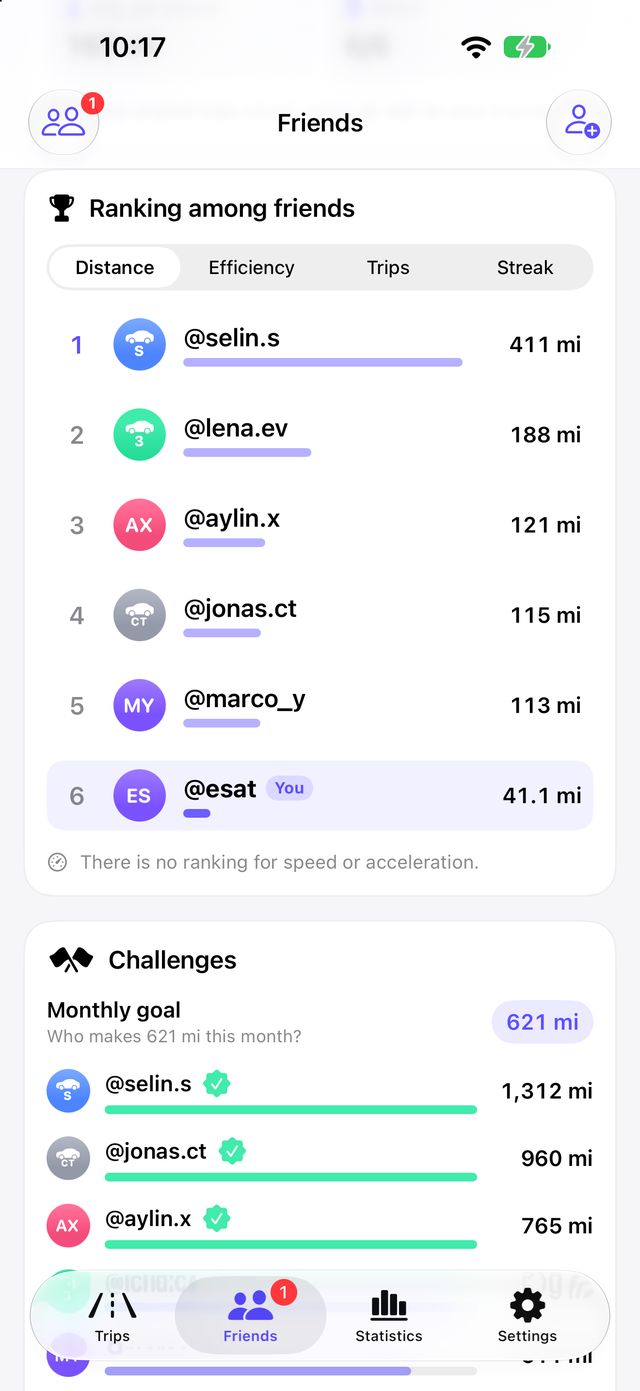
Ranking among friends in Tespit Social
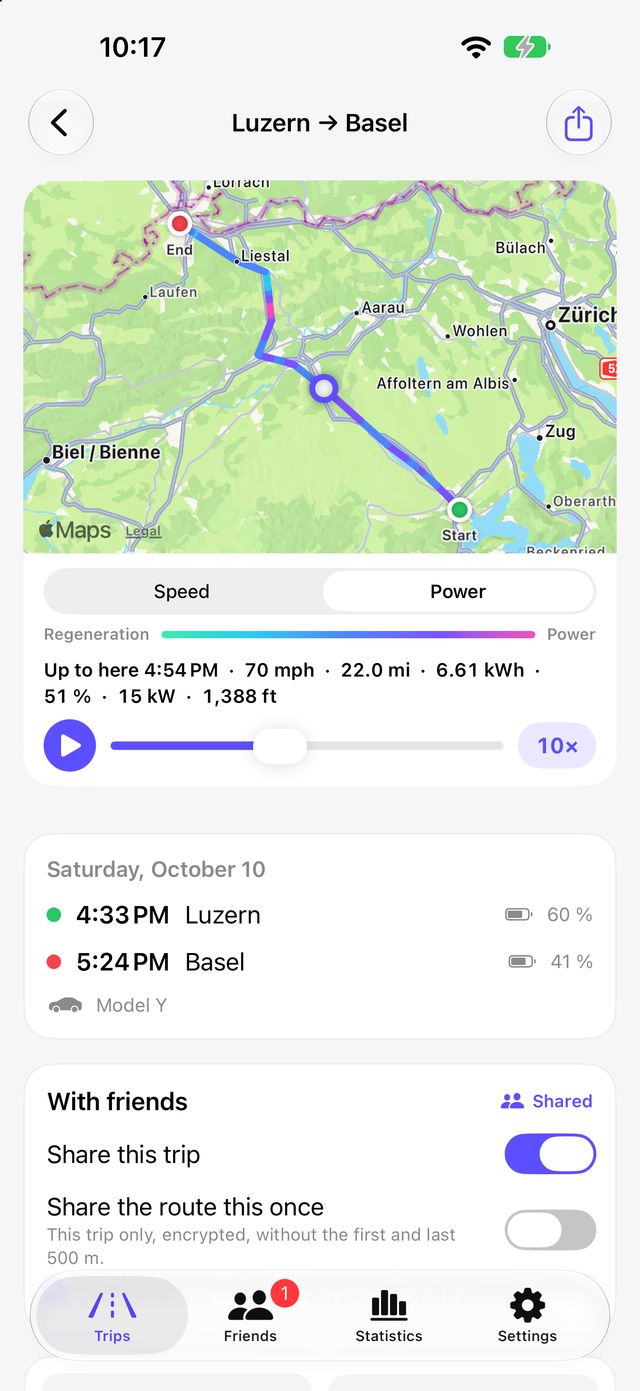
A trip in Tespit Social with the coloured route on the map
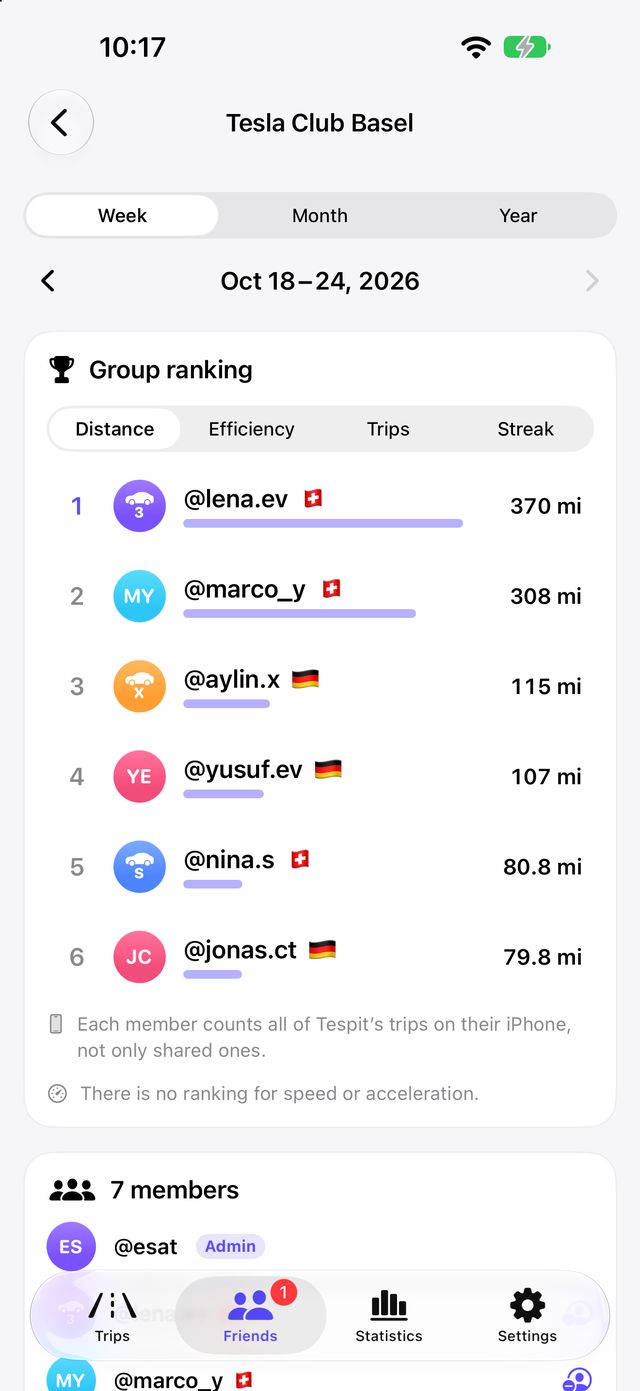
A group with its own ranking in Tespit Social

For friends to see your trips, the data has to live somewhere in between. Tespit, however, should keep sending nothing. That is why a separate app does the sharing – with an account, friends and rankings. If you only use Tespit, you still need no account.

  1. Tespit records

    You turn on driving data in Tespit. Every trip is stored on your phone.

  2. Handed over on the device

    Tespit passes finished trips to Tespit Social right on your phone. Tespit itself sends nothing.

  3. You decide

    Tespit Social shows all trips. Only what you share is uploaded – by default just figures.

  4. Friends see it

    Only friends whose request has been accepted see your shared trips and weekly figures.

From a single trip to a whole group: everything you can make of your drives.

Relive your trips

Every trip from Tespit, analysed in detail.

  • Replay a trip on the map at 0.5× to 10×
  • Route coloured by speed or power – regeneration at a glance
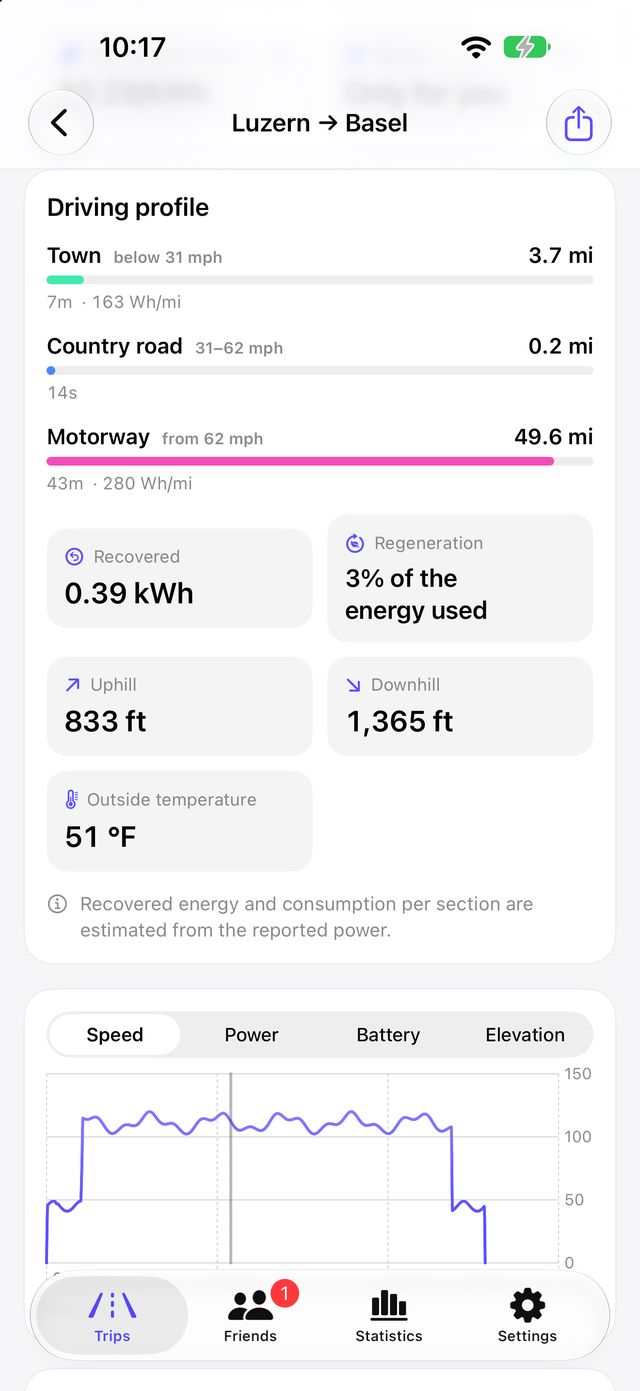
  • Driving profile: town, country road and motorway, standing and traffic, recovered energy, uphill and downhill, outside temperature
  • Curves for speed, power, battery and elevation; tapping picks the measuring point
  • Records and a review picture for the week, month or year
  • Share as a picture, PDF or Excel file
A trip in Tespit Social with the coloured route on the map
Driving profile of a trip with road types, regeneration and elevation

Friends and ranking

A friendship only counts once the other person accepts.

  • Find people by their exact username, your QR code or an invite link
  • Accept, decline or withdraw requests
  • Ranking among friends by distance, efficiency, number of trips and streak (days in a row)
  • Efficiency from 10 km: the lowest consumption wins – deliberately no ranking by speed
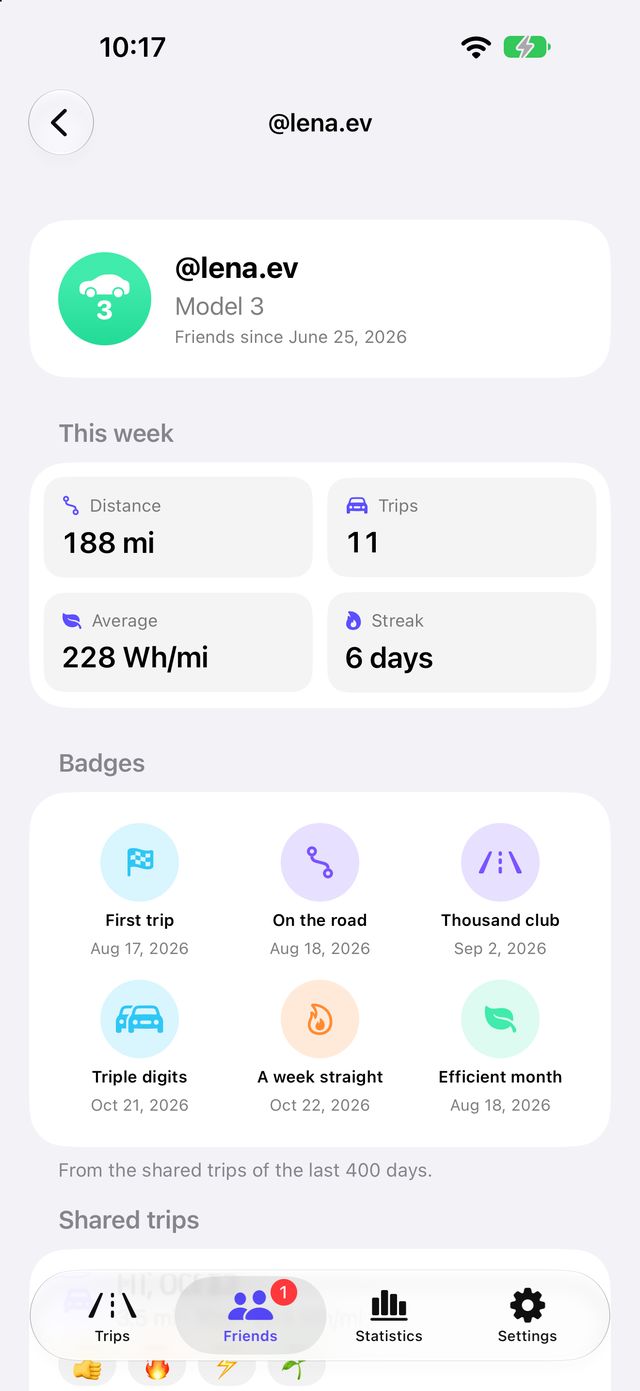
  • Your friends' profiles with weekly figures, shared trips and routes on the map
  • End a friendship, block or report someone
Ranking among friends in Tespit Social
A friend's profile with weekly figures and shared trips

Challenges, badges and reactions

More fun driving efficiently – with no incentive to speed.

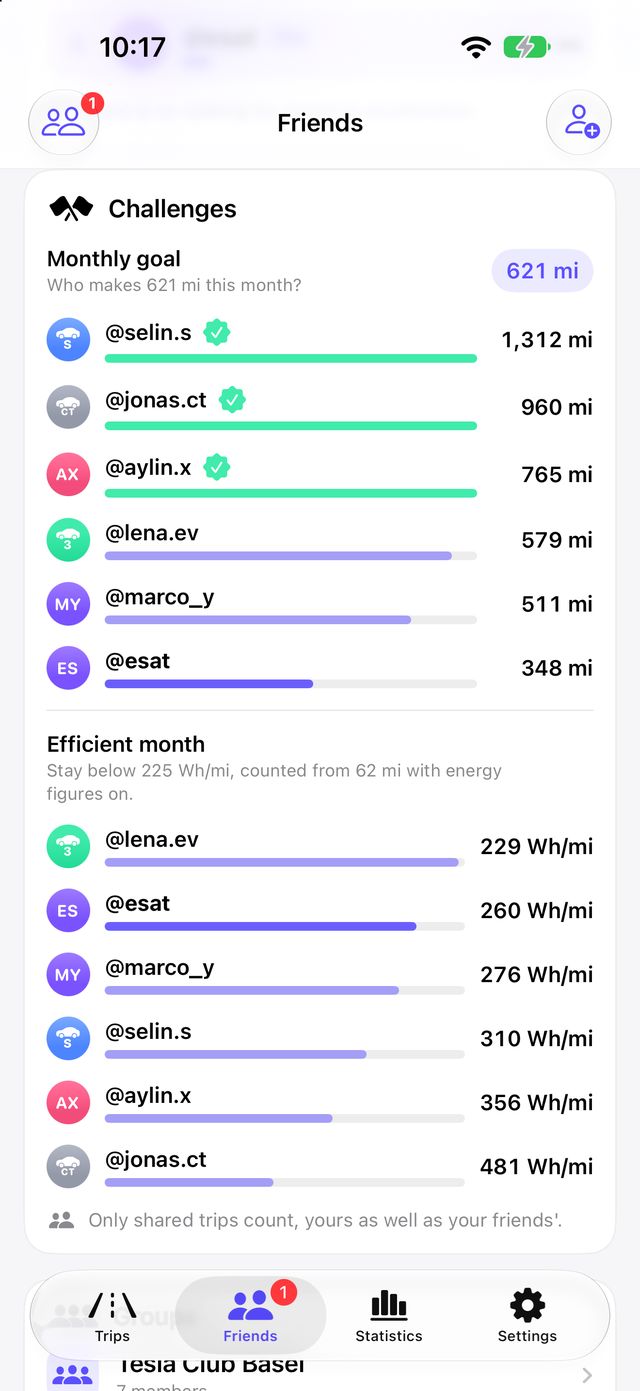
  • Challenges: a distance goal for the month and the efficient month (under 140 Wh/km from 100 km)
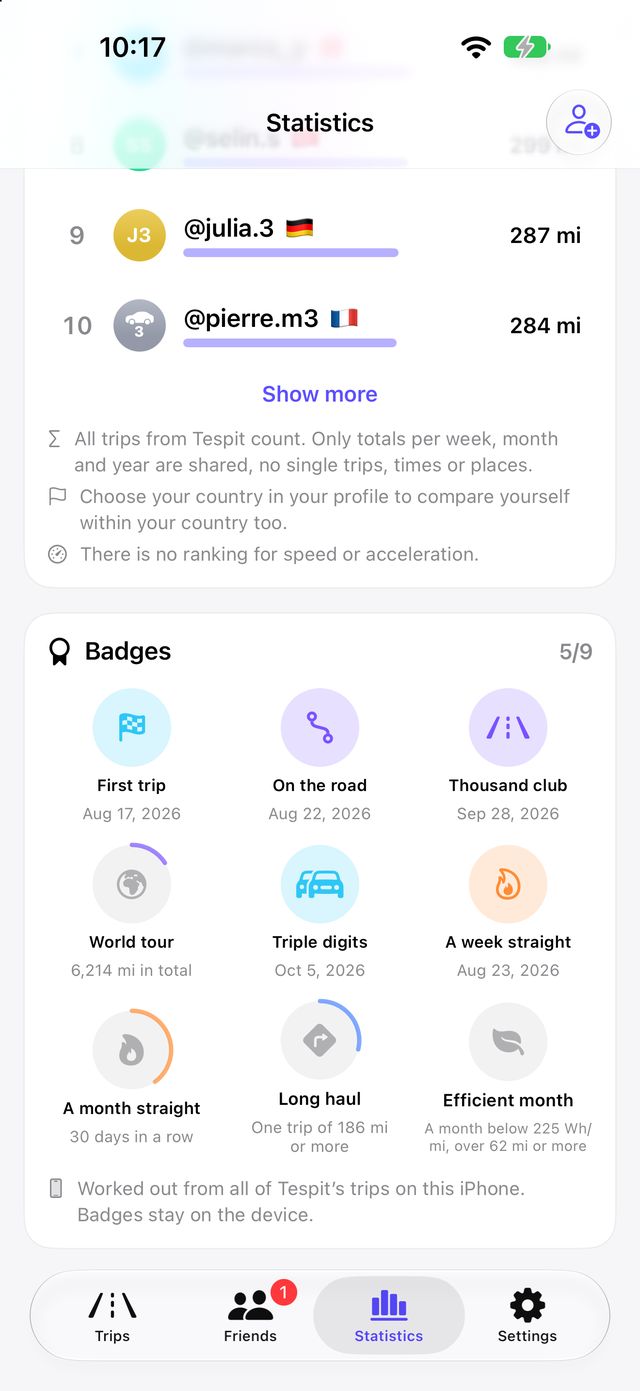
  • Badges for your milestones
  • Reactions to your friends' trips: Like, Impressive, Efficient or Electrifying
  • In a friend's profile you also see their badges
Challenges with the monthly goal and the efficient month
Badges for milestones in the statistics

Groups and worldwide statistics

For the family, the Tesla club or the whole world.

  • Groups with their own ranking, for example for family or a club
  • Join through a link; the owner can end the group
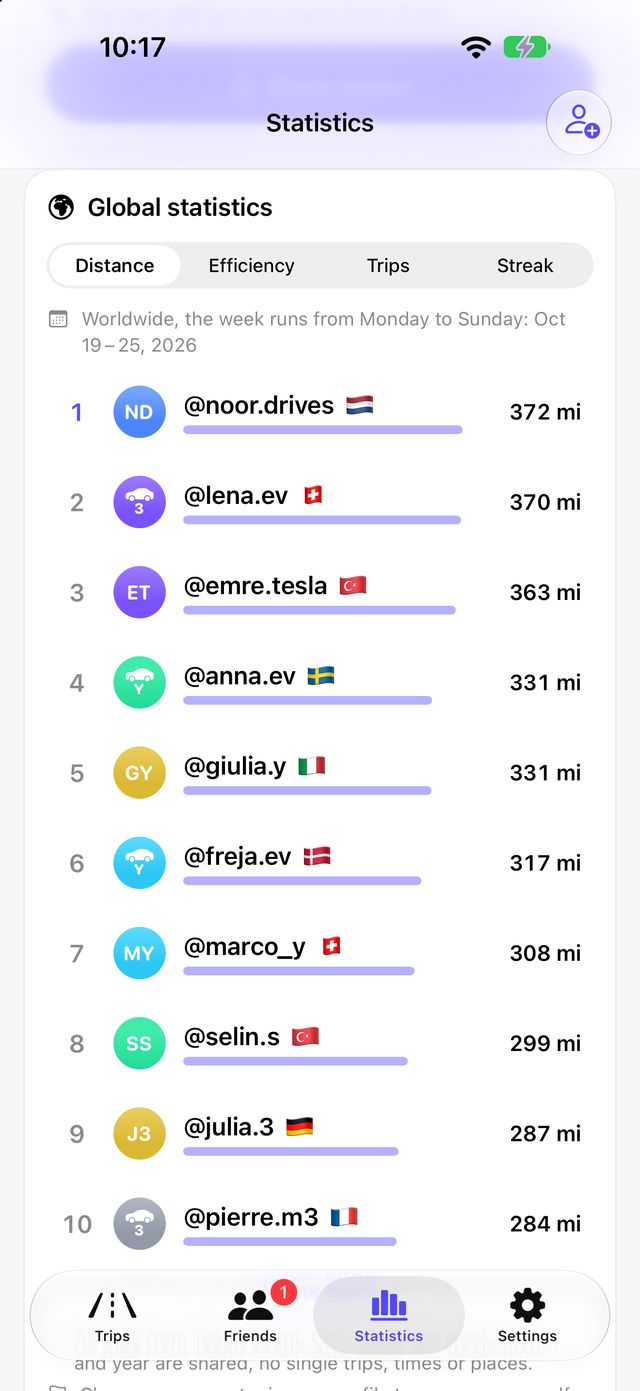
  • Optional global statistics: worldwide or only in your country, for week, month and year
  • Off by default, and you can leave at any time
  • Groups and the worldwide list count the totals of all your trips – nobody sees single trips
A group with its own ranking in Tespit Social
Worldwide statistics with a ranking by country

Pictures from the iPhone app with simulated sample data.

Profile with country and bio

Username, profile picture from initials, vehicle model or your own photo, the flag of your country and a short bio of up to 200 characters.

Invite by link

A link on tespitapp.com opens the request right in the app if it is installed. If not, the page links to the App Store.

Privacy zone

When you share a route, start and destination are cut by 0, 50, 200, 500 or 1000 m so nobody sees your address.

iPhone and iPad

On large screens the list and the trip sit side by side, and the tab bar can switch to a sidebar.

Share as a picture

Every trip as a picture with the name Tespit Social, as a PDF or as an Excel file – just like in Tespit.

13 languages

The same languages as Tespit, selectable in the settings.

By default Tespit Social shares only figures per trip. You choose which ones in the settings.

Shared if you want

  • Date, optionally without the time
  • Driving time and distance
  • Energy (marked as an estimate)
  • Average consumption in Wh/km
  • Charging costs

Never shared

  • Places and addresses
  • Speed
  • Battery level
  • VIN and vehicle name
  • Your location

Routes only as an exception

Want to show a holiday drive? You share a route only for that one trip, after a preview. Start and end are cut by your privacy zone so nobody sees your address. The route is end-to-end encrypted: only your friends can read it, not even the server.

Tespit stays account-free

Tespit still needs no account and sends no trips. Account and server exist only in Tespit Social.

Sign in with Apple

No new password. Tespit Social asks for neither your name nor your email address; others see your username and profile picture.

Data in Frankfurt

Your profile and shared trips are stored with Google Firebase in Frankfurt. No ads, no tracking.

Everything can be deleted

“Delete account” in the app removes your profile, profile photo, shared trips, friendships and requests.

Tespit Social privacy policy ›

Do I need Tespit for it?

Yes, from version 1.1.15. Tespit Social shows the trips that Tespit records – turn on driving data in Tespit for that. Without Tespit the app shows simulated sample trips.

Where can I get the app?

In the App Store for iPhone and iPad, and on Google Play for Android.

What does Tespit Social cost?

Nothing. The app is free.

Does Tespit send data now?

No. Tespit only passes trips to Tespit Social on your phone. Only what you share in Tespit Social goes to the internet.

Can my friends see where I have been?

No. They see figures only. They see a route only if you share it for one trip as an exception – shortened and encrypted.

How do I invite friends?

With their username, your QR code or an invite link. The link opens the request right in the app if it is installed.

Is there a ranking by speed?

No, deliberately not. There are rankings by distance, efficiency, number of trips and streak.

Can I delete everything again?

Yes. You can delete all shared data or the whole account right in the app.

Is Tespit Social from Tesla?

No. Tespit Social is an independent app and is not affiliated with Tesla, Inc.

Free in the App Store for iPhone and iPad and on Google Play for Android.

Download Tespit Social on the App StoreGet Tespit Social on Google Play

It starts with your driving data

Tespit Social builds on Tespit's driving data. See what Tespit records on every trip.

See driving data in Tespit ›