 Made in Switzerland

Overview 01 / 06
The bigger picture
Android app for Tesla drivers
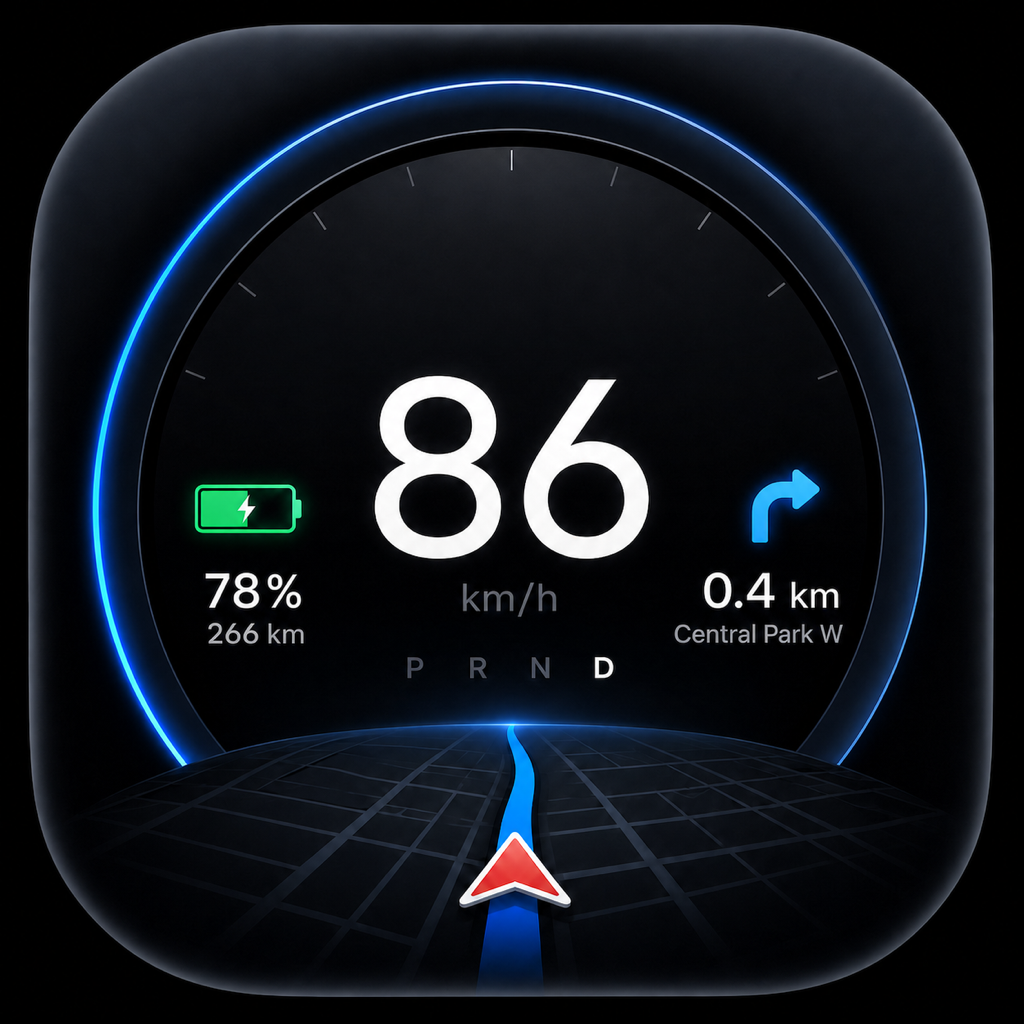
Tespit connects your Android phone locally to your Tesla via Bluetooth. Speed, battery, range, navigation and media in your customizable cockpit.

Made in Switzerland
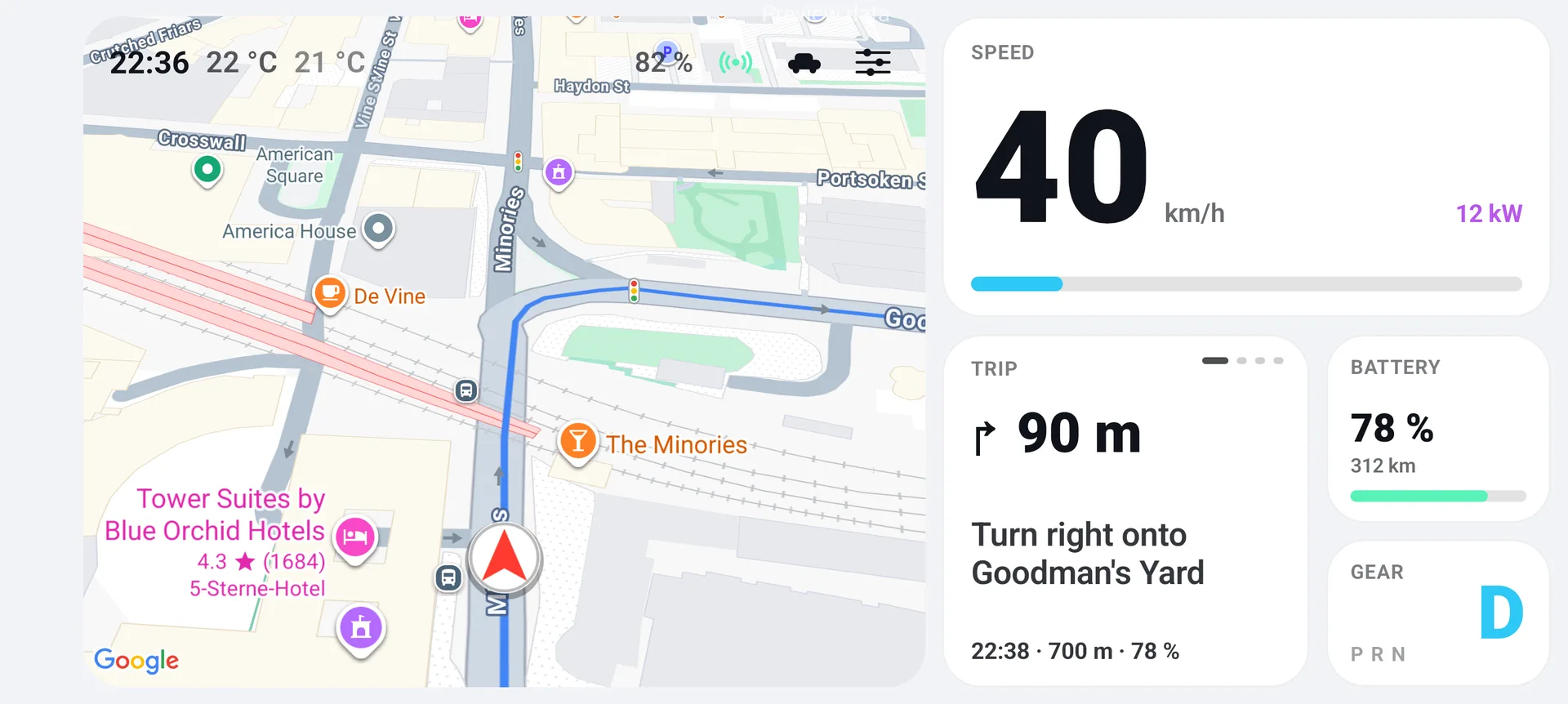
Instead of expensive retrofit solutions, Tespit uses the device you already carry with you.
No installation, no cables, no changes to the vehicle – just install the app.
Your Android phone becomes a driver cockpit – in portrait or landscape, with HUD mode.
Directly to the vehicle via Bluetooth Low Energy. No detour through third-party servers.
Interior temperature and active climate control at a glance.
The track that's playing and its artist.
Reflect the most important values onto your windshield.
Per-wheel values, clearly presented.
Units, colors and themes are all up to you.
Your car as a 3D model, with tire pressure at every wheel.
About 0.3 seconds from the vehicle to the display.
Smooth 3D scenes while driving and charging.
Speed limit, no-passing zones and signs from OpenStreetMap.
Cockpits
A clear view of speed, battery and navigation.
Preview
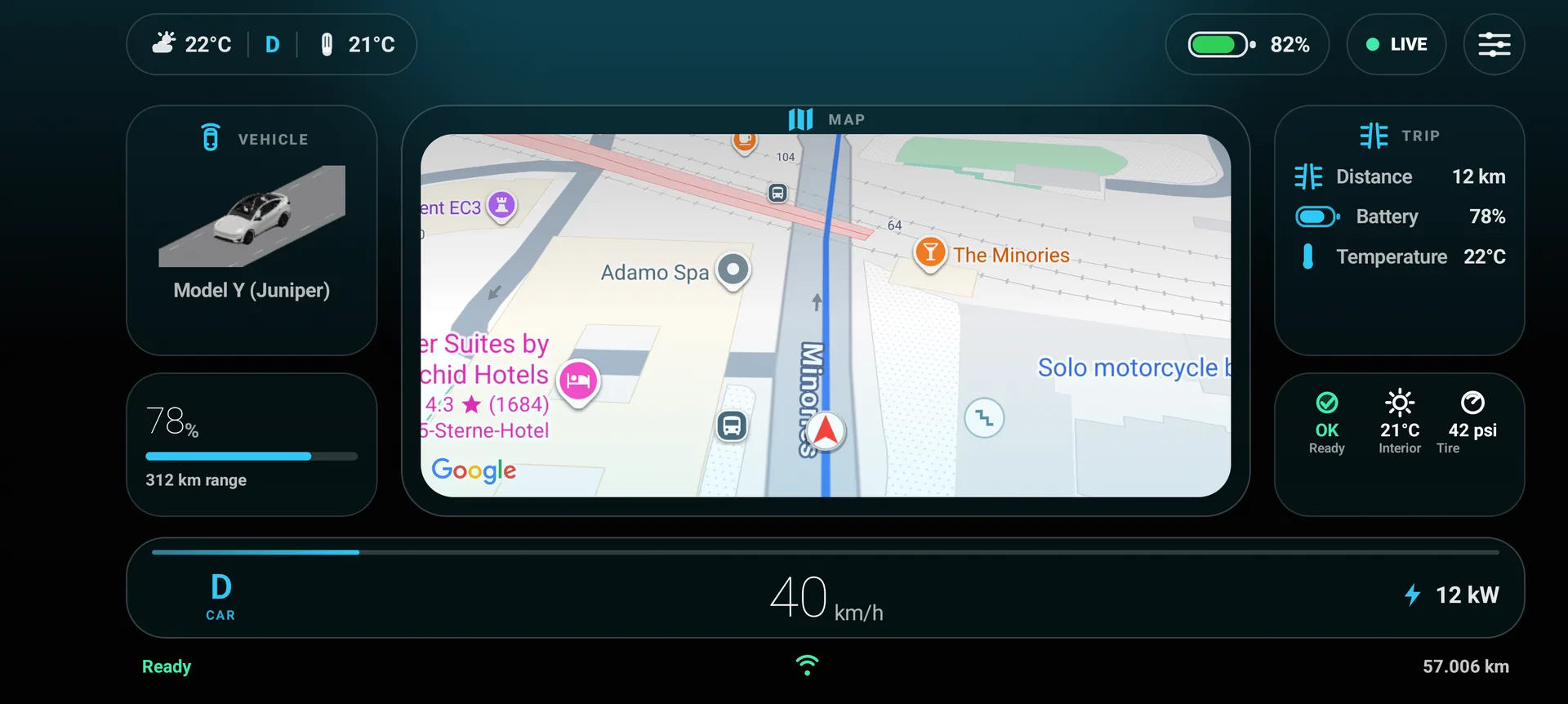
Switch between the Standard cockpit, the 3D car and the charging display in the preview.
Tespit shows the vehicle data your Tesla sends over Bluetooth.
Depending on the cockpit, you can also see the gear, tyre pressure and current power.
The Vehicle center shows warnings and their history, the battery test, the software version and your car's equipment.
Go to the Vehicle centerG-force shows acceleration, braking and cornering. Tespit measures it with your phone's sensors.
More about G-force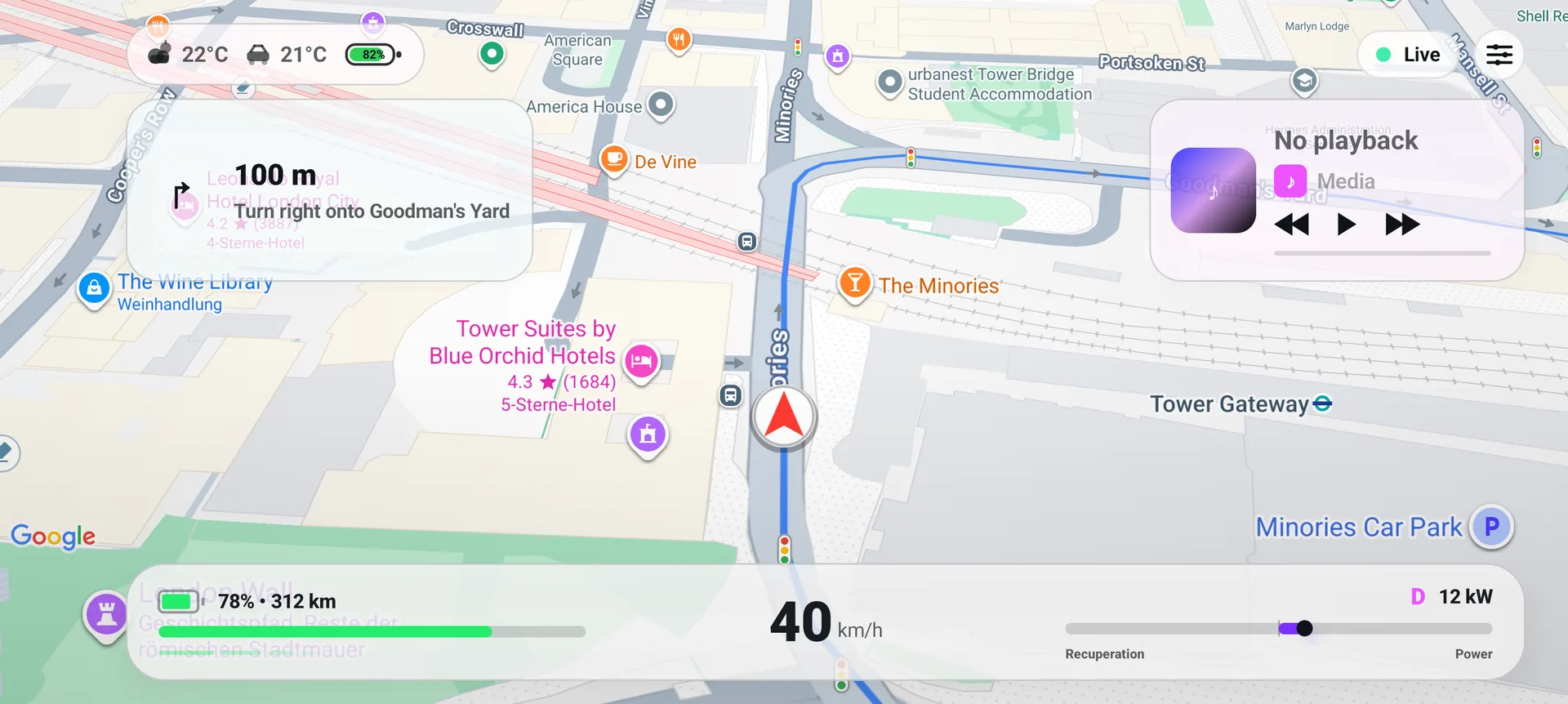
Tespit shows the map, your next turn and the track that's playing.
While your Tesla navigates, Tespit shows alternatives to the same destination with their time and savings. You still choose the route the car follows in the Tesla navigation.
Go to the route overviewChoose your colours, move the instruments and decide which data appears in your cockpit.
Tespit warns you about fixed speed cameras, but only if you are actually driving towards them. Free for everyone, on iPhone and Android.
Distance is measured along your own road. Cameras on parallel streets or for the opposite direction stay silent.
You choose the display yourself: Sidebar, Capsule or Large.
In France, Tespit shows the danger zones instead, with start, progress bar and end.
Data from OpenStreetMap, everything runs offline on your device. Turn it on under Settings › Navigation.
Not available in Switzerland, Liechtenstein or other countries where speed camera warners are banned. In Germany, the driver must not use it while driving.
Pick a layout to see what it shows while driving and charging.
A clear view of speed, battery and navigation.
Since 1.1.17 · Premium · iOS & Android
Your cockpit, one building block at a time. Start with a template or a blank canvas and choose what you see, where it goes and how it looks.
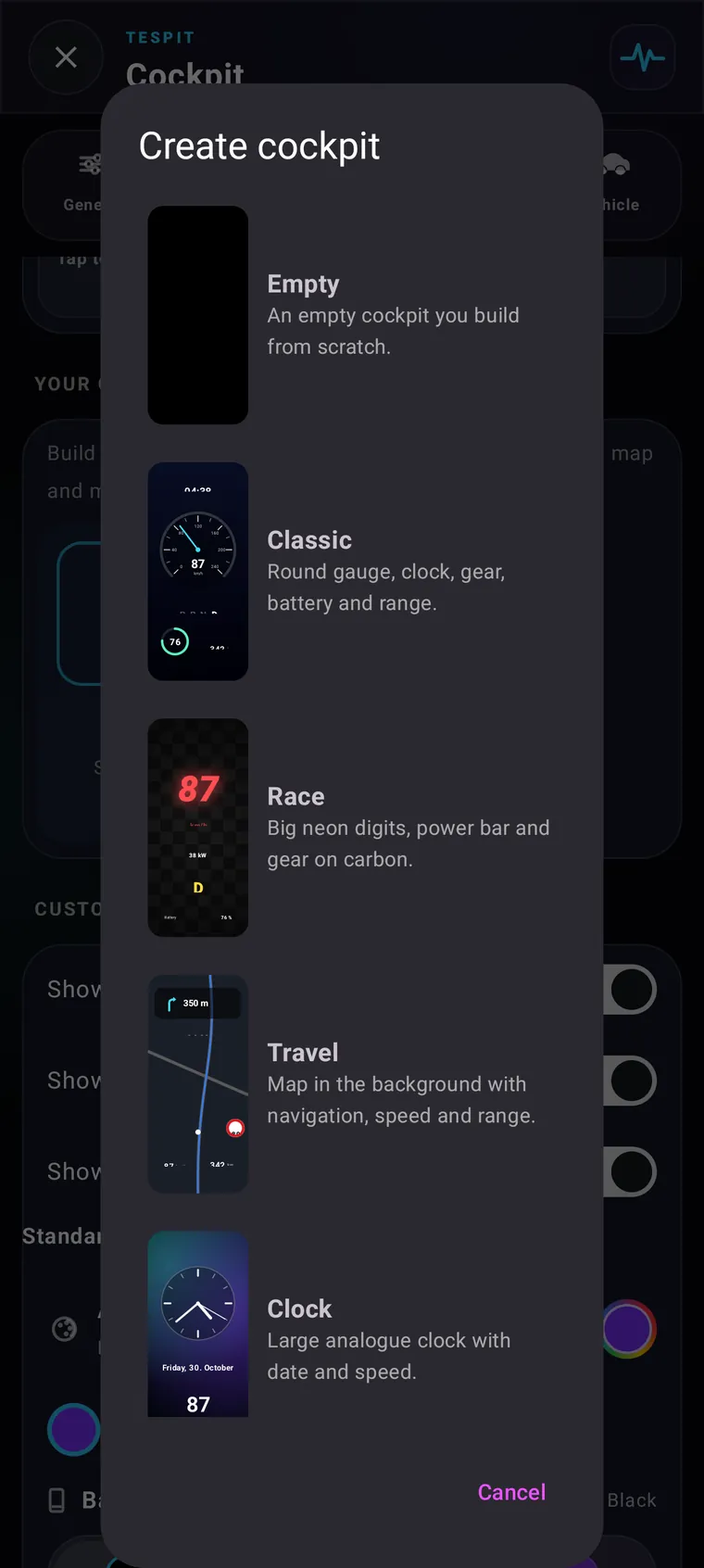
Inside the app.
Original screenshots from Tespit 1.1.17 in your language, with sample values.
Pixel frame adapted from Pixel 10 Pro XL front (Obsidian) by Mliu92, licensed under CC BY-SA 4.0.
Since 1.1.17 · Premium · iOS & Android
Every cockpit of your own has four separate layouts: Driving portrait, Driving landscape, Charging portrait and Charging landscape. While charging, it switches to your charging layout by itself.
Each of the eleven ready-made cockpits can be copied to your own cockpits and adjusted there block by block. The original stays unchanged.
Templates
Starter templates make it easy to begin – from Empty to Trip computer. You can then change each one block by block. Here are six of them, as they look in the cockpit.
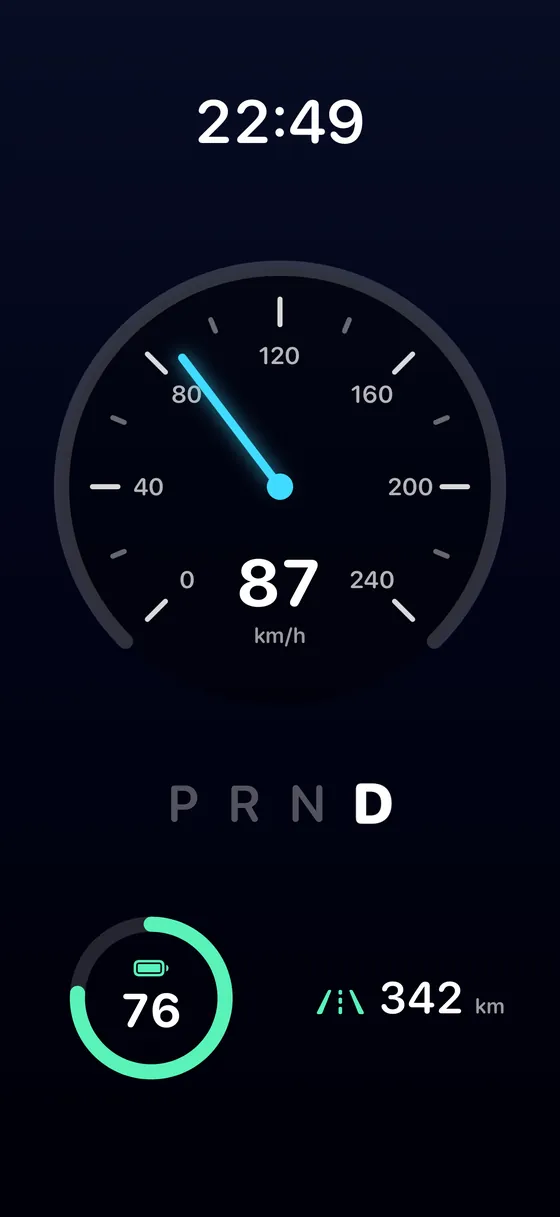
Classic
Round gauge, clock, gear, battery and range.
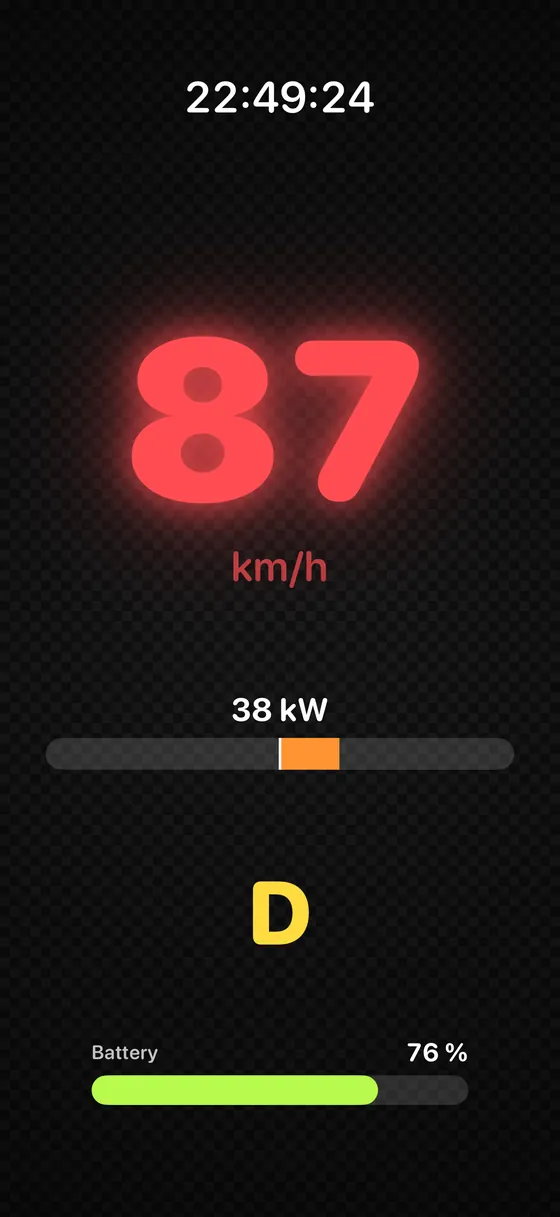
Race
Big neon digits, power bar and gear on carbon.
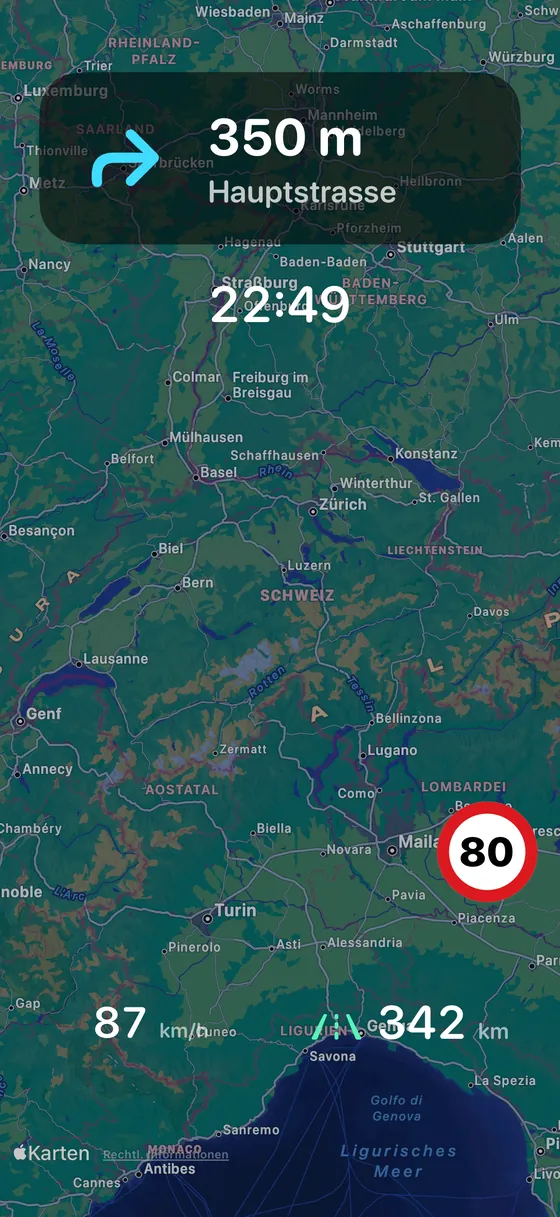
Travel
Map in the background with navigation, speed and range.
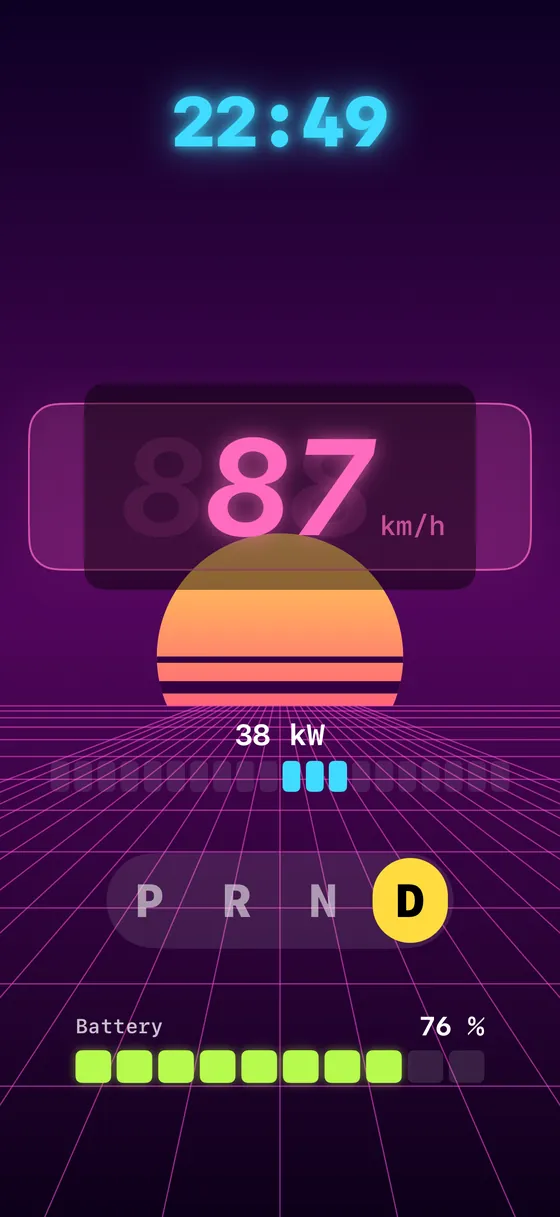
Neon night
Synthwave background, LCD speed, LED meter and neon clock.
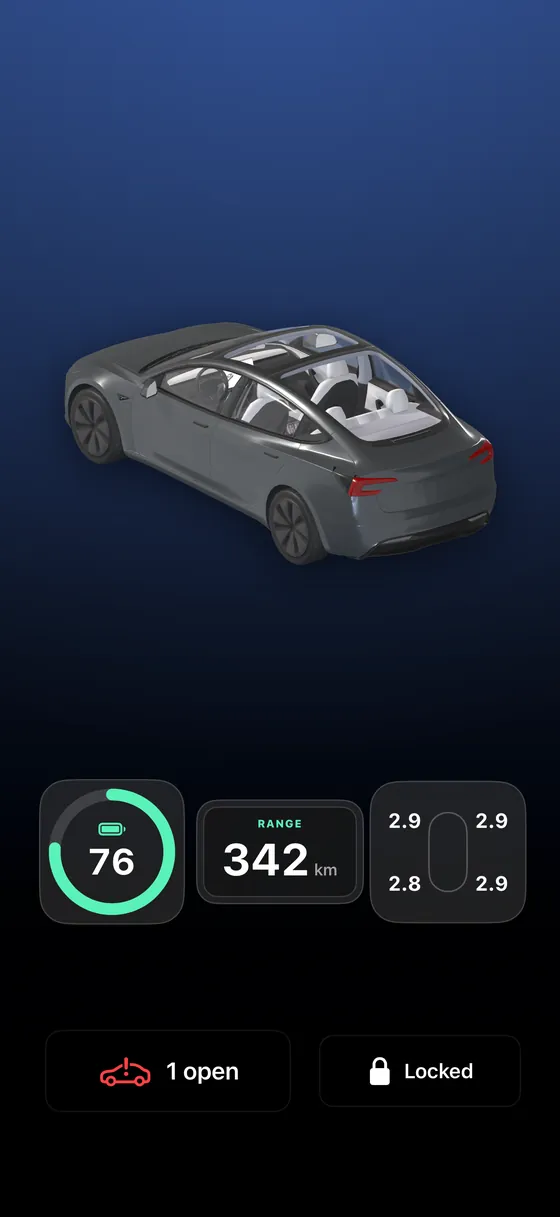
Vehicle
3D car with battery, range, tyre pressure, doors and lock.
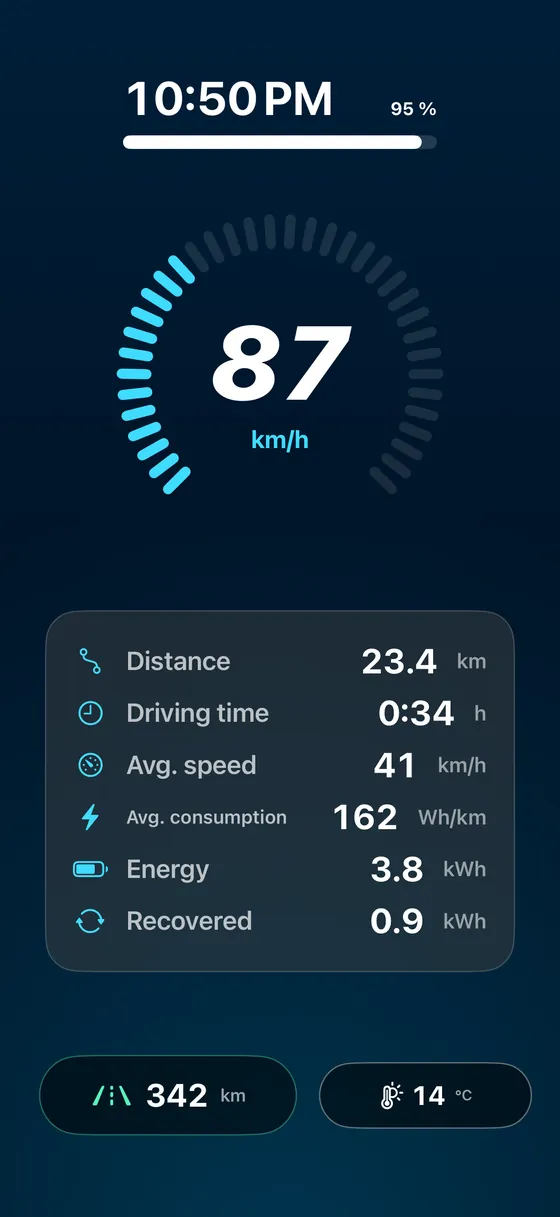
Trip computer
Speed, clock, trip computer, range and outside temperature on ocean.
A selection of the block groups. Version 1.1.18 added many more blocks, such as road signs, consumption, speed cameras and stickers.
Driving
Speed, speed limit, gear and trip computer.
Time
Clock and date: digital, analogue, seconds, flip digits and more.
Energy
Battery, range, power with regeneration and phone battery.
Trip & climate
Trip distance, odometer, outside and inside temperature.
Vehicle
Lock status, tyre pressure, doors and lids, 3D vehicle.
Map, media & design
Compass, manoeuvre, map, music, arrival, street, panels and lines.
More room to create: 14 colours, fonts, opacity, glow, shadows and backgrounds. Optional bottom brake-light edge and side indicator edges (OBD required). One live map and one 3D vehicle per cockpit.
Tespit pairs directly with your vehicle – no Tesla login and no account.
Setup on Android.
Put the car in Park (P) and sit inside with your phone.
Open the official Tesla app, copy the 17-digit VIN and paste it into Tespit.
VIN stands for Vehicle Identification Number, sometimes also called the chassis number. It is the 17-character number that uniquely identifies your car. You can also find it on your vehicle registration document (for example the V5C logbook in the UK, or the registration card in the US).
Confirm the new vehicle key inside the car using the physical key card.
No Tesla login required in Tespit.
Pairing happens locally over Bluetooth Low Energy and only has to be done once per vehicle. Tespit uses neither your Tesla account nor a cloud server of its own for this.
Model S and Model X built before 2021 don't have the required Bluetooth interface and are not supported.
The NFC reader sits in a different spot depending on model and model year. Choose your vehicle and see the correct position.
Hold the card against the spot shown in the video until the vehicle responds.
Hold the card steady against the spot shown in the video until the vehicle confirms pairing.
New since 1.1.13 · iOS & Android
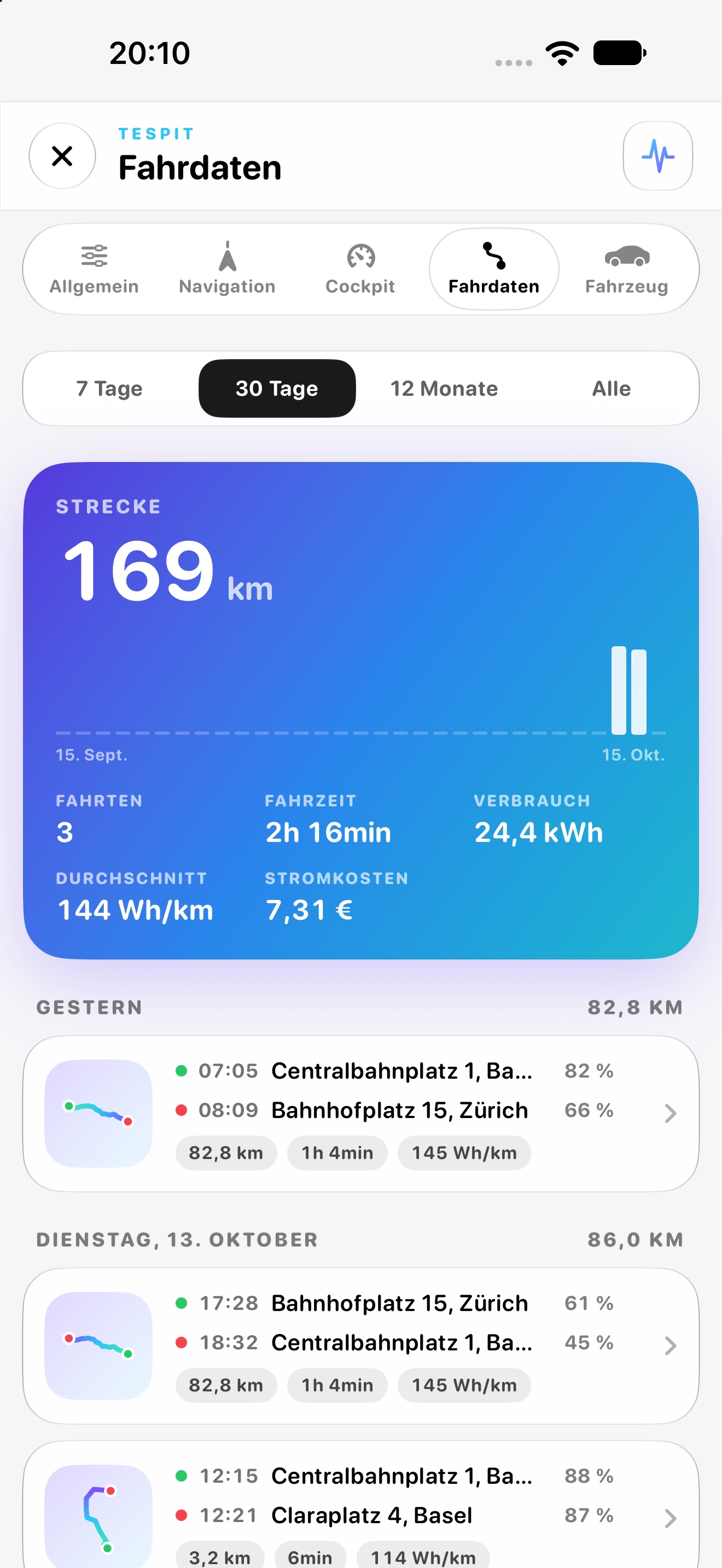
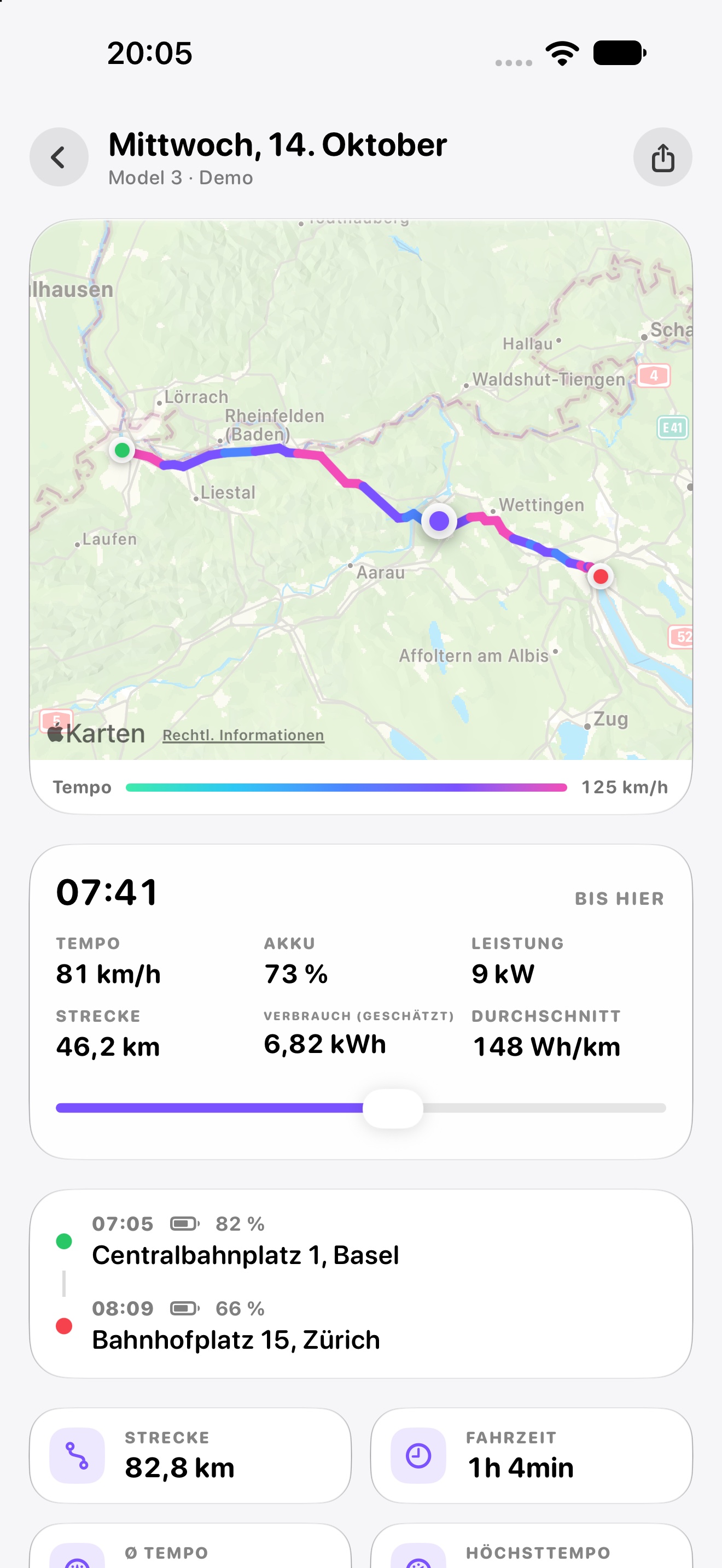
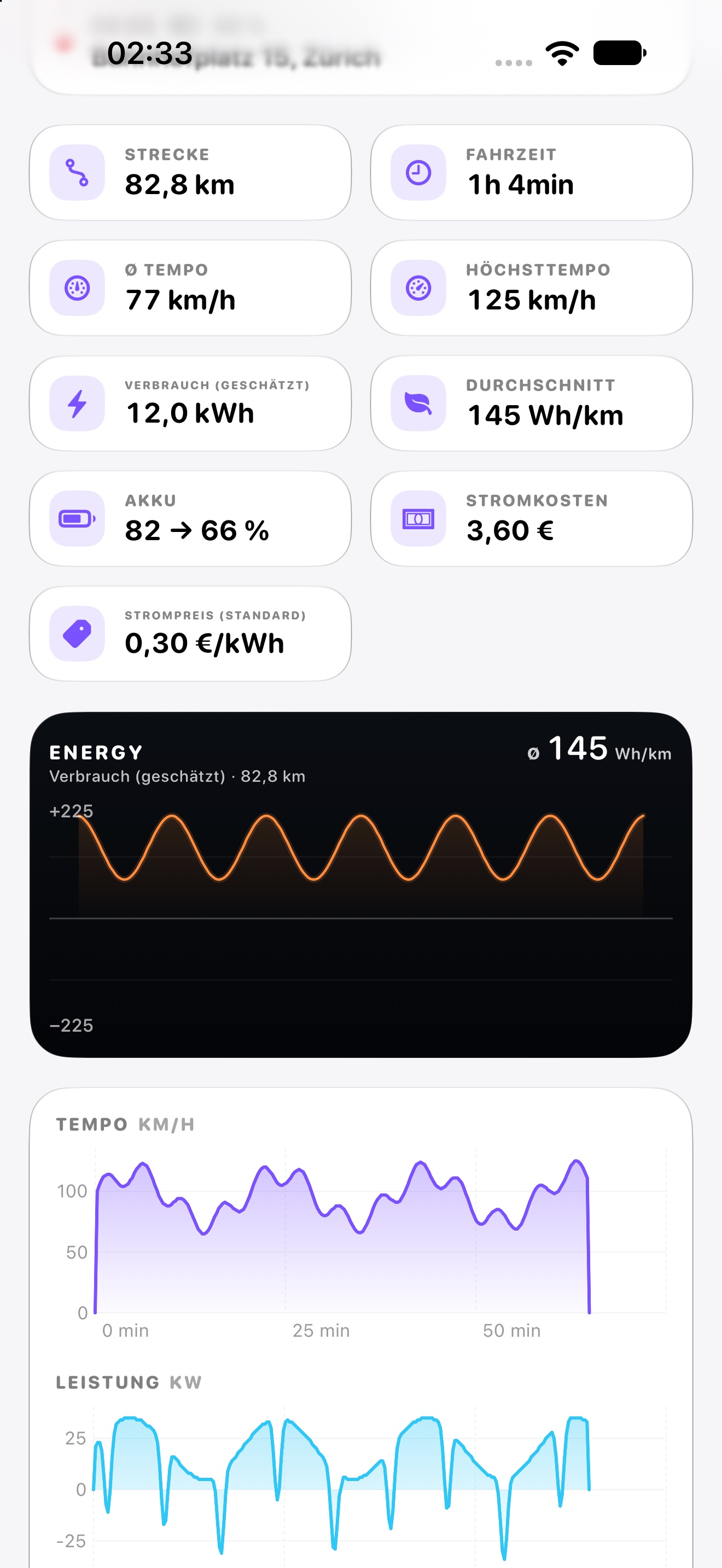
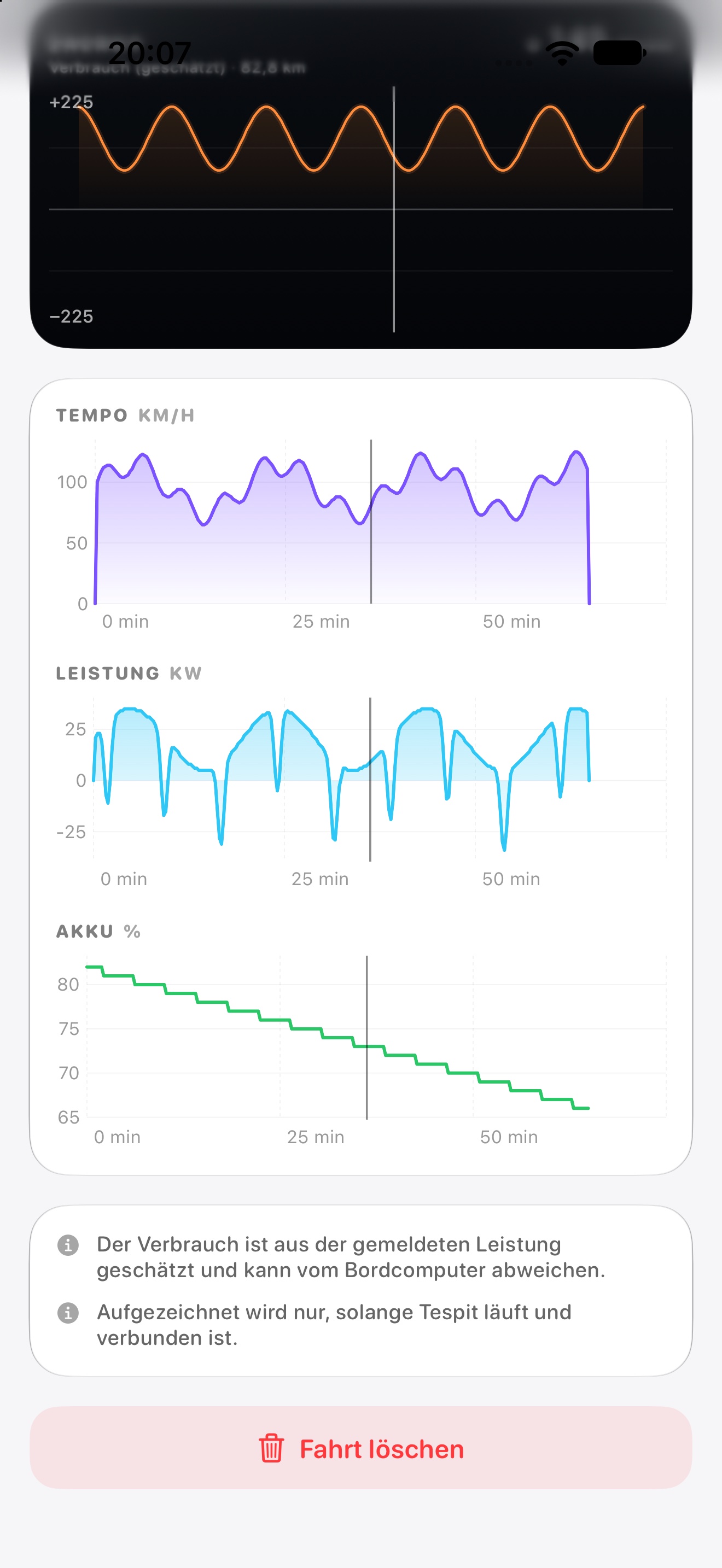
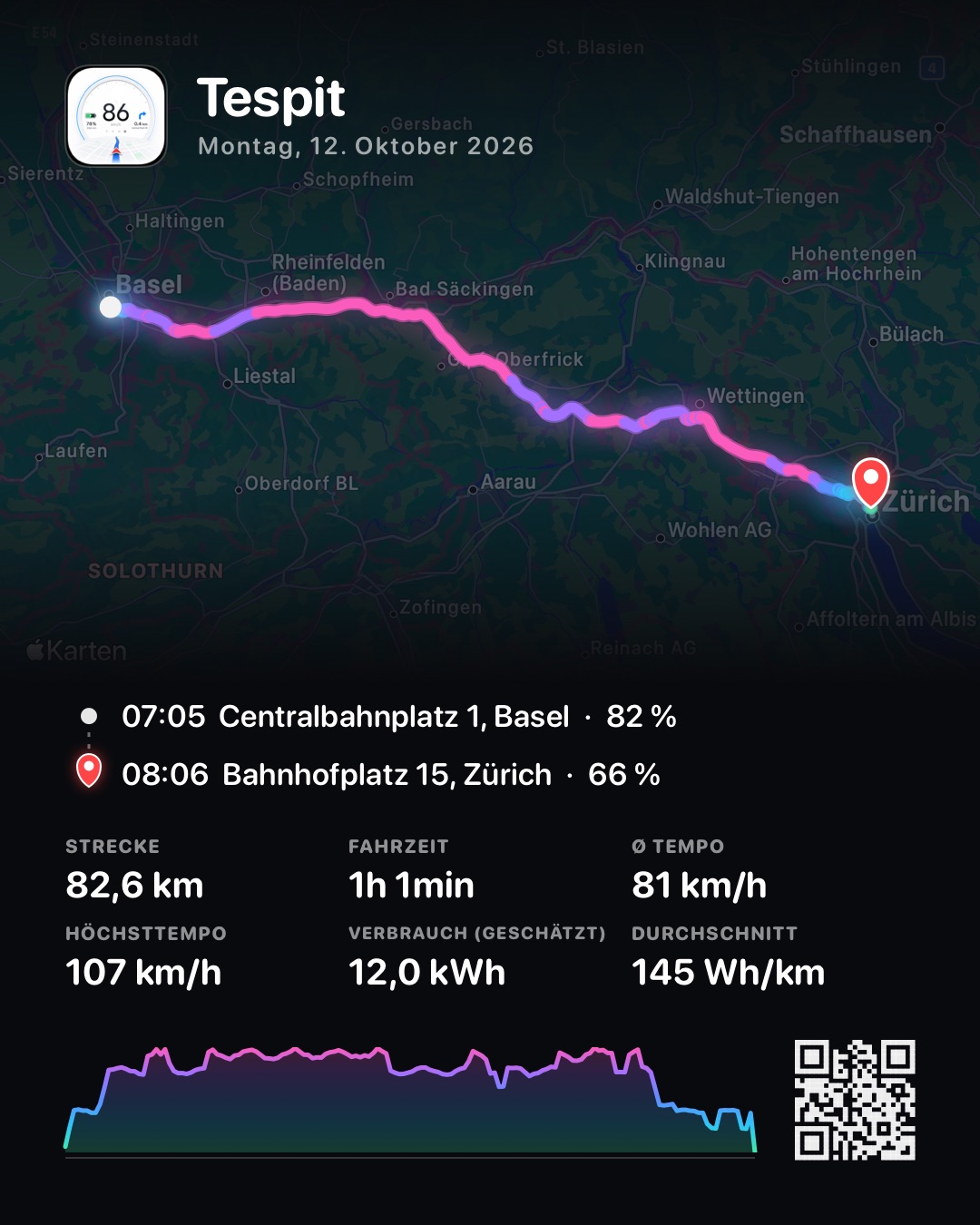
See the route, speed and estimated energy use of your recorded trips. Export individual trips or a date range as PDF or Excel files.
Everything new in 1.1.13Overview 01 / 06
Route 02 / 06
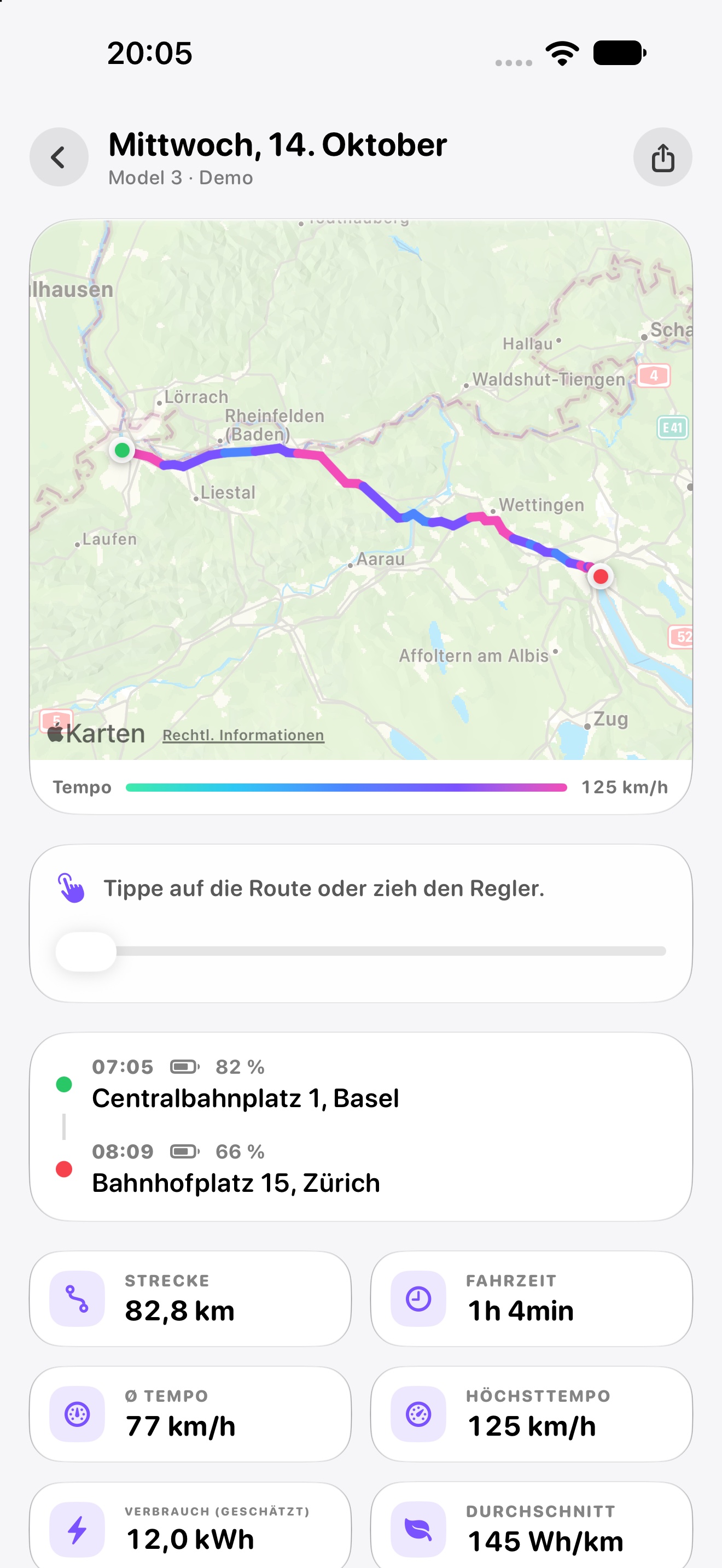
Recorded point 03 / 06
Figures 04 / 06
Analysis 05 / 06
Share 06 / 06
Swipe through the views or choose a topic. Tap the plus for more.
German iOS example with simulated trips. Appearance varies by platform.
© OpenStreetMap · OSRM
Gallery of real app captures with sample data, not a running iOS simulator. Sliders and maps within images are not interactive.
1 / 6: OverviewCharging log
Tespit stores your charging sessions locally on your phone, with the date, the energy added and the battery level before and after. You'll find them in the Trip data tab under “Charging sessions”.
Tap a charging session and enter your electricity price per kWh, even while it is still charging. Tespit uses it to work out the cost of that session and of the drives after it. Without a price of its own, your default price applies.
A charging session is recorded as long as Tespit is connected to the car while it charges.
The app must be running and connected to the car. Routes may be incomplete in the background or with the screen locked. Consumption and calculated costs are estimates, not a complete or tax-certified mileage log.
No Tespit account or cloud sync for trips. Positions are sent to the map provider for maps and addresses. Daily exchange rates are fetched externally only with consent, without sending trip data. Enter Supercharger prices yourself.
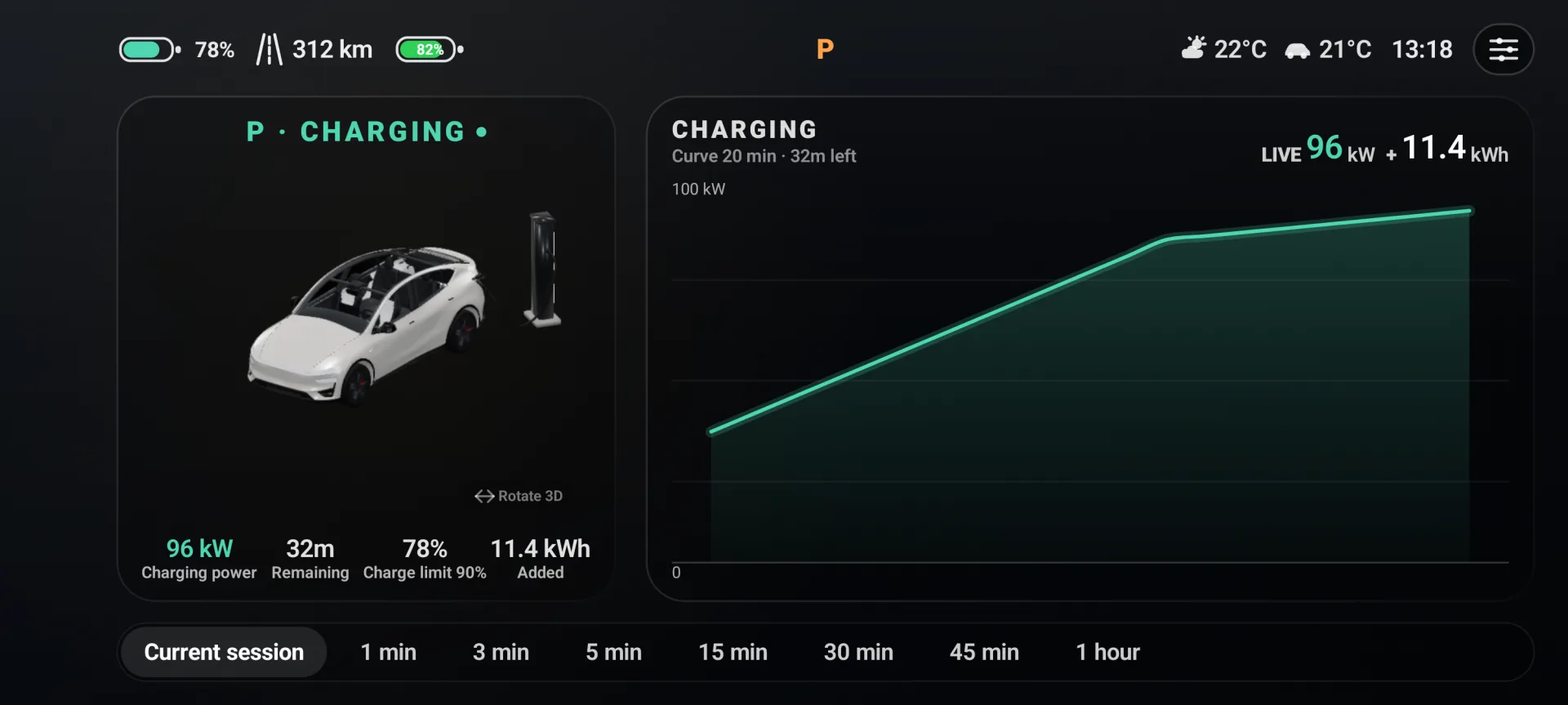
Charging
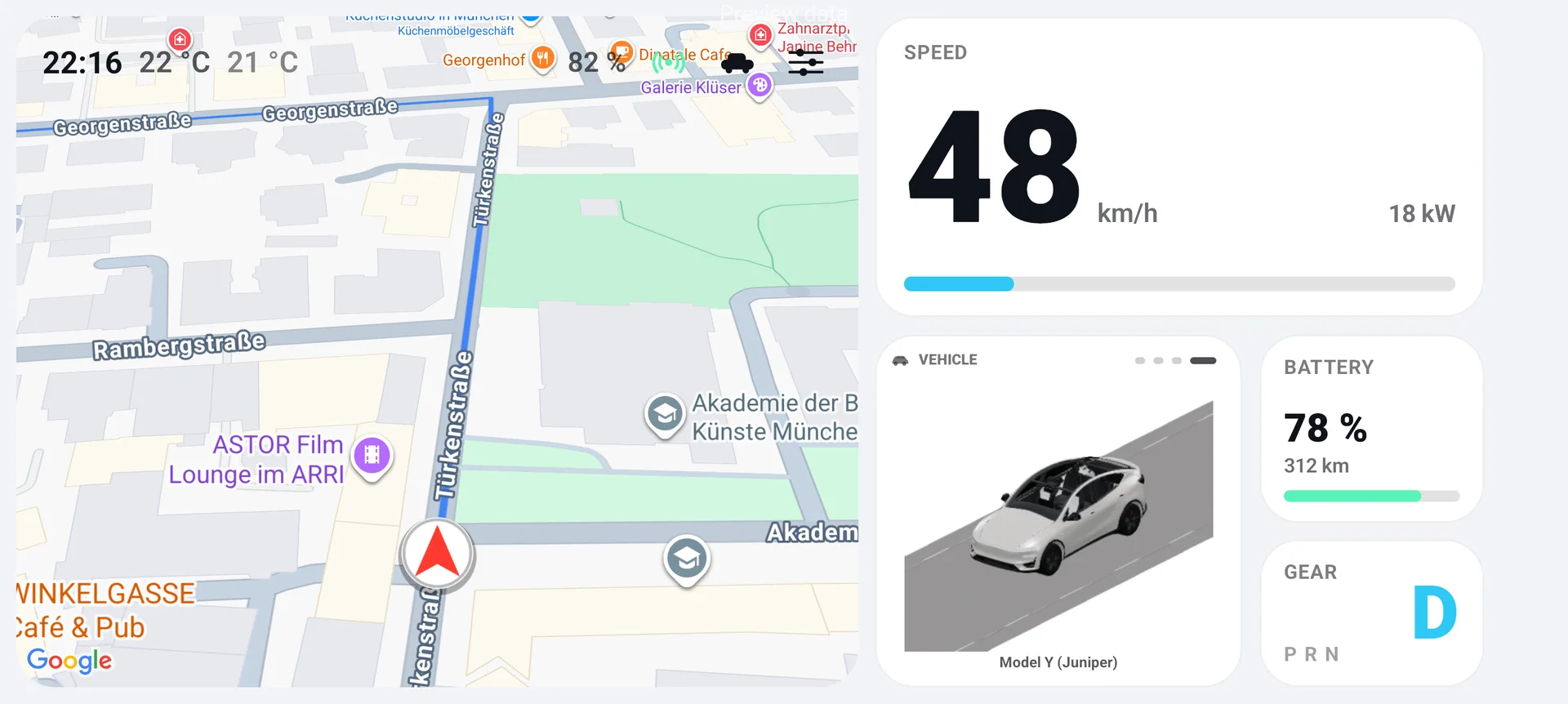
Model Y
Choose the driver’s side and appearance, and decide whether the display stays on while you drive.
System, light or dark.
Pick the app language freely.
Left or right.
Disconnect and close the app when leaving the car.
Phone display stays on while driving.
Mirror the display onto your windshield.
Every day
When you leave Tespit, a small window keeps showing your speed, for example during a call, if your phone allows Picture in Picture. Tespit stays connected to the car in the background, and a silent notification shows this. You can turn both off in Settings.
If you like, a synthetic driving sound follows your speed and power. You pick a sound and turn it on or off for each cockpit separately.
Tespit connects locally via Bluetooth Low Energy to your Tesla. You do not need a Tespit account for the vehicle connection, and we do not market your personal driving data.
Tespit supports current Tesla models. Feature coverage may vary by vehicle and vehicle software.
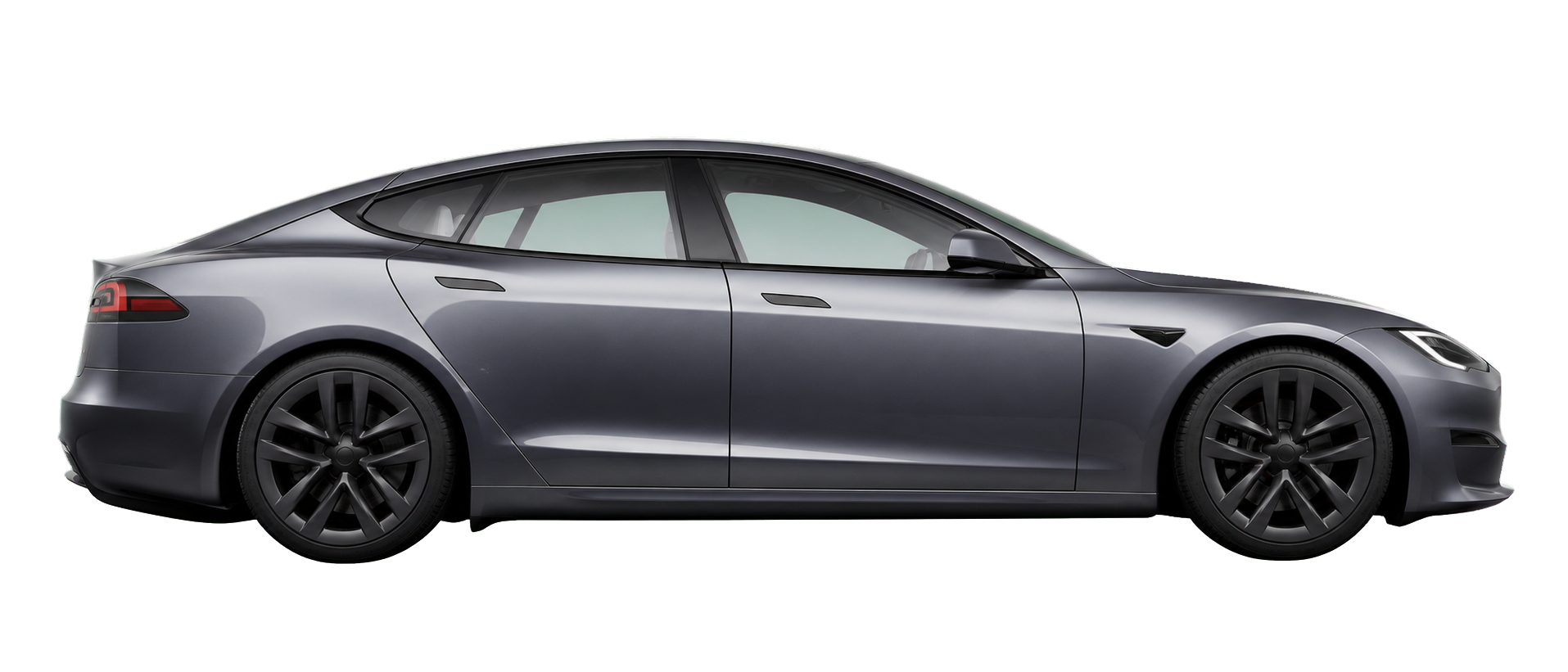
Model S built before 2021 is not supported.
Tespit is an independent project and is not affiliated with Tesla, Inc.
The current version brings new features and polish – here are the highlights.
Short and honest answers.
Tespit is a private project by an independent developer and has no connection to Tesla, Inc.
Download Tespit from Google Play and set up your cockpit in a few simple steps.

Companion app to Tespit · free
Tespit Social. Share trips with friends.
Tespit Social is a separate app next to Tespit. It shows all your trips from Tespit, analyses them and lets you compare with friends – only what you allow is shared. Tespit itself stays as it is: no account and no server.
Now free in the App Store for iPhone and iPad and on Google Play for Android.