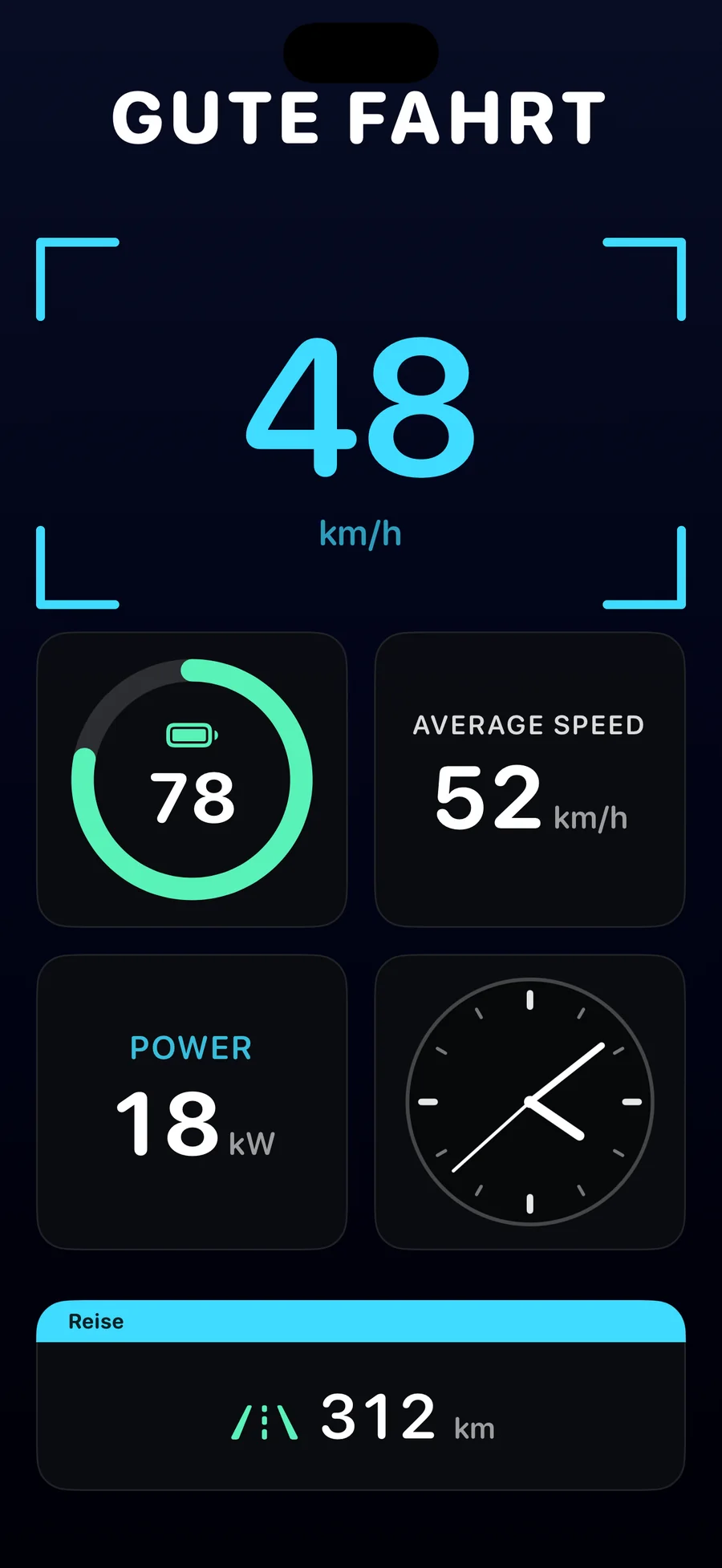
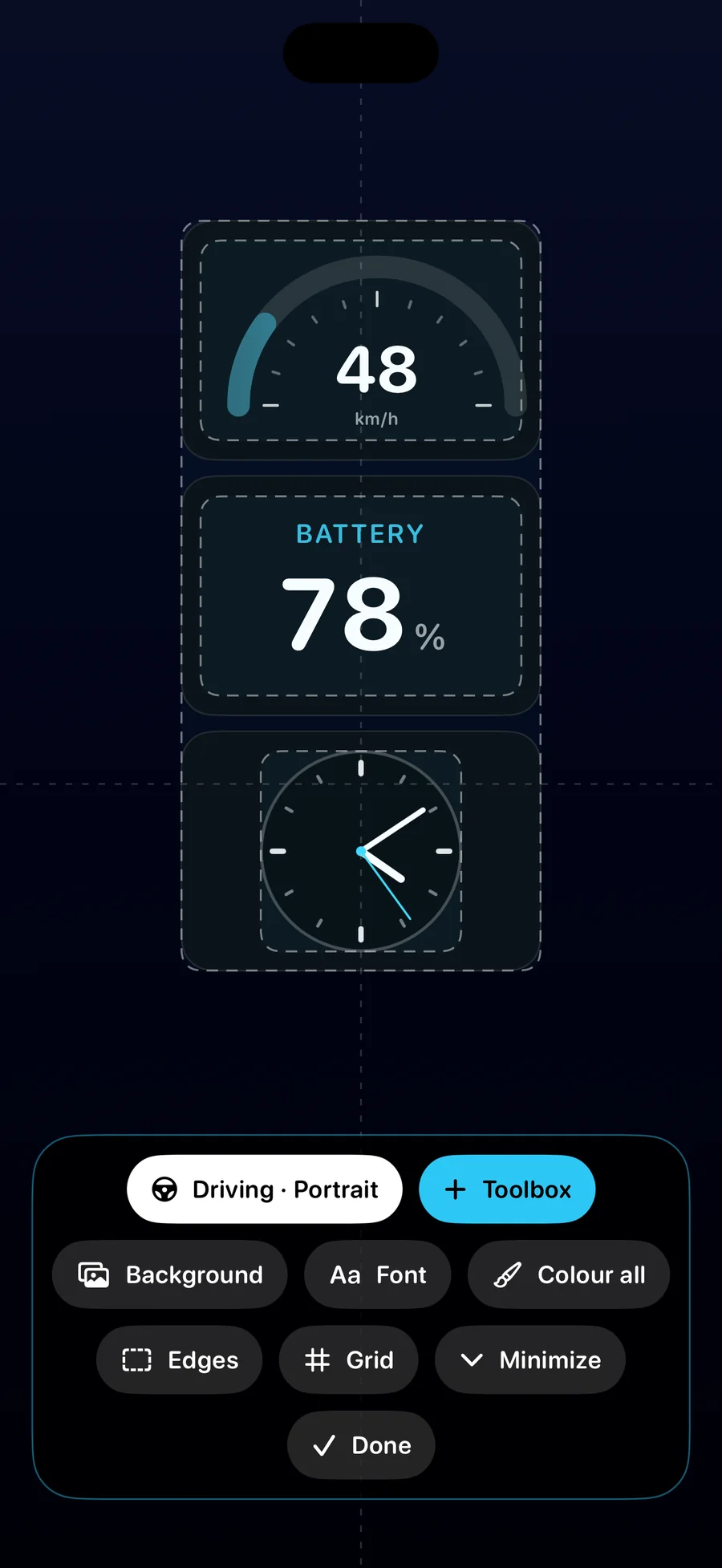
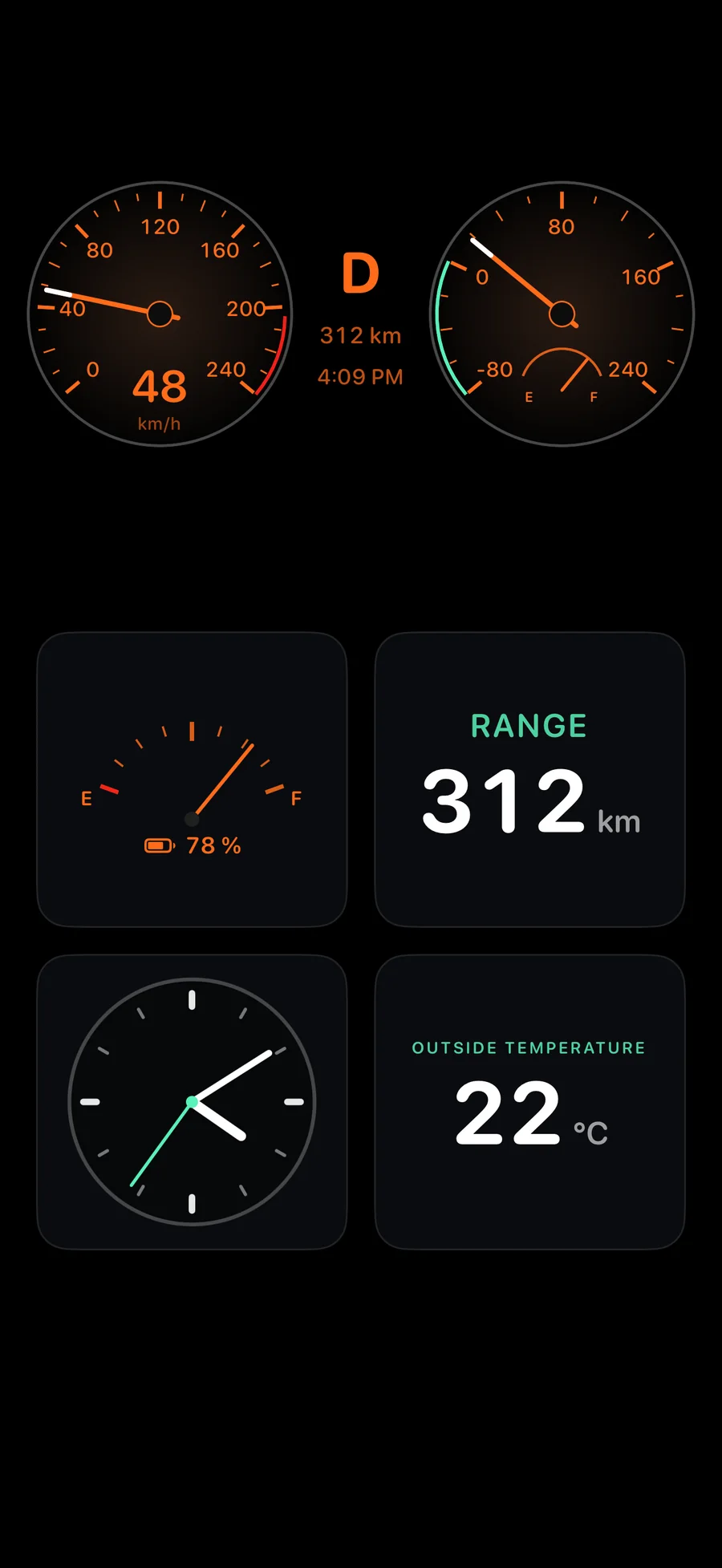
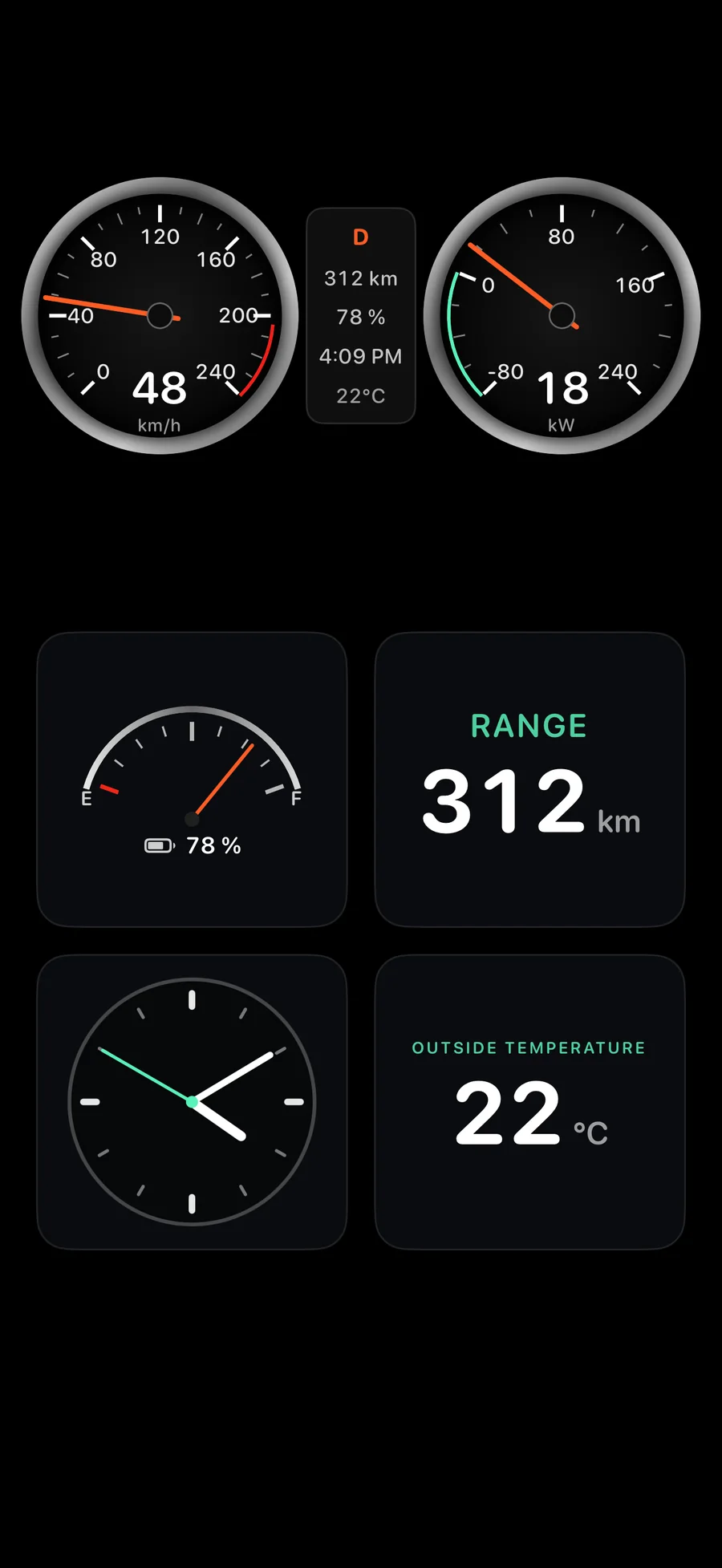
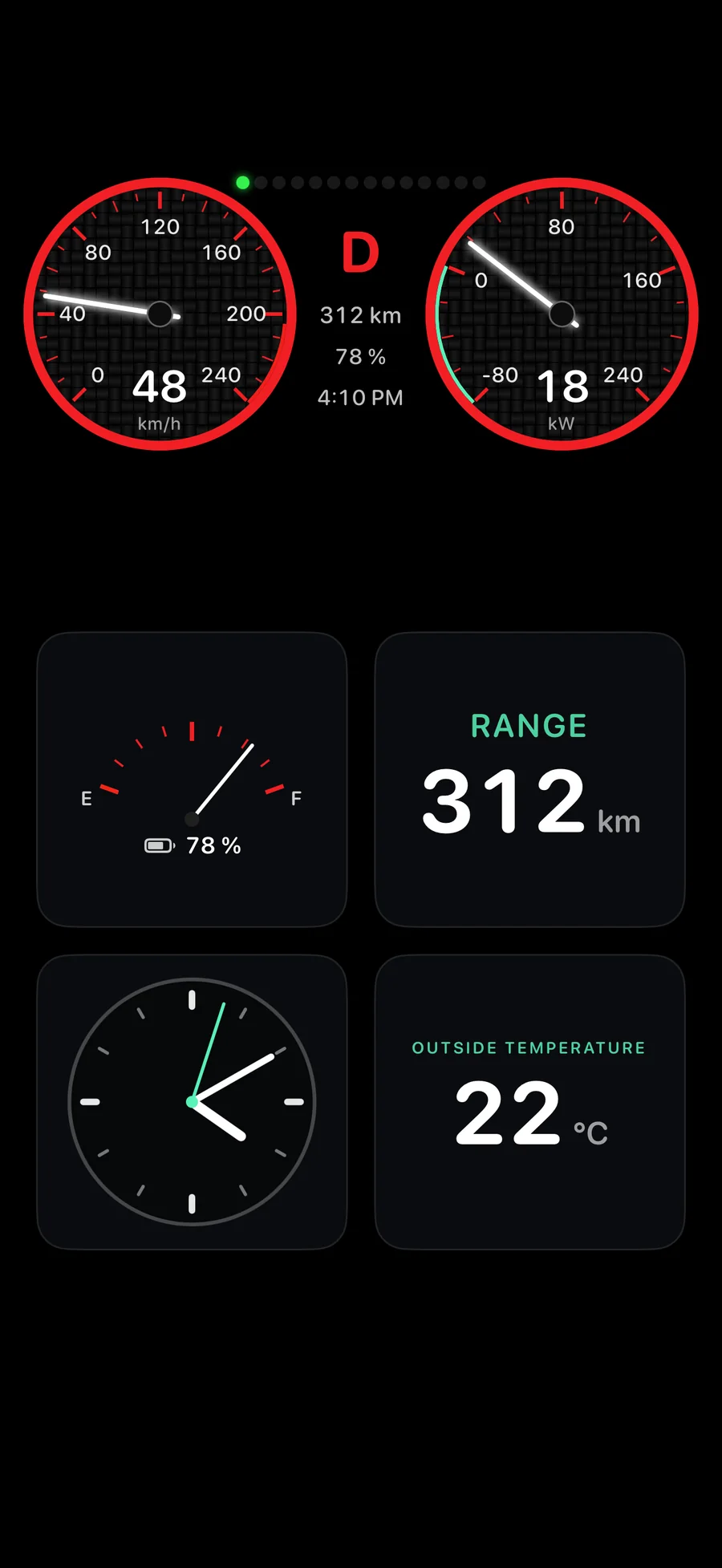
With 1.1.20 you build your own cockpits from 88 pieces, share them as a file, link or QR code and discover other people's cockpits in the gallery. On top come a review of your trips, the tyre pressure history, a parking timer and acceleration measuring.
What's new
The toolbox, the tiles and the instrument cluster are part of your own cockpits and therefore of Premium. Free for everyone: browsing the gallery, trips with the review, the tyre pressure history, the parking timer and acceleration measuring.
Toolbox
88 pieces instead of 44.
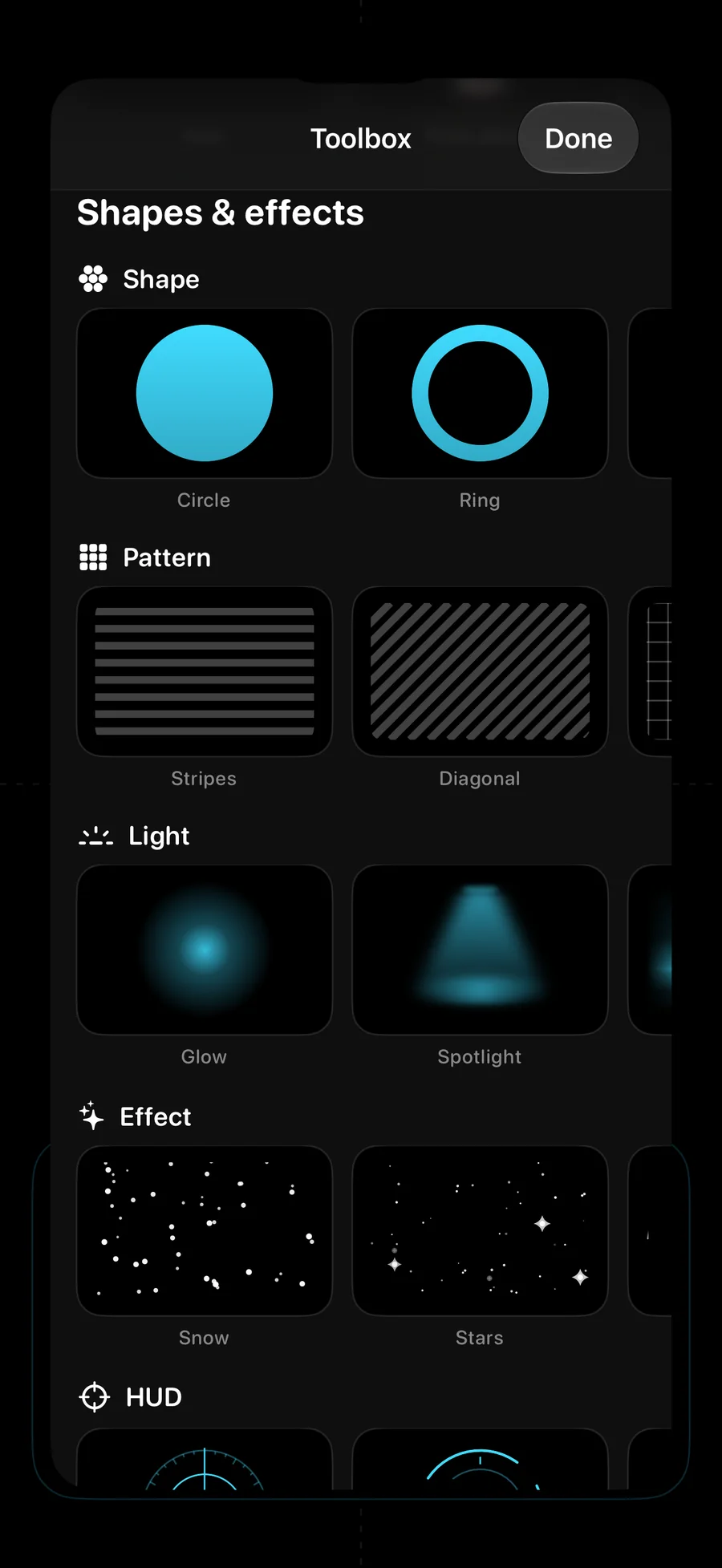
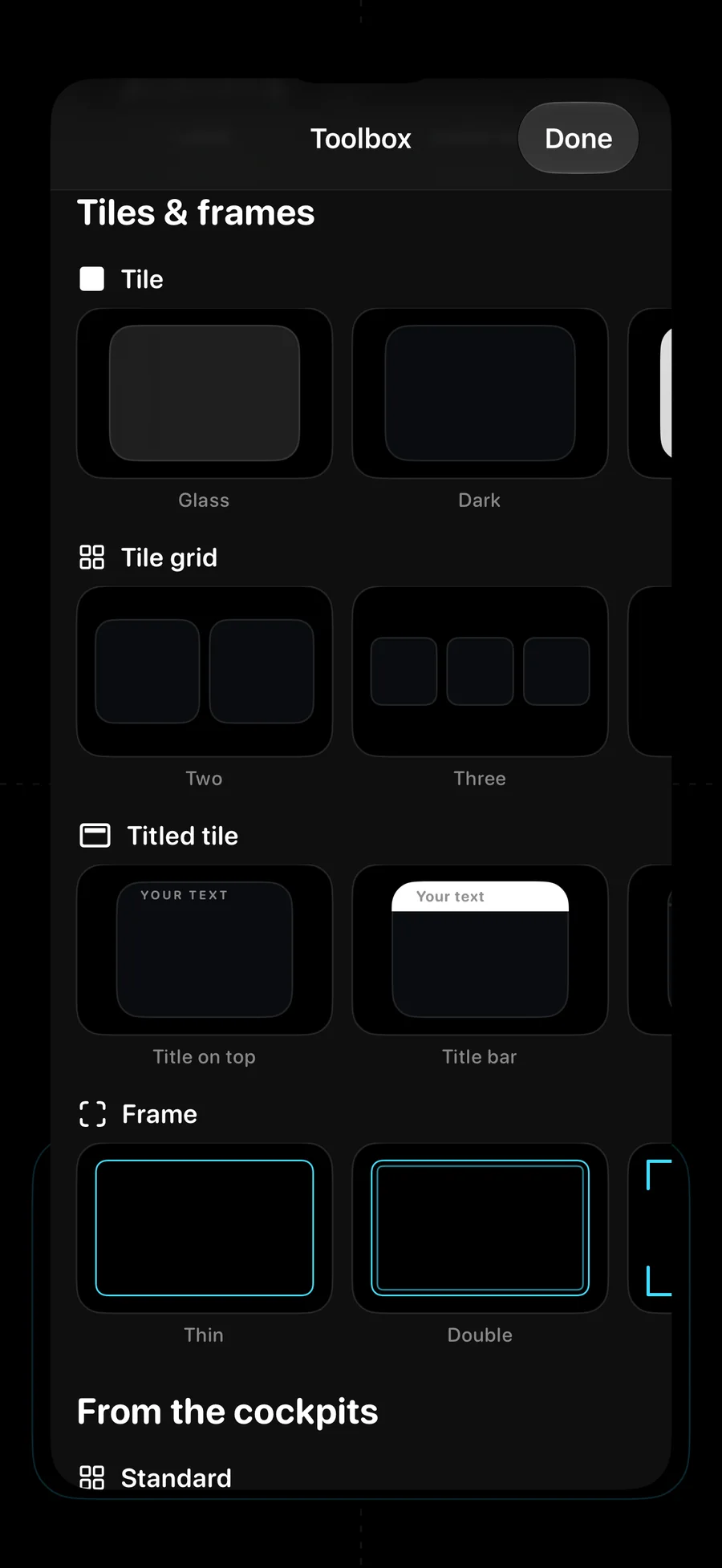
With 1.1.20 the toolbox for your own cockpits doubles in size. Two groups are new: “Shapes & effects” with shapes, patterns, light and effects, and “Tiles & frames” with tiles, tile grids and frames.
For design there is a text piece for your own words, symbols, badges and the Tespit wordmark. Many new values come too. You place them freely as usual and adjust their size and look.
Trip: average speed, speed history and driving stats
Energy: power flow and charge limit
Time: world clock, sun, moon phase and week number
On the road: parking timer, destination and coordinates
Tiles
Tiles with slots.
Tiles, tile grids, tiles with a title and frames now have fixed slots. An empty slot shows a “+” in the editor. A tap on it opens the toolbox for exactly that slot.
Pieces move with their tile when you move it, resize it or switch to landscape. Everything inside a tile gets the same surface, the same corners and the same labels, so the cockpit looks all of a piece.
Place: drag a piece onto a free slot until it lights up
Swap: drag a piece onto a taken slot
Take out: drag it out of the tile or choose “Take out of tile” in the piece's menu
New templates: Tiles, Bento and HUD
Instrument cluster
One piece, ten styles.
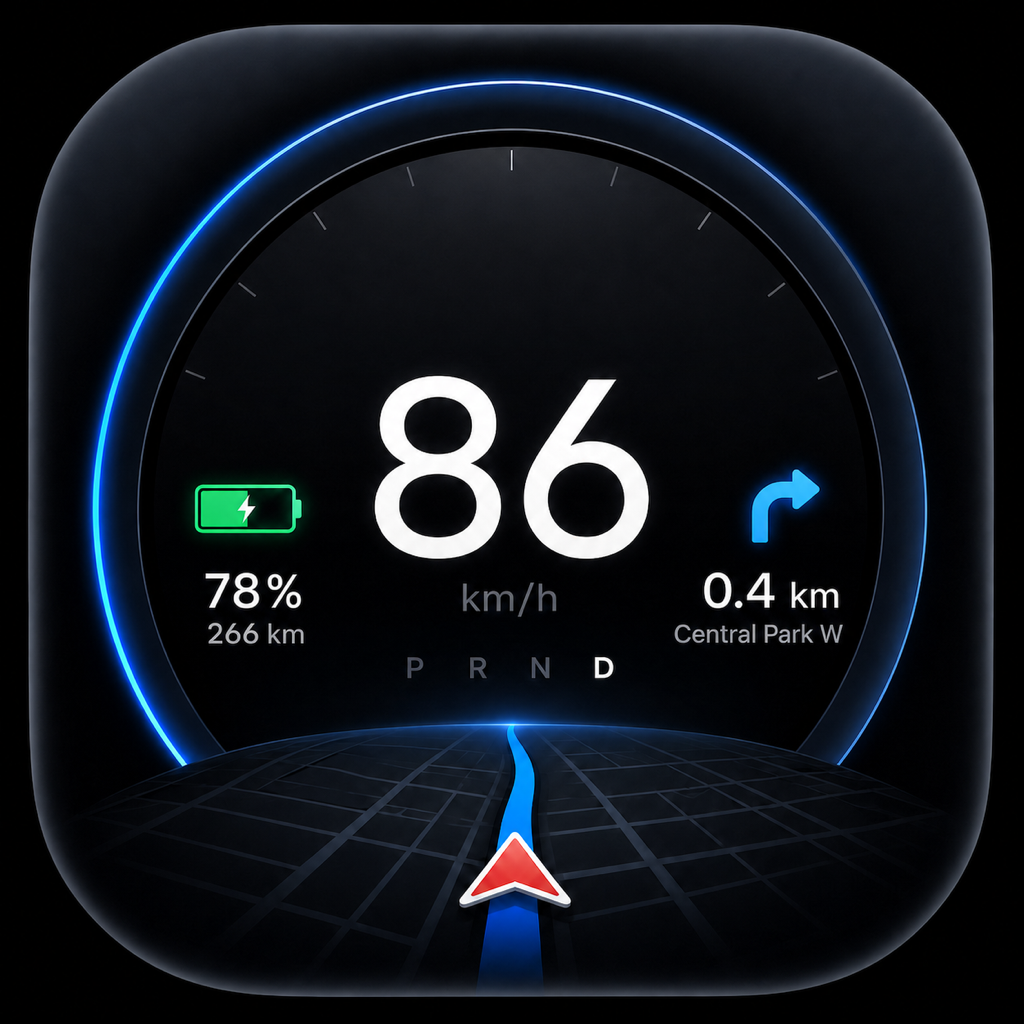
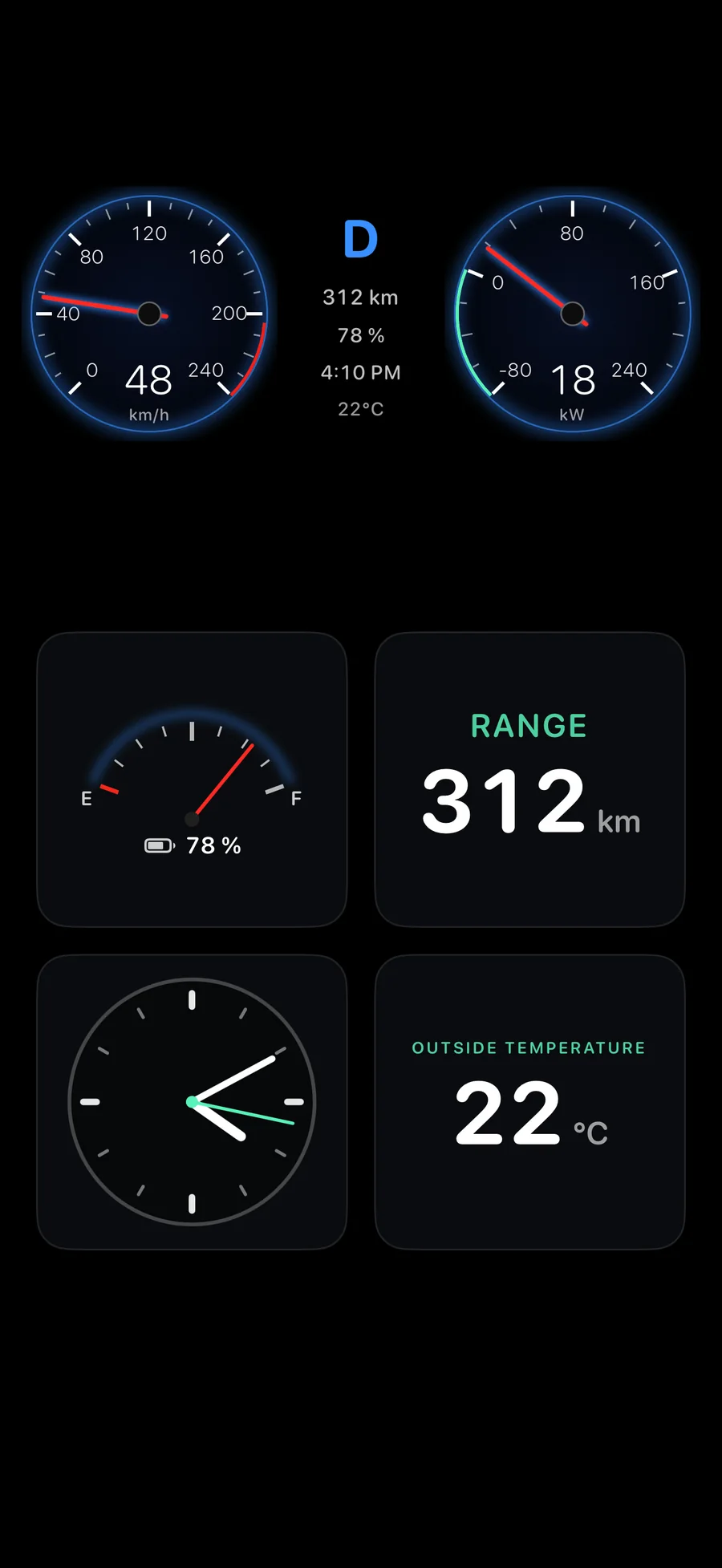
The new instrument cluster shows speed, power, battery, range and gear in one piece, plus the time and the outside temperature.
It comes in ten styles inspired by well-known car cockpits: Counter-sweep 3D, Classic orange, Angular, Digital blue, Virtual, Chrome rings, Five dials, Scandinavian, Compact display and Sport red. You can choose the same styles for speed, power and battery too.
Speed also gets 26 new looks in all, for example HUD, LCD, Chronograph, Dot matrix and Counter.
Sharing
Your cockpit as a file, link or QR code.
The menu of each of your own cockpits now has “Share”. You send the cockpit as a file or as a link, or show a QR code that another phone scans with its camera.
Whoever opens it sees a large preview with sample values in Tespit and the question “Add this cockpit?”. The cockpit joins their own cockpits, and the others stay as they are. This works between iPhone and Android in both directions.
Gallery
Show cockpits and discover them.
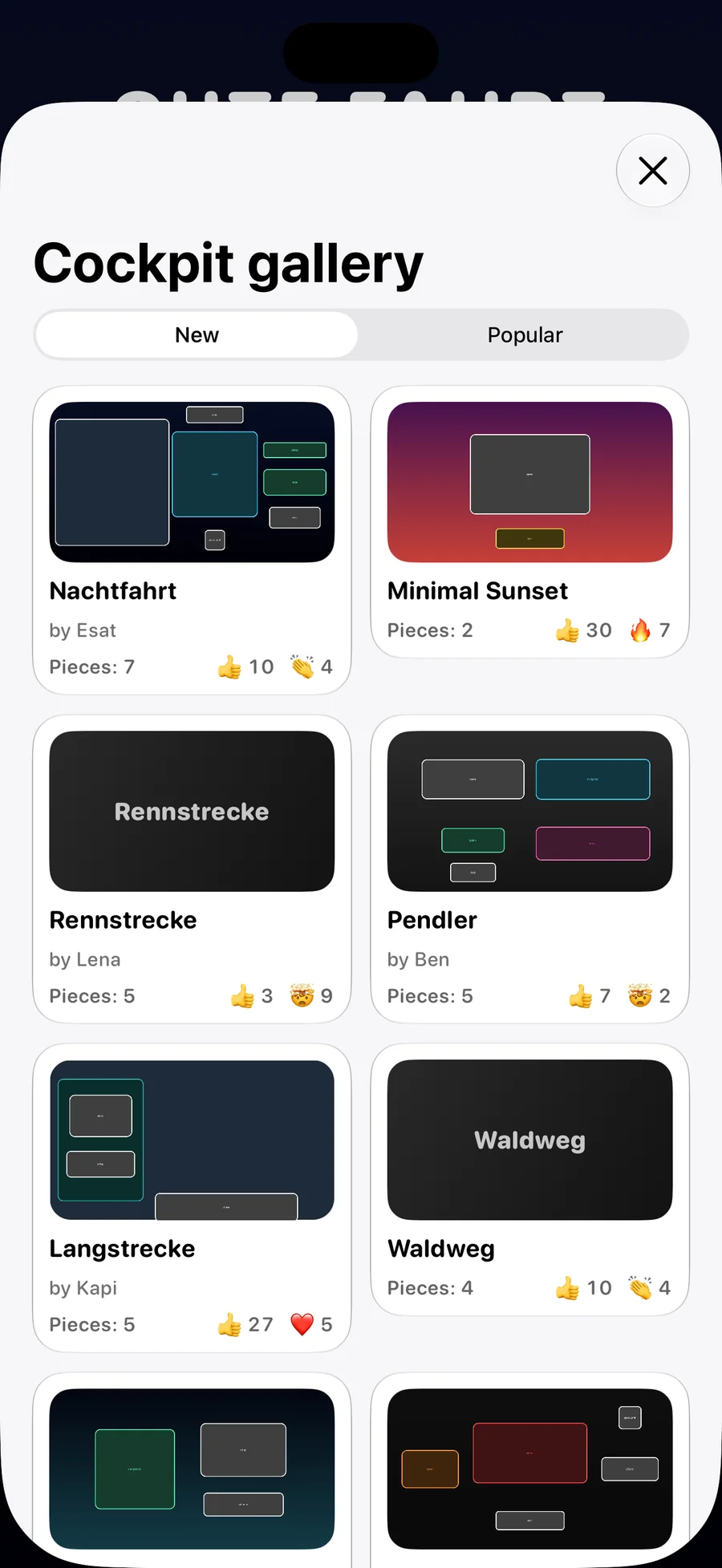
If you want to show your cockpit to everyone, you publish it in the gallery on tespitapp.com, with a preview picture, a name, a short text and your name. Before anything is sent, you confirm that you want to share the cockpit publicly.
In the app, “Explore the gallery” opens other people's cockpits, sorted by “New” or “Popular”. Each entry shows a large preview with sample values. One tap adds a cockpit to your own. If you like it, give it a “Like” or a reaction, with no account and no cookies.
After publishing you get an edit code. With it you change or delete your entry yourself at any time. You don't need an account.
Every trip can be marked as private or business, a business trip with a purpose if you like. The trip list filters by All, Private, Business and Not marked. Totals, PDF and Excel follow the filter.
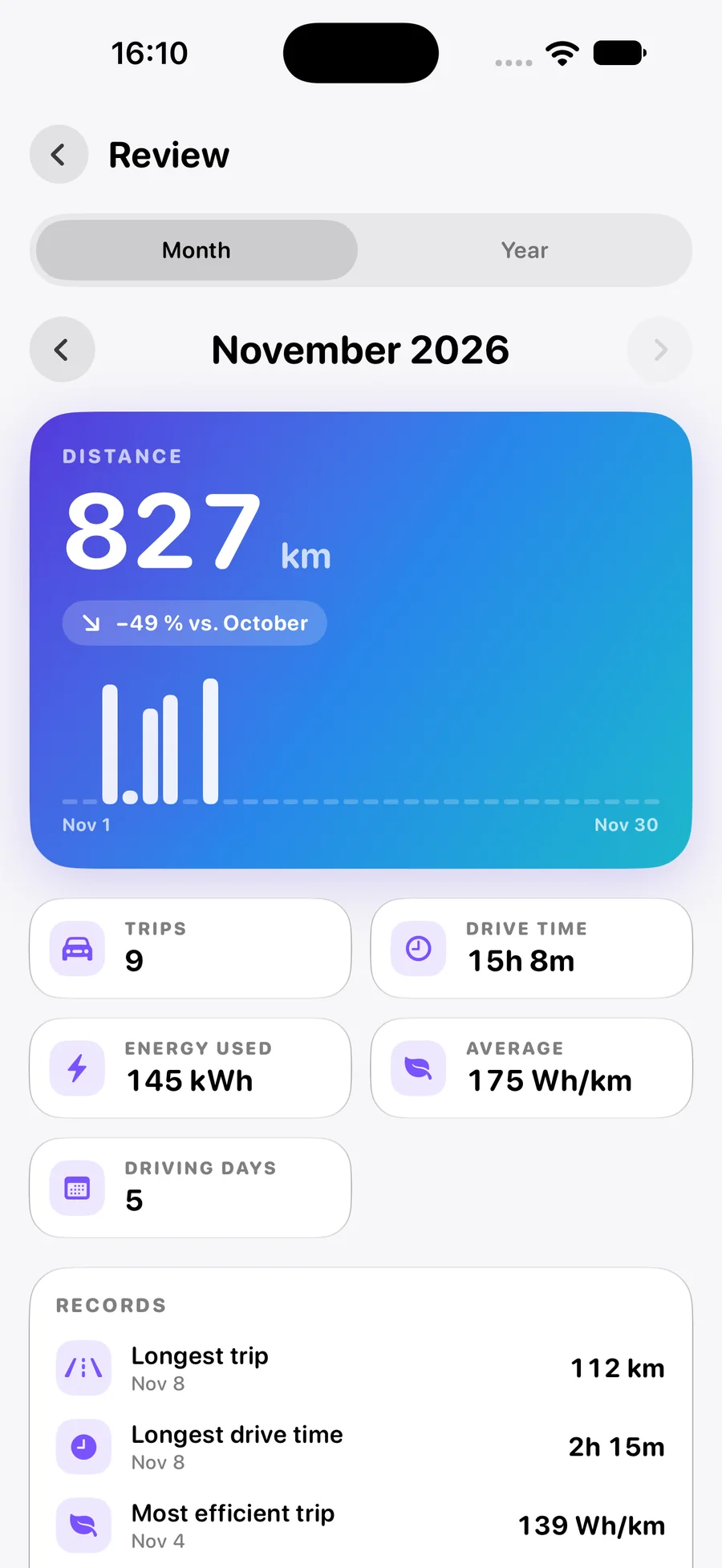
In Trip data the new “Review” card sits above the calendar. It shows your month or your year: the distance compared with the period before, trips, driving time, consumption, records, your busiest weekday and charging with sessions, kWh and cost. You share the review as a picture.
On 31 December Tespit reminds you of your year. And when it gets cold, Tespit shows from your own trips how much more you use in the cold.
Tyre pressure
The history of all four tyres.
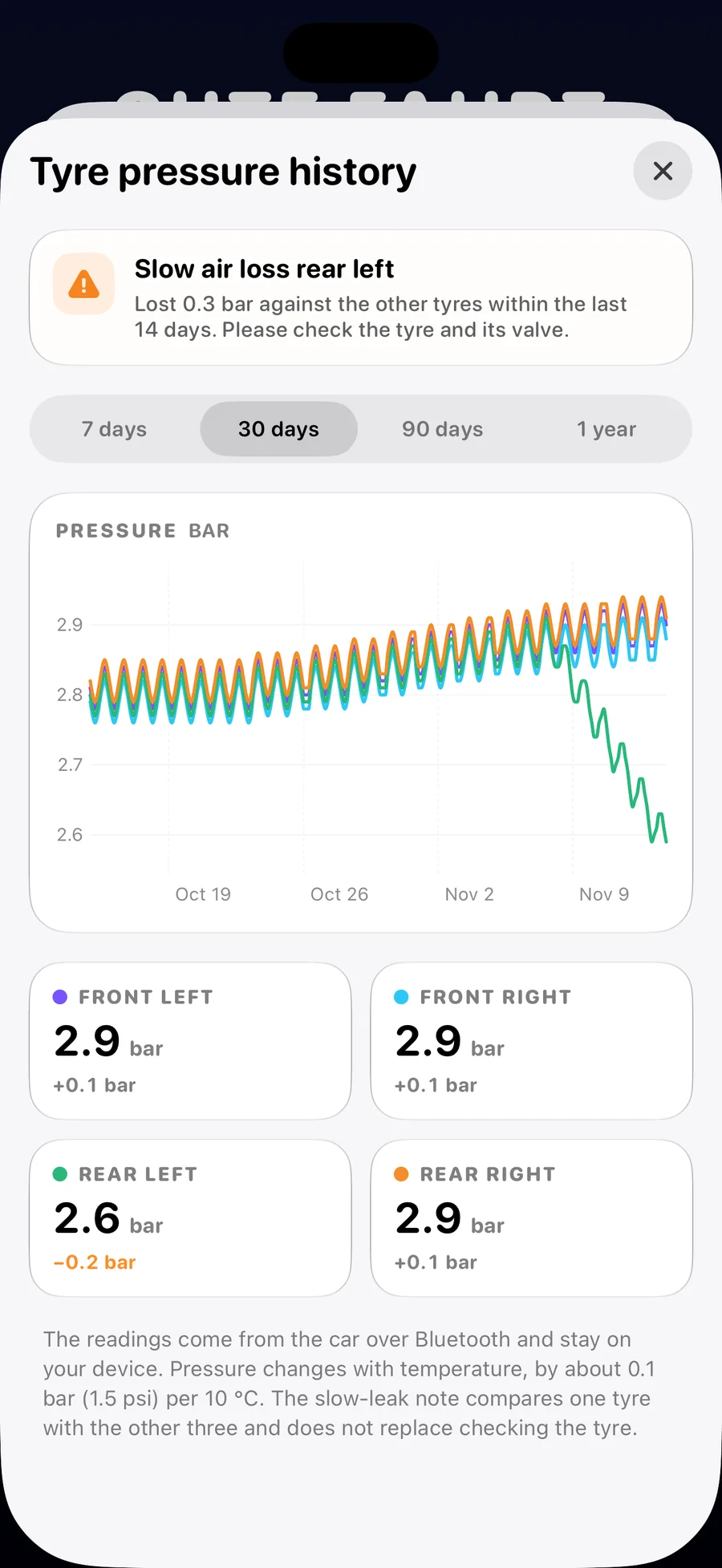
In the vehicle center the new “Tyre pressure history” page shows a chart of all four tyres over 7, 30 or 90 days or a year, plus the current value and the change for each wheel.
If a tyre slowly loses air, Tespit lets you know. If the pressure drops in frost, Tespit reminds you to check it. All of this is free for everyone.
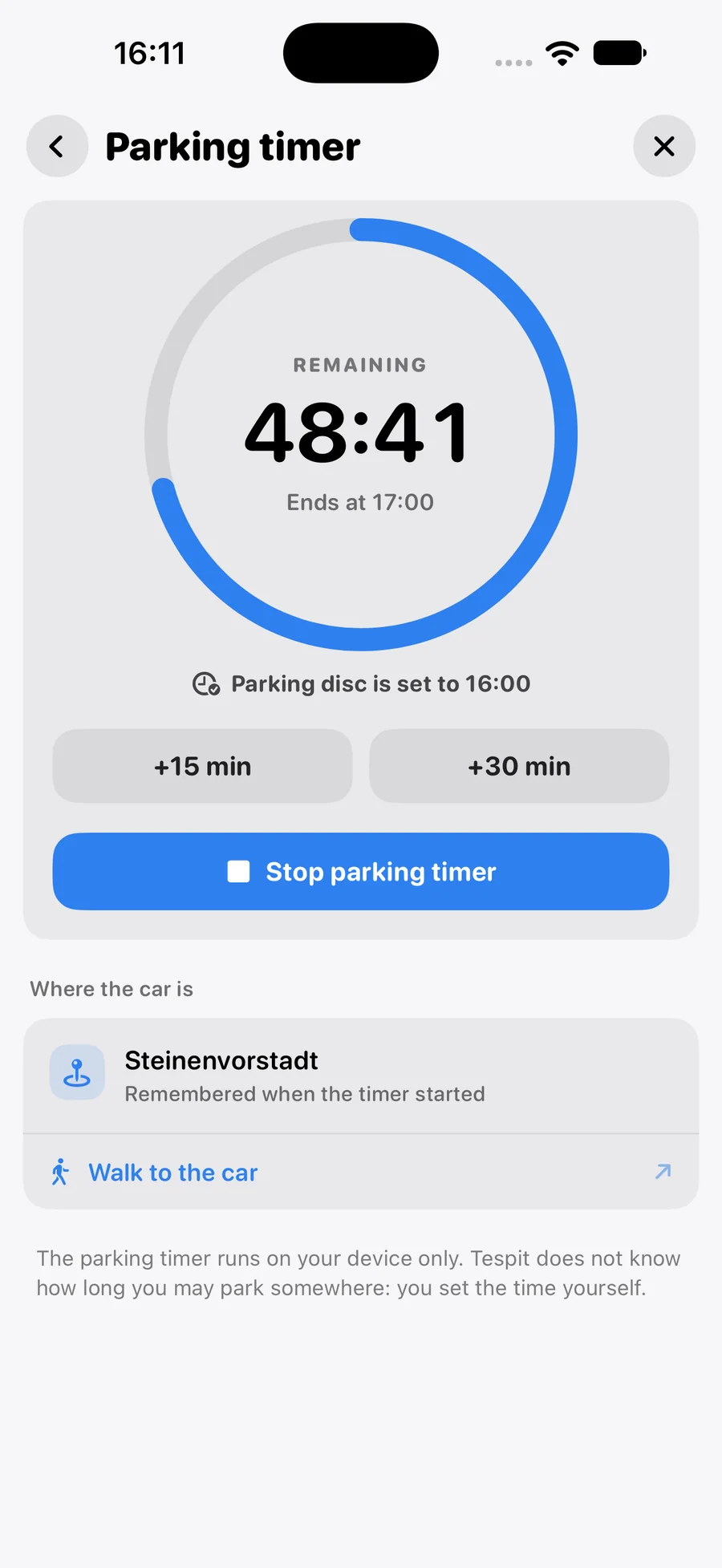
Parking timer
Parking timer with parking disc.
You'll find the new parking timer in Settings. You set the parking time or pick a time of day with “Until”, plus a reminder 5, 10 or 15 minutes before the end.
With the parking disc, the parking time counts from the next half hour. Tespit tells you which time to set the disc to: if you arrive at 10:05, you set it to 10:30, and two hours then last until 12:30.
At the start Tespit remembers where the car is and later shows you the way back on foot.
iPhone: time left on the Lock Screen and in the Dynamic Island, where you add 30 minutes or end it; also start it with Siri
Android: time left in a notification, where you add 30 minutes or end it; also start it from the home screen or from Tasker
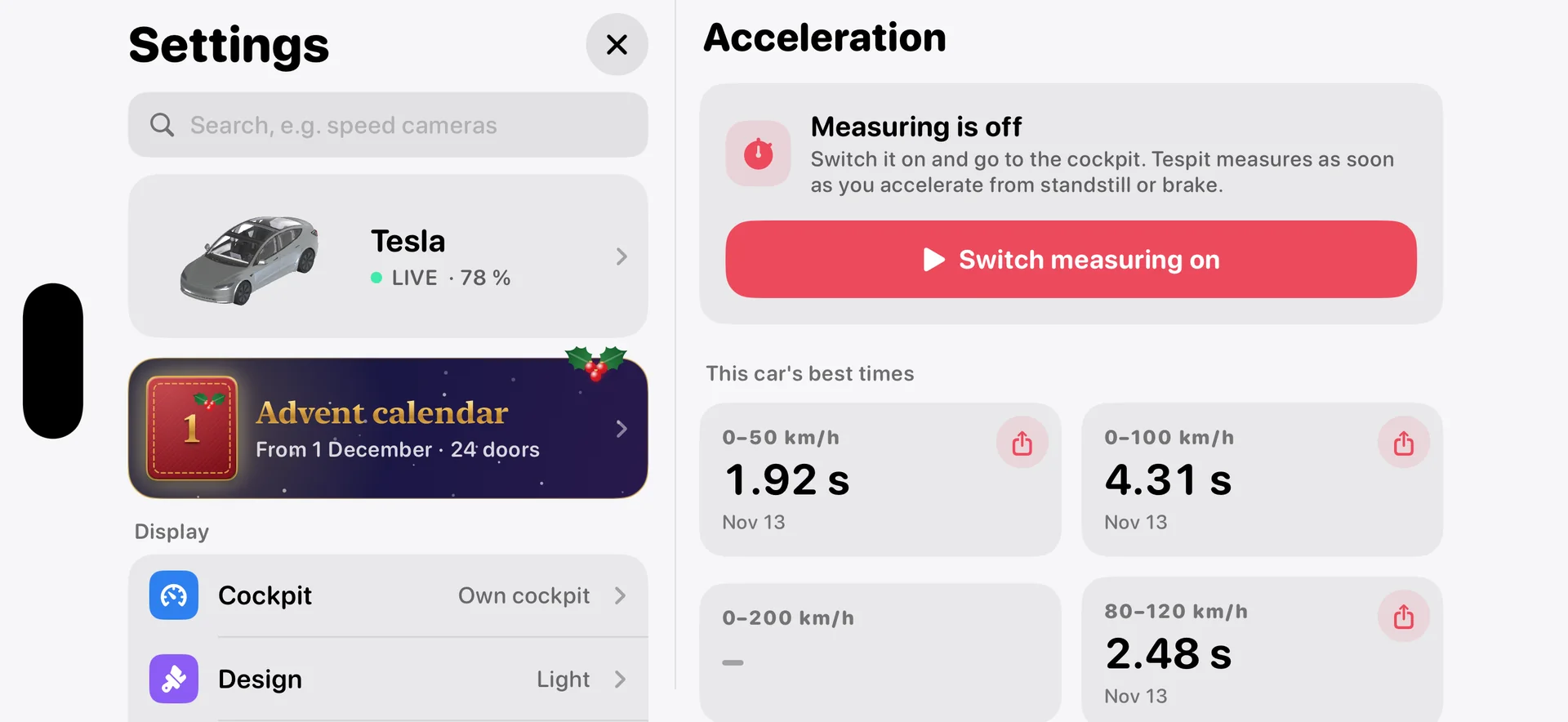
Acceleration
0–100 km/h, braking and the quarter mile.
The new “Acceleration” page measures how quick your car is. Switch measuring on and go to the cockpit. Tespit measures as soon as you accelerate from standstill or brake, and shows the result large in the cockpit.
Tespit keeps the best times for each car and lists the latest measurements. You share your best times as a picture. Measuring is free for everyone.
0–50, 0–100 and 0–200 km/h
80–120 and 100–200 km/h
Braking from 100 to 0 km/h, with the braking distance
Eighth and quarter mile, with the speed at the end
Free and Premium
Most of it is free.
Free for everyone: private and business trips, the review, the tyre pressure history with its hints, the parking timer, acceleration measuring and browsing the gallery.
Your own cockpits stay part of Premium, with all the new pieces, the tiles and the instrument cluster. If you add a cockpit without Premium, it is saved. Showing it needs Premium.
Fixes
What else gets better.
1.1.20 also fixes a reported bug.
Android: the vLinker FS no longer stops after about 10 seconds with “MONITOR_STOP_TIMEOUT” while the car is parked.
Pictures: iPhone simulator with Tespit 1.1.20 and sample values, in German and English. Other languages show the English pictures.
Tespit 1.1.20 is here.
The update is now on the App Store and Google Play. Don't have Tespit yet? Download it here.