With 1.1.21 you find answers right in the app, see more precisely where to go with Apple Maps, and have a speed even when the car sends no driving data. There is also a new page in the Standard cockpit, a larger car in Touring and Ultra, and new videos that show how to pair.
What's new
The update is for iPhone and Android. The new turn guidance with Apple Maps and the fix for "Reduce Transparency" are on iPhone only. Own cockpits remain part of Premium.
Help and tips
Answers right in the app.
Under Settings › Help you now find "Help and tips". At the top you search for a question or keyword; below are the "Tip of the day" and six topics: connection, cockpits, navigation, trips and charging, phone and extras, and Premium and privacy.
Instead of 13 there are now 31 answers. Many are new, for example why Tespit needs the VIN, which cockpits are free, whether Tespit works without internet and how you export trips as PDF, Excel or a picture.
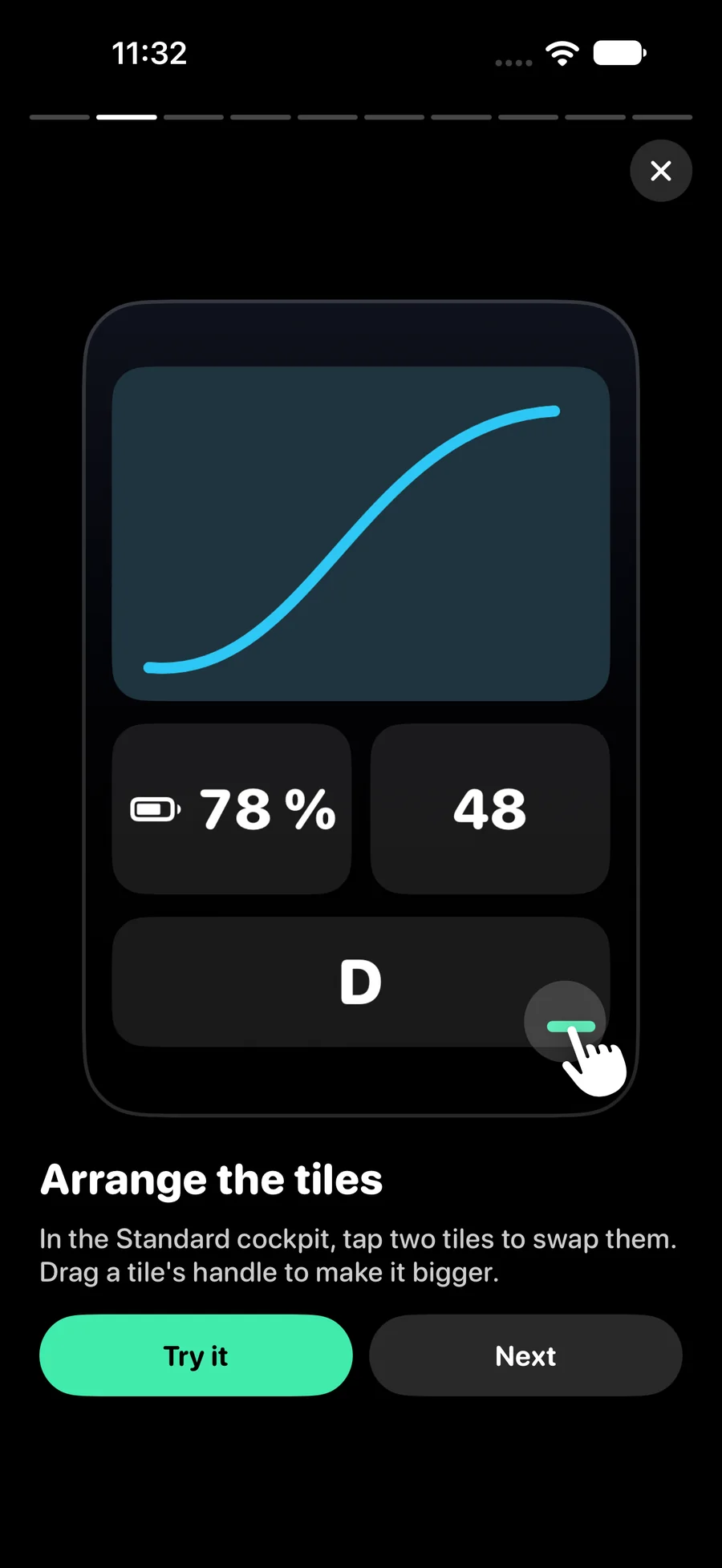
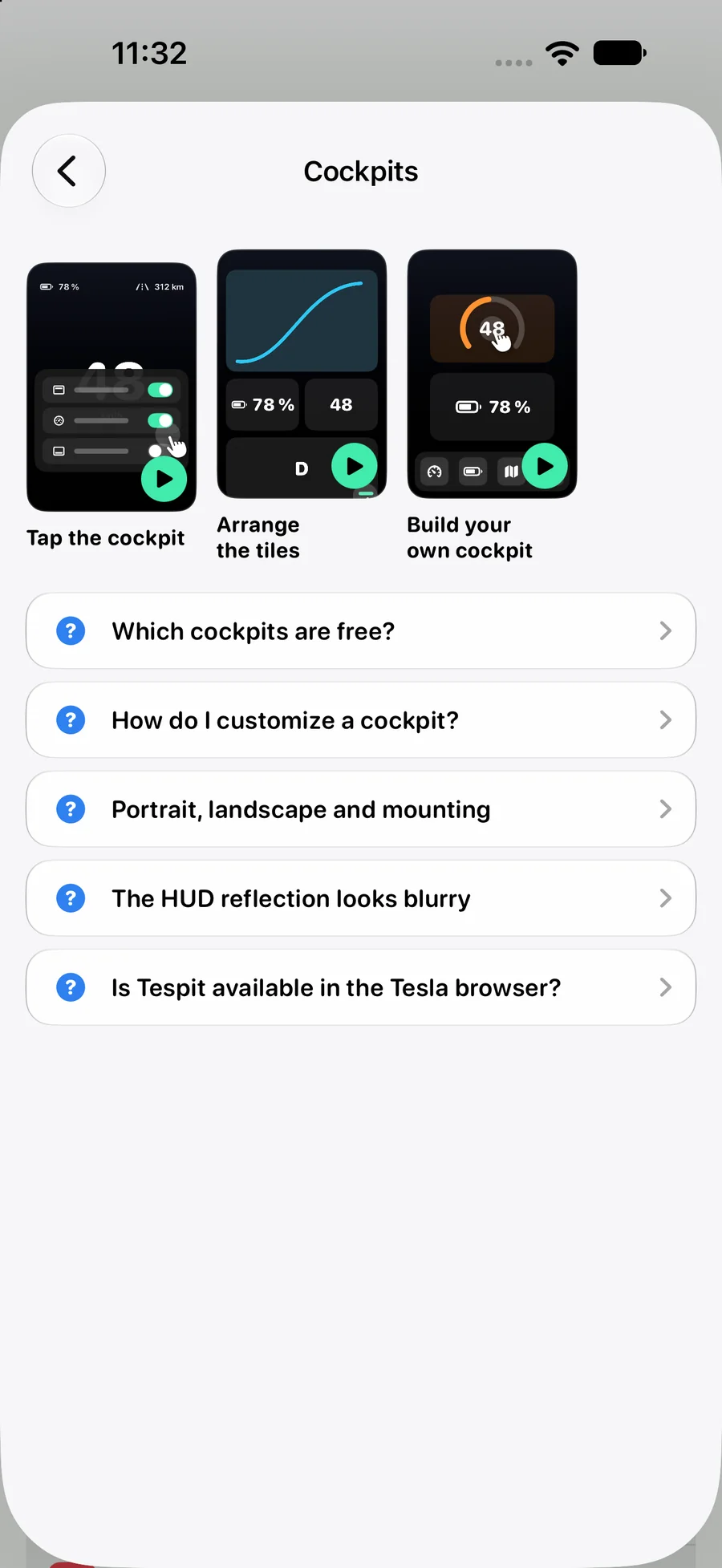
Eleven tips show you in short drawn scenes how something works, for example hiding an element in the cockpit, swapping tiles in the Standard cockpit, setting the parking timer or letting Tespit start by itself. "Try it" and "Open setting" take you straight to the right place in the app.
Search across all questions and tips
"Tip of the day" and tips to swipe through
Under every answer, "Related" with similar questions
"Did this help?": with "No" you write straight to support
Navigation
Turn guidance shaped like the real road.
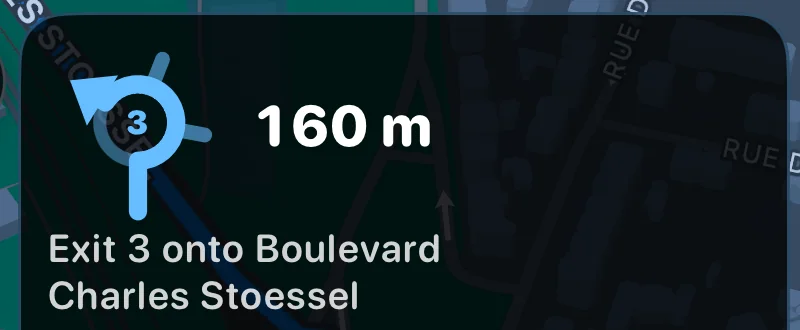
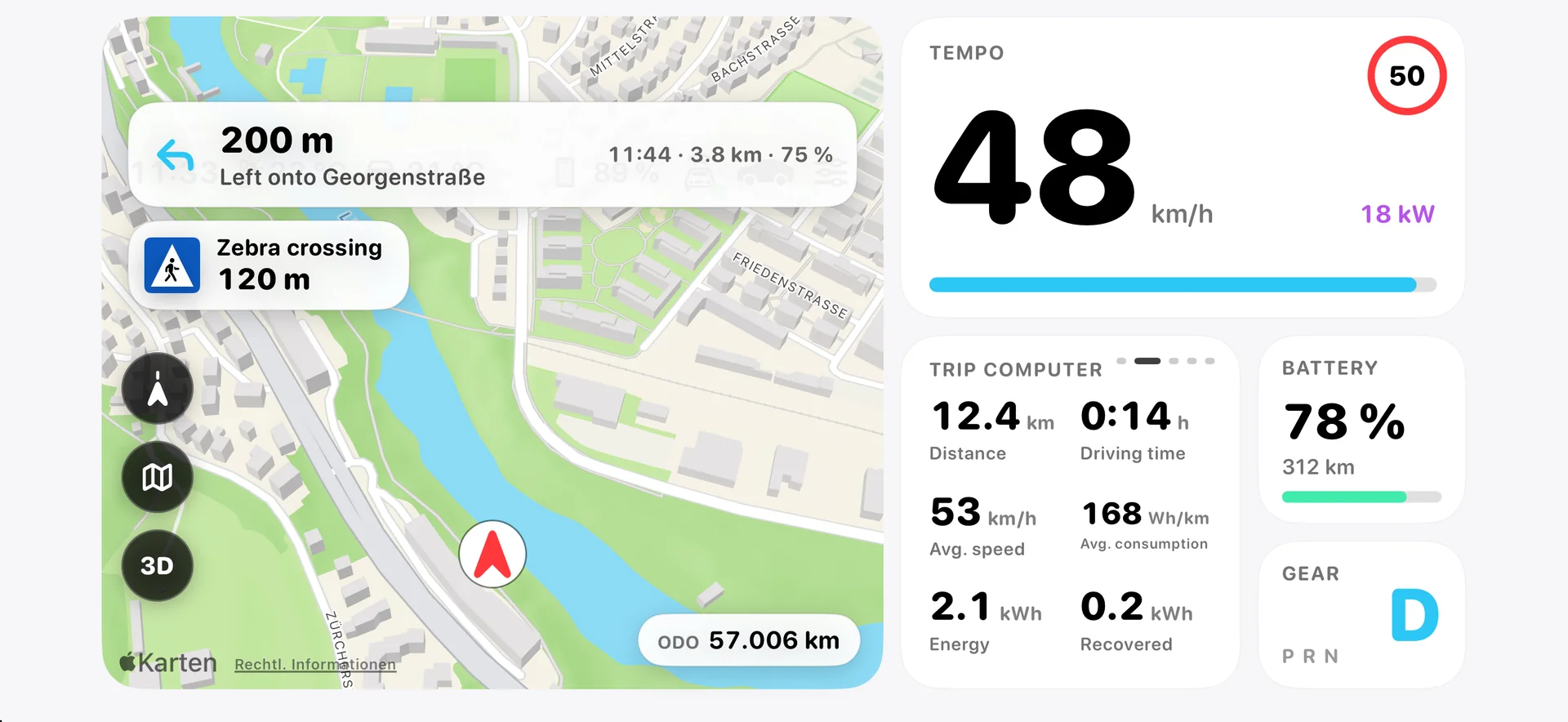
If you drive with Apple Maps on iPhone, Tespit now draws the turn guidance anew. A roundabout appears as a ring: you enter at the bottom, the path runs in the direction of travel to your exit, every exit before it is a stroke, and the number sits in the ring. Where traffic drives on the left, the path runs clockwise.
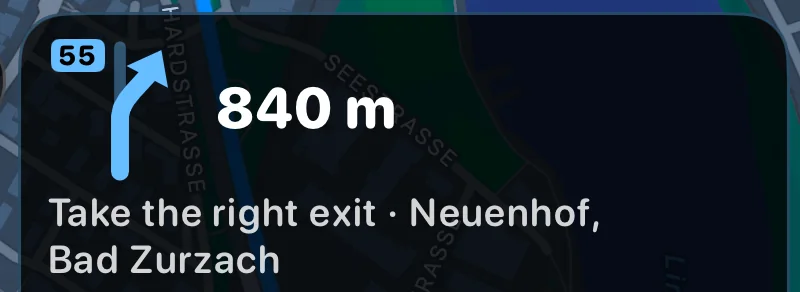
When you turn, the arrow follows the real shape of the junction. Keeping right or left, forks, exits and merging are drawn clearly, with the other road faded beside them. At motorway exits the exit number appears as a sign.
The texts are shorter, for example "Exit 3" with the name of the street. If the next manoeuvre follows right away, you see it in advance as "Then …". The turn graphic is larger, in the Panorama cockpit, in Pulse, in the trip tile and in the navigation pieces of own cockpits.
Roundabouts with a ring, exits and number
Turns in the real shape of the junction
Motorway exits as a sign
"Then …" when the next manoeuvre follows right away
Speed
Speed from the car or from GPS.
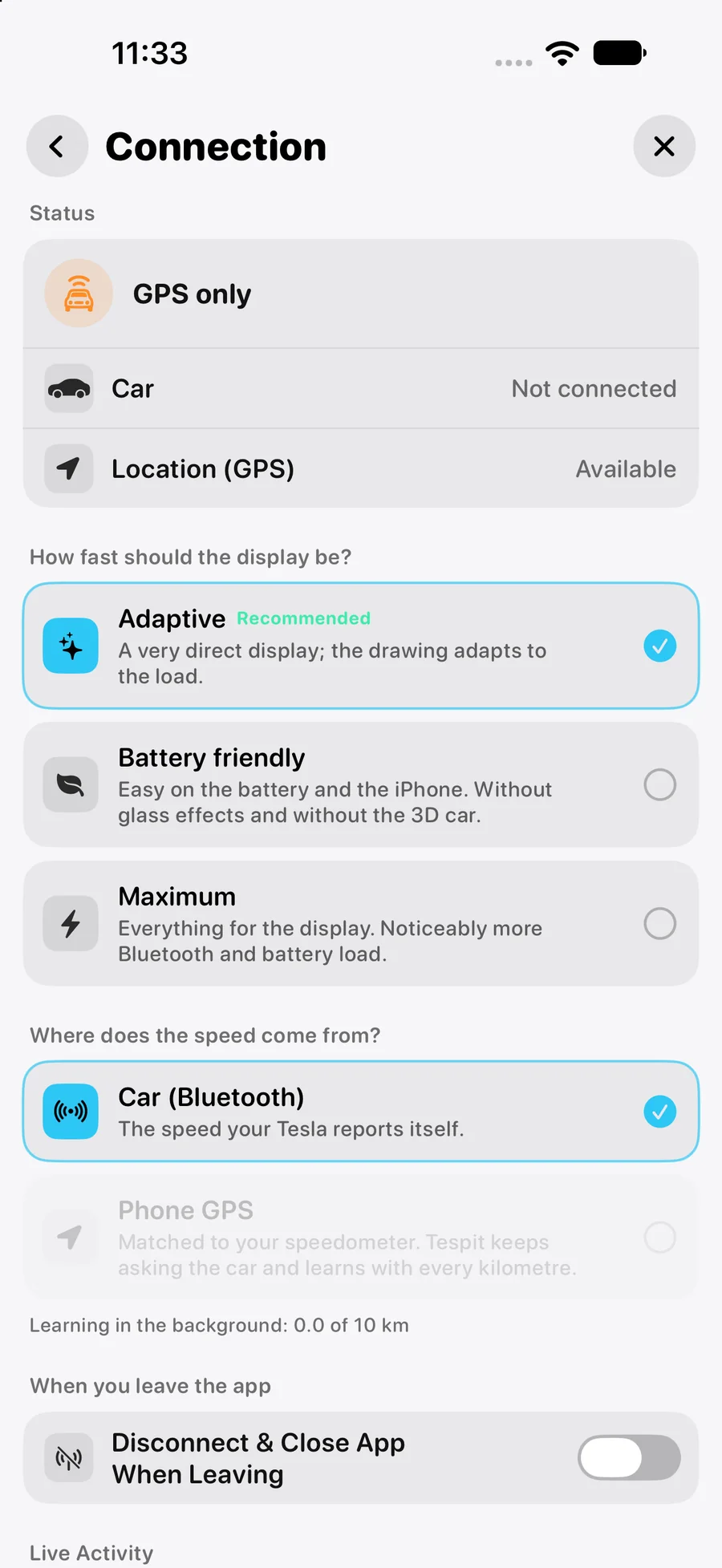
Under Settings › Connection there is the new question "Where does the speed come from?". You choose "Car (Bluetooth)", the speed your car reports itself, or "Phone GPS".
GPS and the speedometer differ a little. That is why Tespit learns in the background on every drive how your speedometer differs from GPS, separately for each speed. After 10 km Tespit unlocks GPS. Until then the choice shows "Learning in the background: x of 10 km", afterwards "Learned: x km".
Even with GPS, Tespit keeps asking the car, for the gear, power, battery and everything else. The car's speed keeps teaching, and the match gets more precise with every kilometre. If GPS sends nothing for 2 seconds, the car's speed steps in.
Destination too long
A speed, even without driving data.
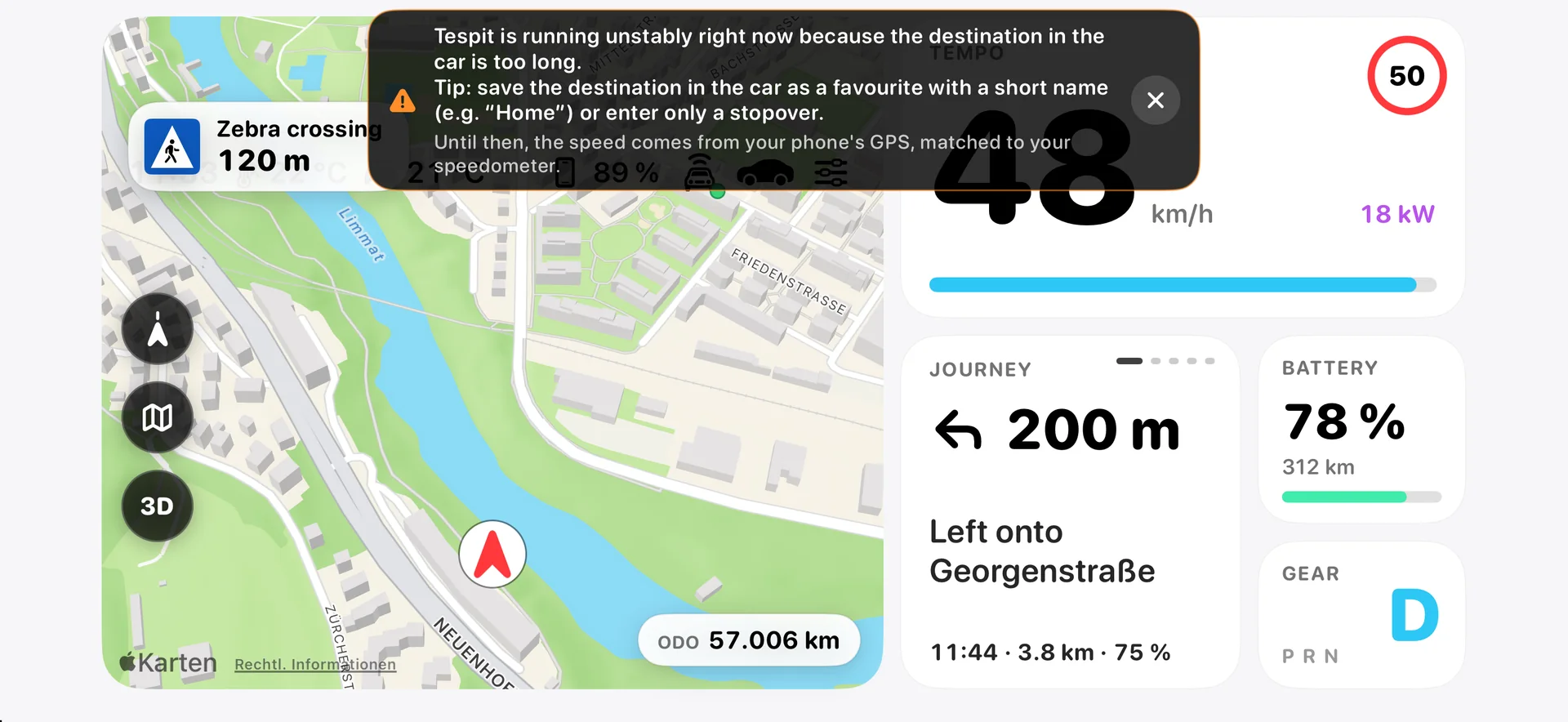
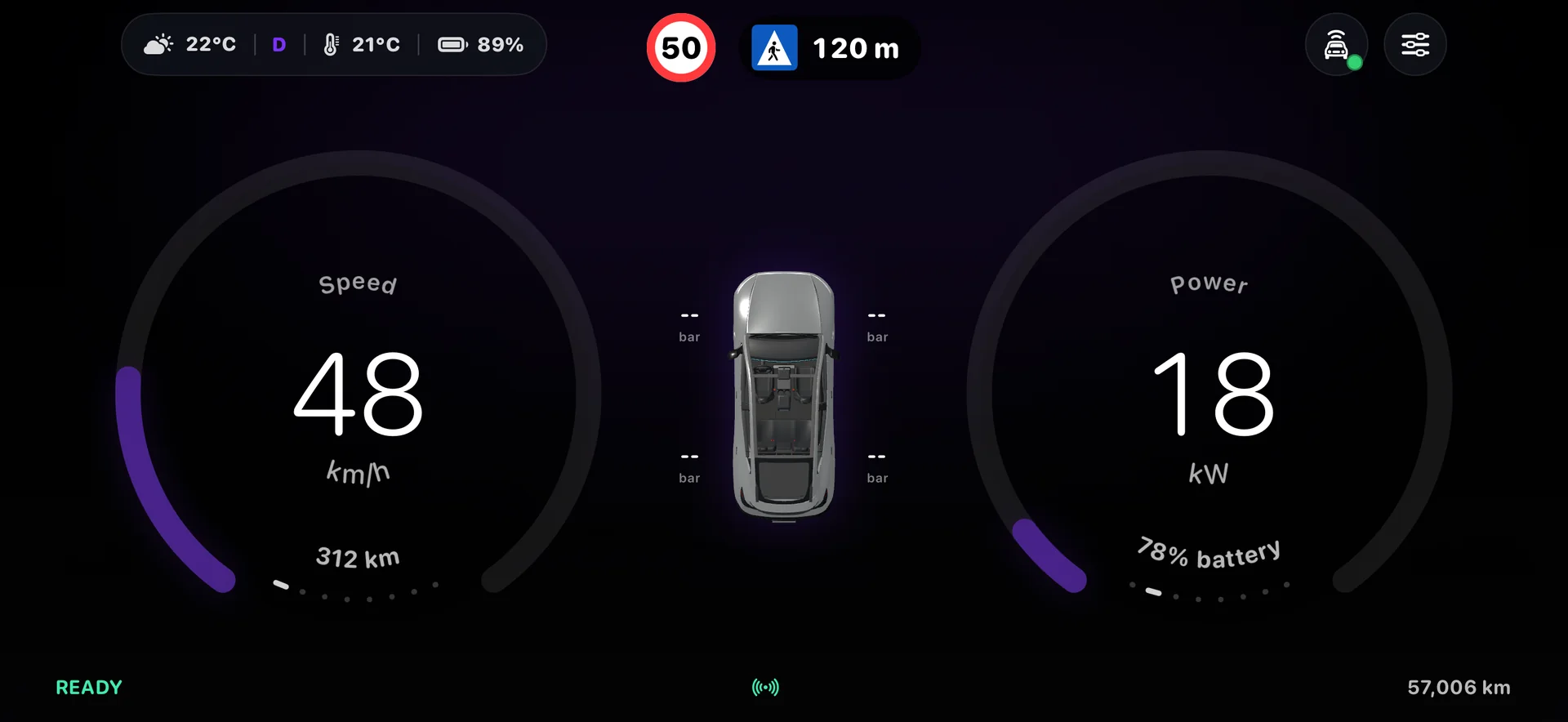
If the destination in the car is too long, the car stops sending driving data. Until now the speed was then missing. Now every cockpit shows the speed from your phone's GPS, matched to your speedometer. Because Tespit learns the match on every drive, the speed is right from the very first second.
As soon as the car sends driving data again, the car's speed takes over immediately. The orange notice about it appears only once per connection with the car and closes by itself after 10 seconds. With ✕ you close it right away.
Standard
New page: trip computer.
The changing tile in the Standard cockpit has a fifth page: "Trip computer". It shows the values of your current or most recently finished trip.
In a low or wide tile four values stand in a row, in a narrow one two by two. If the tile is almost square, you see all six values. Without a trip it shows "–".
Distance and driving time
Average speed and average consumption
Energy and recovered
New order: navigation, trip computer, media, tyre pressure, 3D vehicle
Touring and Ultra
A larger car in the centre.
In the Ultra cockpit the 3D car in the centre is now about 1.4 times as large. The line with the model is gone to make room; the tyre pressures stay on the left and right as before.
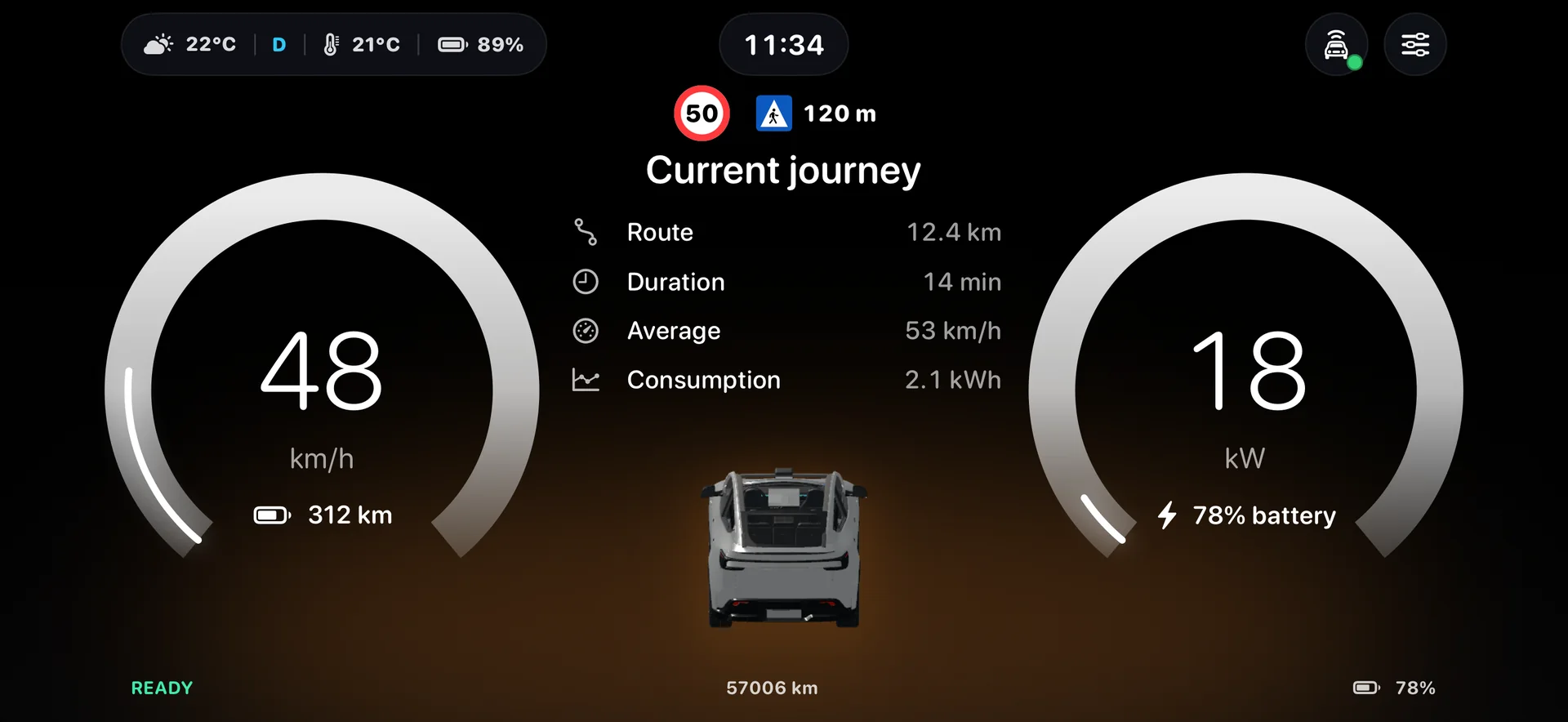
In the Touring cockpit in landscape the car is about 1.4 times as large. The instruments on the left and right are a little smaller, and the values under "Current journey" are 40 % larger and so easier to read. In portrait, Touring stays as it is.
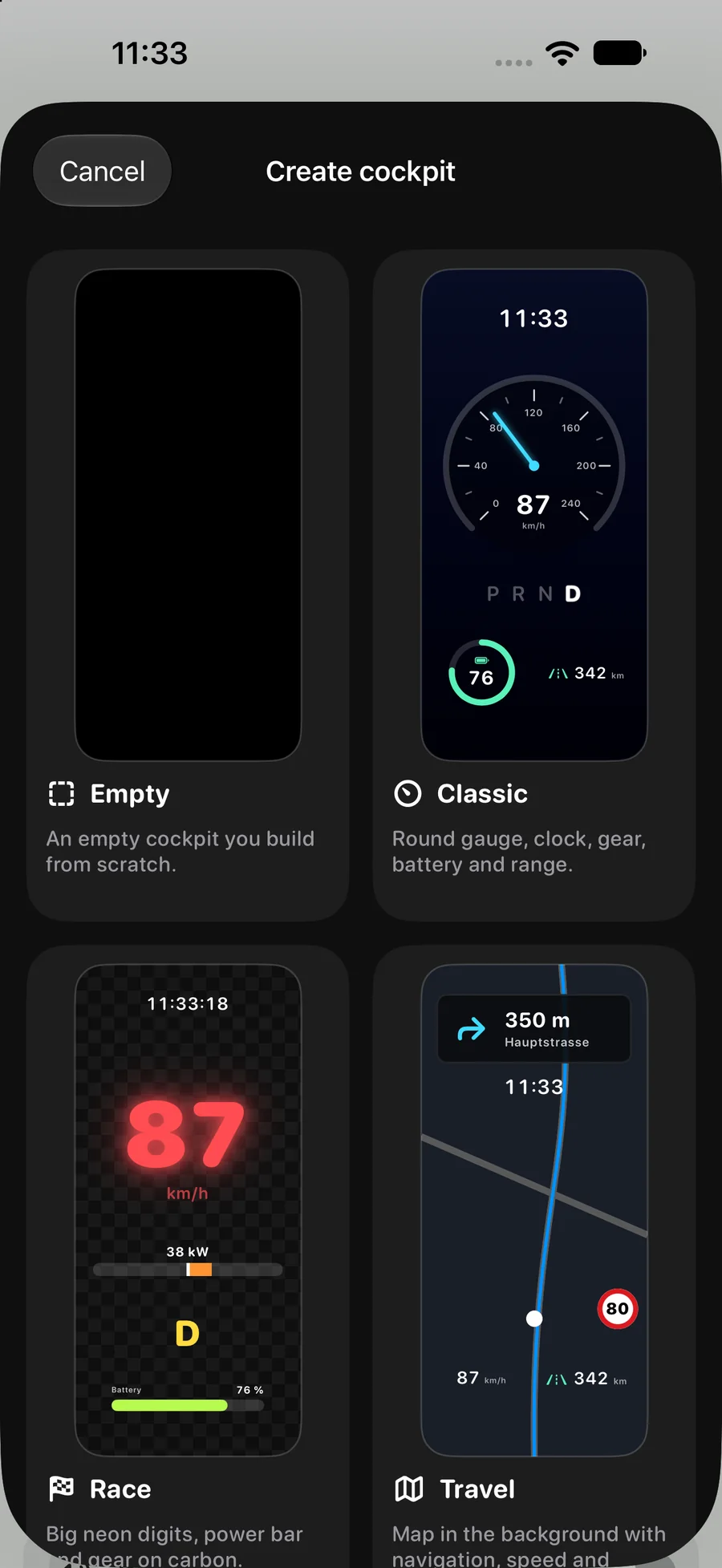
Create cockpit
Upright or sideways, the way you hold your phone.
Under "Create cockpit" the templates and the cockpits to copy now show pictures in the matching format: upright in portrait, sideways in landscape. So you see beforehand how the cockpit will look on your phone.
If you turn your phone while the window is open, it stays open and only changes the pictures.
Pairing
New videos for the key card.
When you pair, you place the key card on the card reader in the car. Where it sits depends on the model. The guide now shows it in four new videos from the passenger's view, matching your model.
You see exactly where the card goes and how it lies. The videos are short and silent, so you can watch them in the car along the way.
Improvements
What else gets better.
1.1.21 also fixes two bugs that were reported.
OBD: the turn signal display no longer flickers during short reception gaps. It stays in place, and an arrow lights up green only with fresh data.
(iOS) Trips: with the accessibility setting "Reduce Transparency" the tiles of a trip are easy to read again, light in the light design and dark in the dark design.
Pictures: iPhone simulator with Tespit 1.1.21 and sample values, in German and English. Other languages show the English pictures.
Tespit 1.1.21 is here.
The update is now on the App Store and Google Play. Don't have Tespit yet? Download it here.