In 1.1.23, OBD gets its own cockpit with your car in 3D at the centre. The model mirrors your lights and steering and can play light shows. The update also brings an altimeter to every cockpit, a choice of route colours, regional offline maps and features requested by the community.
What's new
The update is coming to iPhone and Android. The OBD cockpit and its readings require an OBD adapter and Premium. Premium also includes the custom cockpit editor. Tespit reads data over OBD and never sends commands to your car.
OBD cockpit
A cockpit just for OBD.
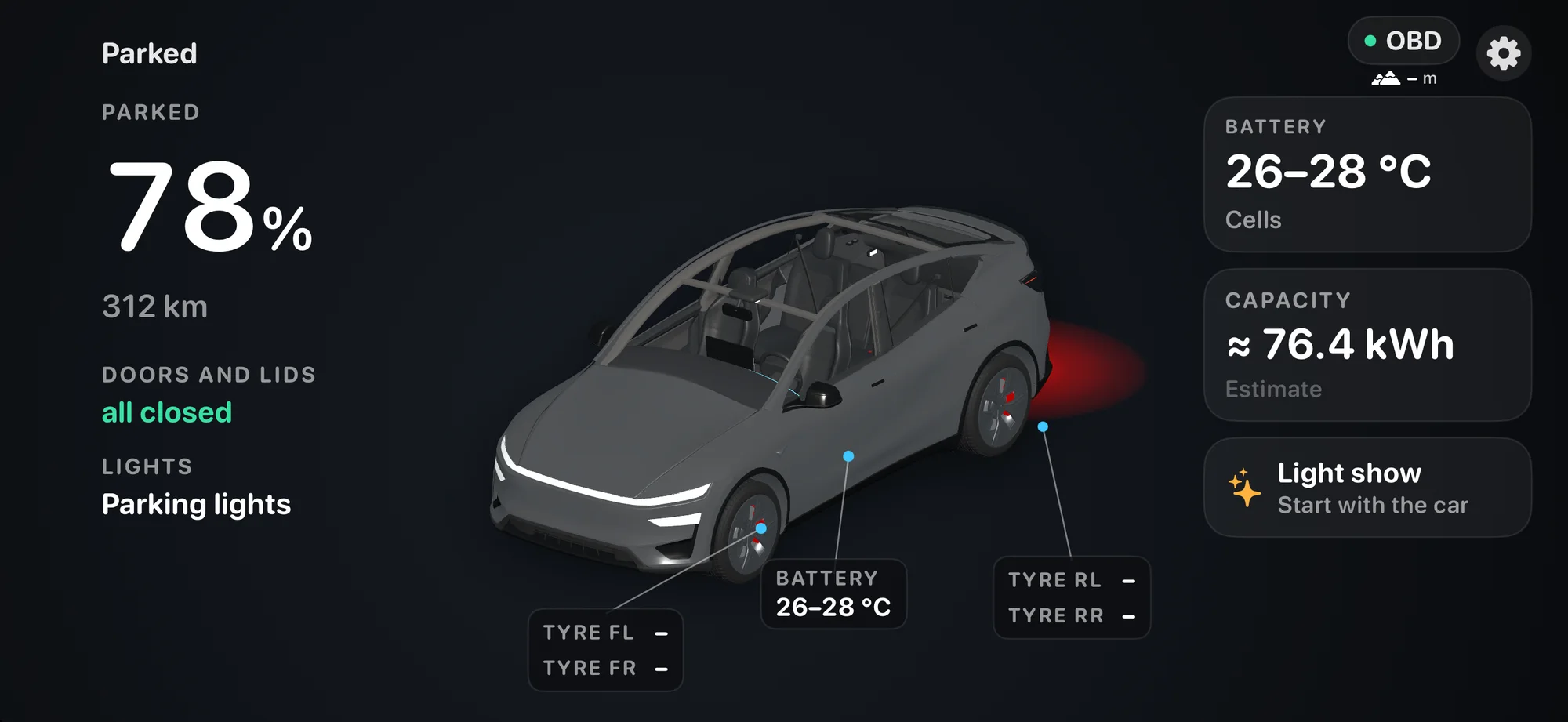
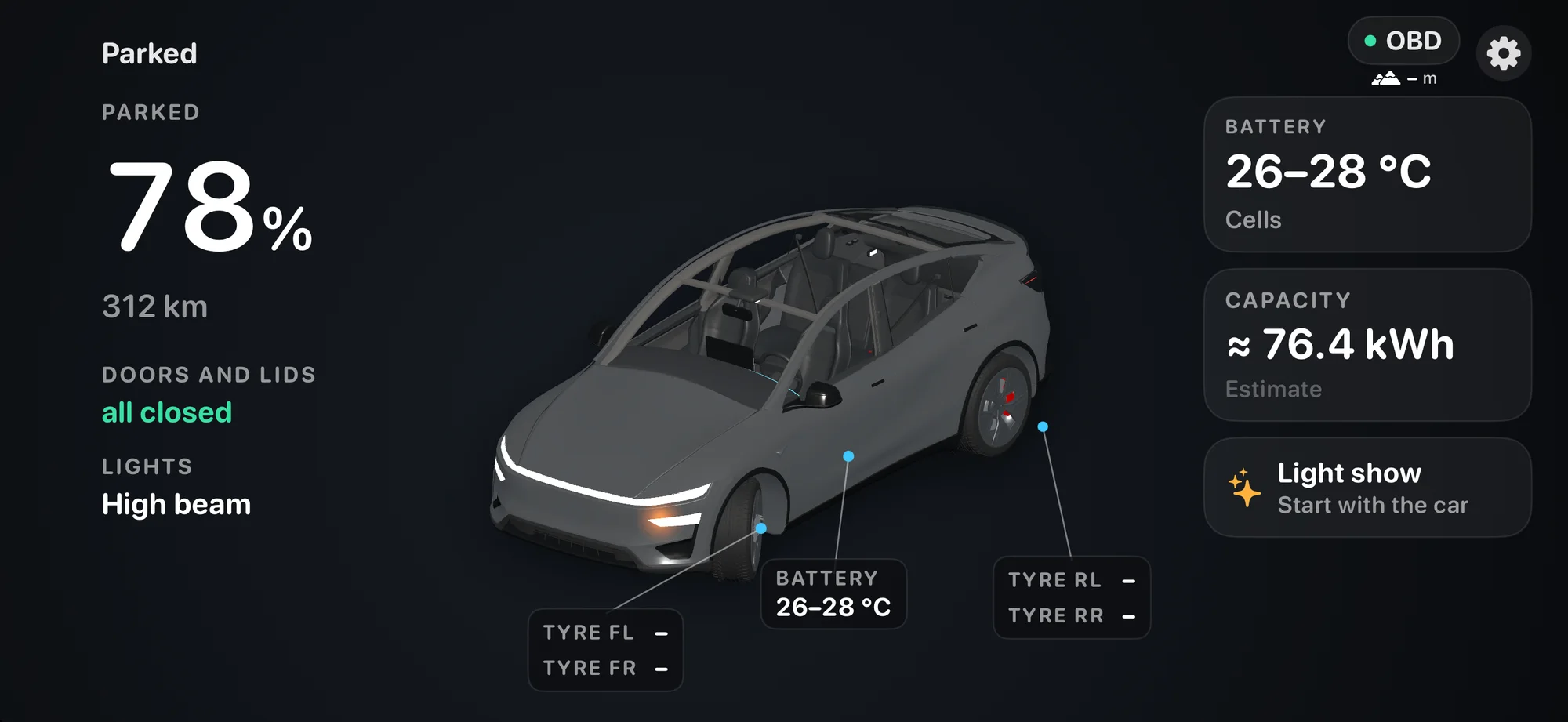
With an OBD adapter connected, Tespit gives you a dedicated cockpit. Tap or swipe at the top to switch between “Drive”, “Power” and “Health”. In Park (P), the focus shifts to the car itself, with battery level, range, doors, hatches, lights and tyres.
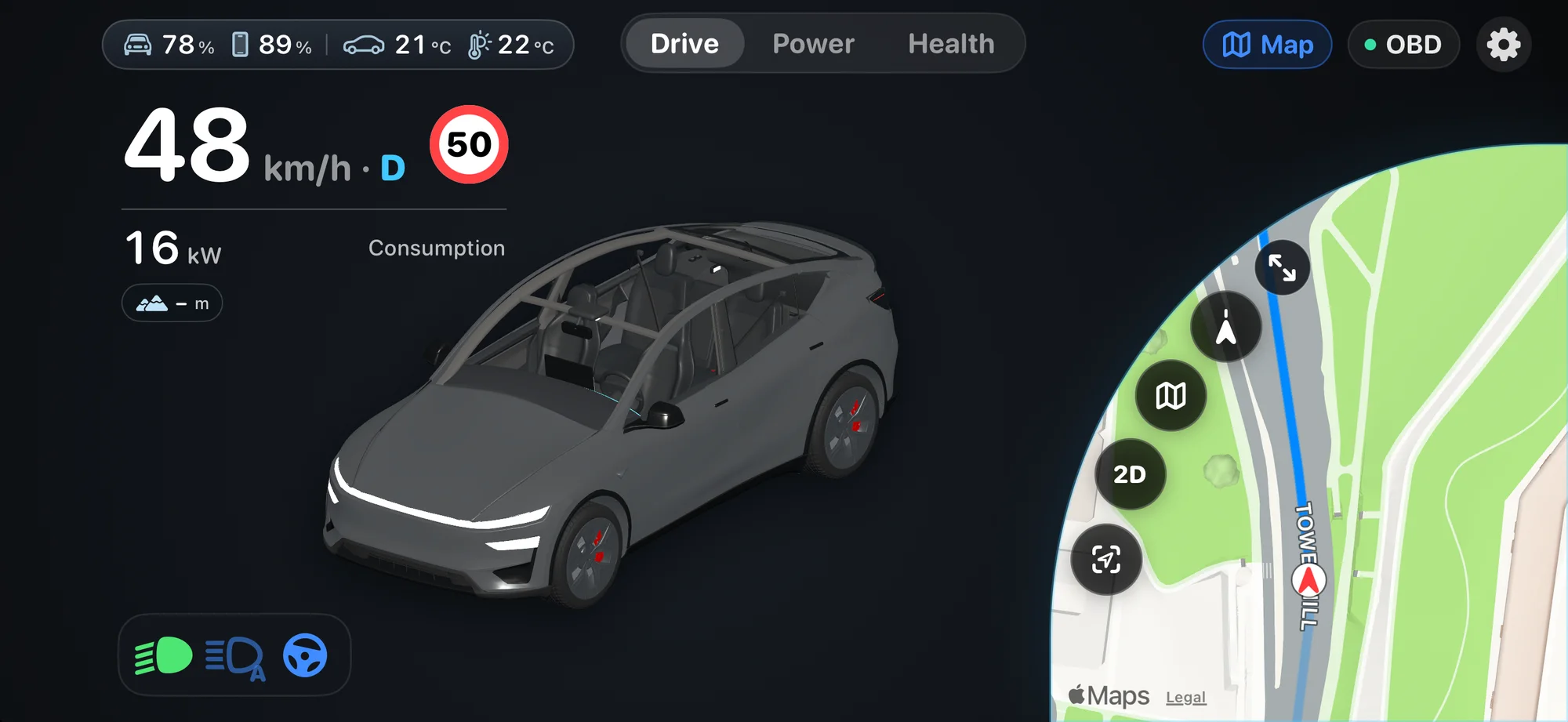
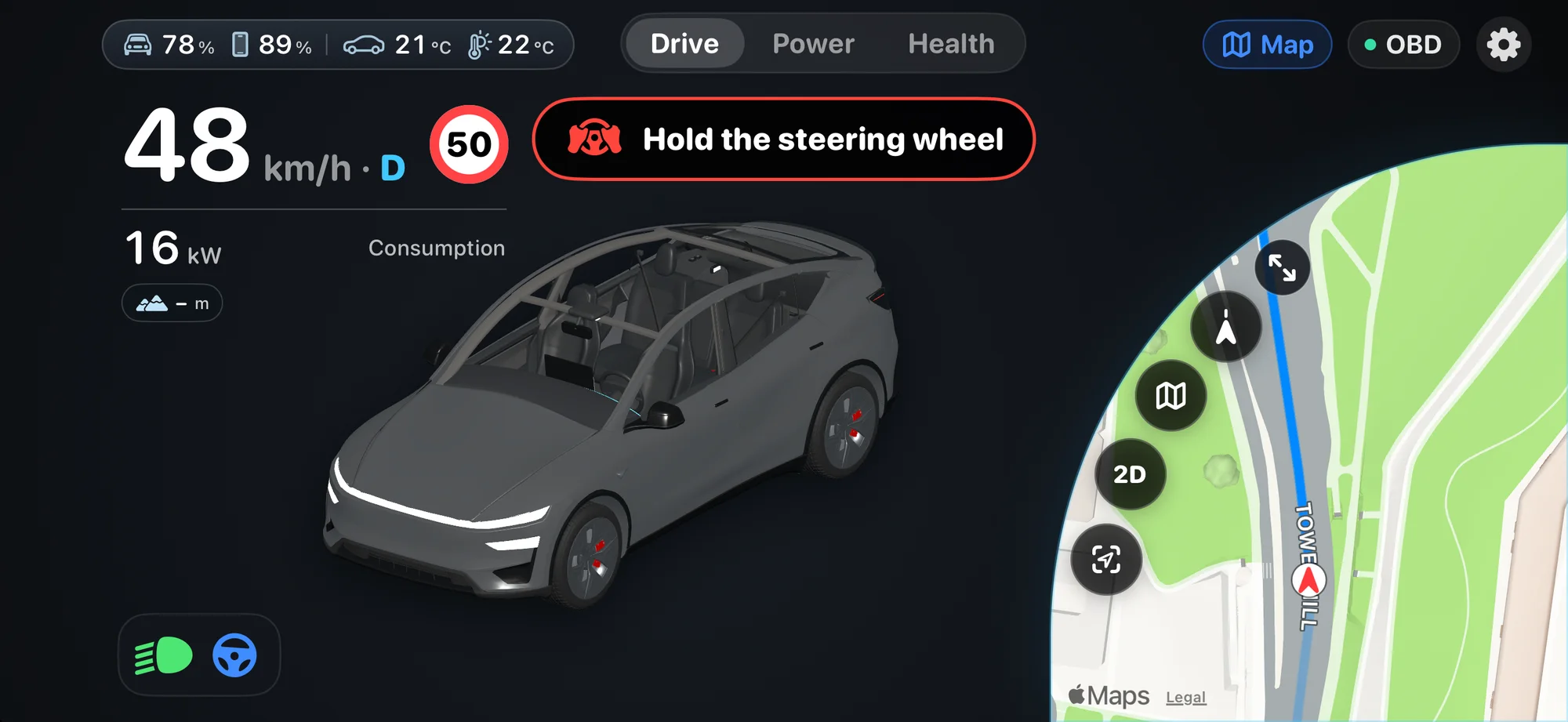
In “Drive”, the 3D car takes centre stage. Speed, gear and speed limit sit at the top left. The map forms a quarter circle on the right, with controls along its curved edge. Tap it to open the full-screen map.
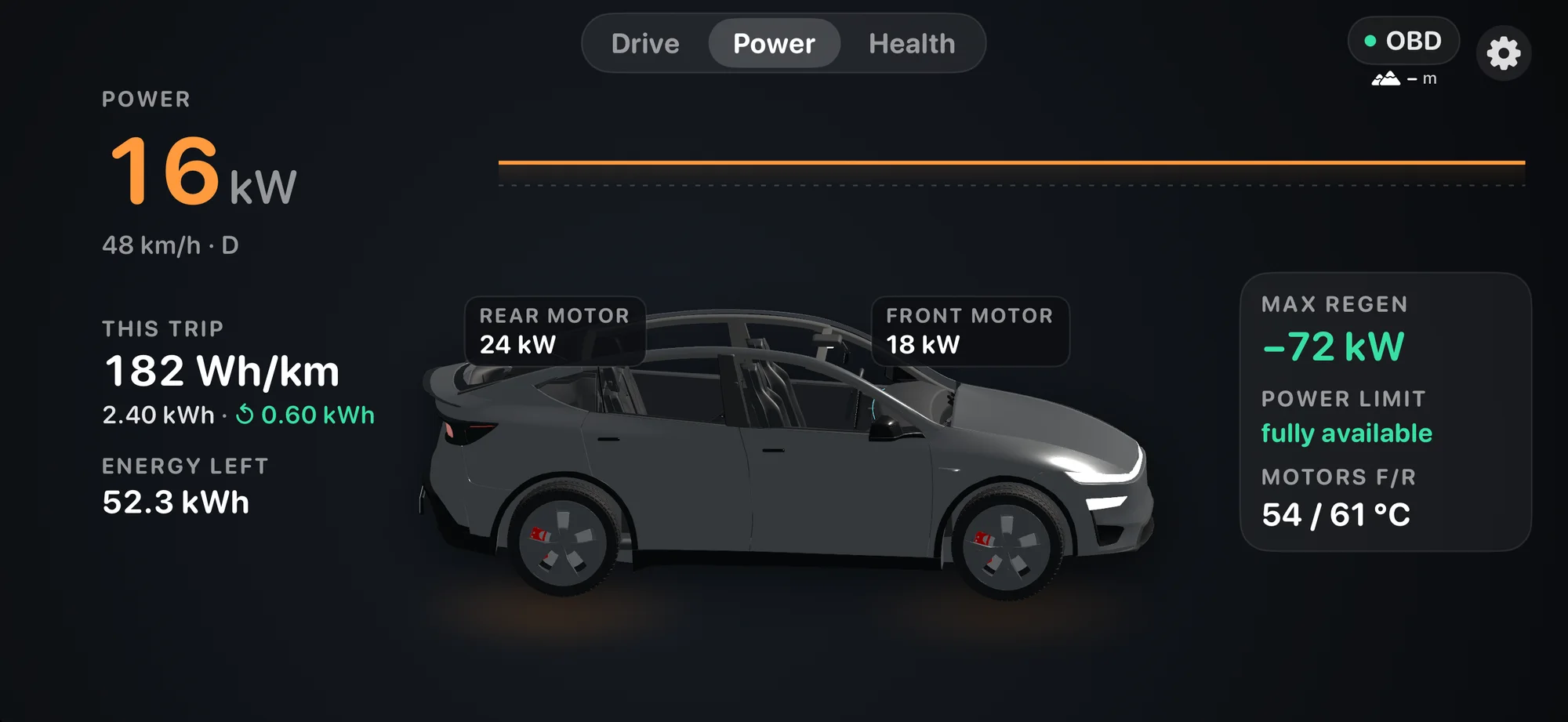
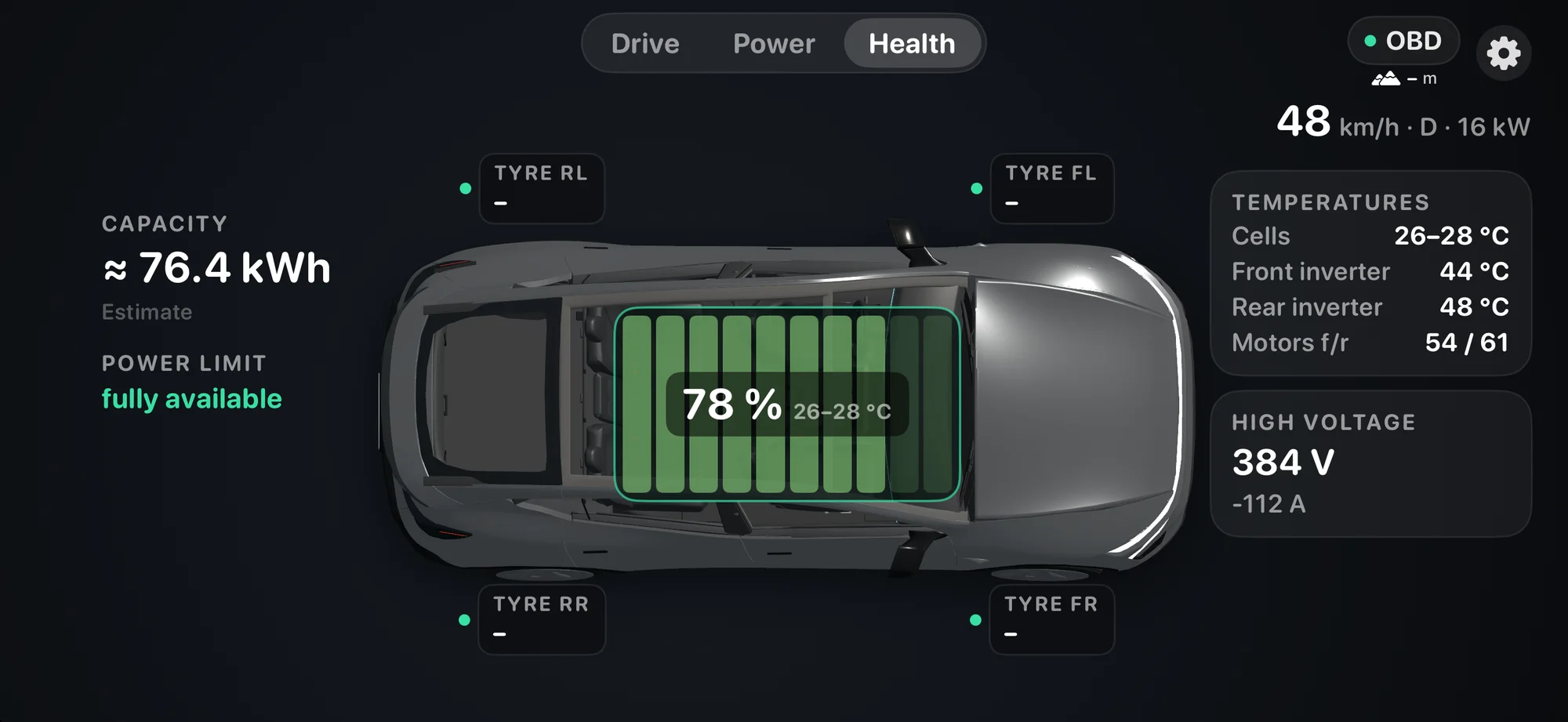
“Power” shows a side view of your car, the output of each motor in kW and a graph of the past minute. Orange indicates propulsion and green indicates regenerative braking. “Health” gives you a top-down view with individual battery cells, temperatures, high-voltage battery readings and all four tyres.
Power below the speed, as numbers, as a bar or as a graph of the last minute
Car battery and phone battery side by side, plus inside and outside temperature
Portrait and landscape, each with its own layout
Text large enough to read while driving
Drive
Power
Health
Parked
More OBD readings
Lights, steering and energy use.
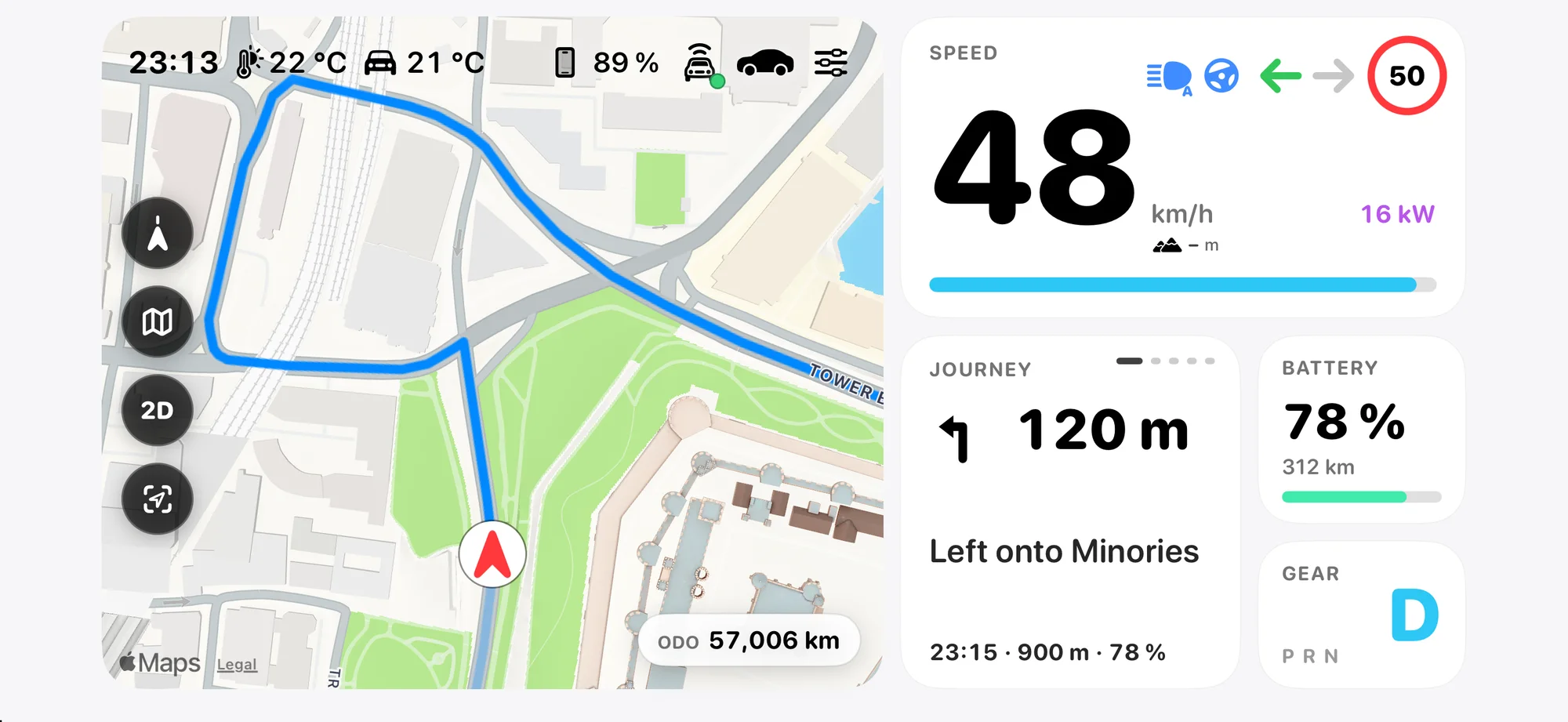
Through OBD, Tespit shows the indicators for high beams, fog lights, hazards and Autopilot. The Autopilot icon is grey when ready and blue when active. On-screen alerts include “Hold the steering wheel”, collision warnings, lane departures and reduced power. The Standard cockpit also shows the indicators in its speed tile.
While you drive, the steering wheel icon and the front wheels of the 3D car follow your steering angle in real time. Tespit now uses the battery’s energy counters to calculate trip consumption, including recovered energy and the share used by auxiliary systems.
Open “Battery and drive” in the OBD settings to see estimated battery capacity over time, cell voltages, and counters for charging and regeneration. With OBD connected, the charging log records peak power, energy added and temperatures. OBD also keeps running in the background and in Picture in Picture.
Lights and notices in the OBD cockpit and in the Standard cockpit
Live steering angle, can be switched off with “Steering wheel via OBD”
Trip consumption from the battery counters
Battery capacity as an estimate, its history stays on your phone
More OBD readings
Hold the steering wheel
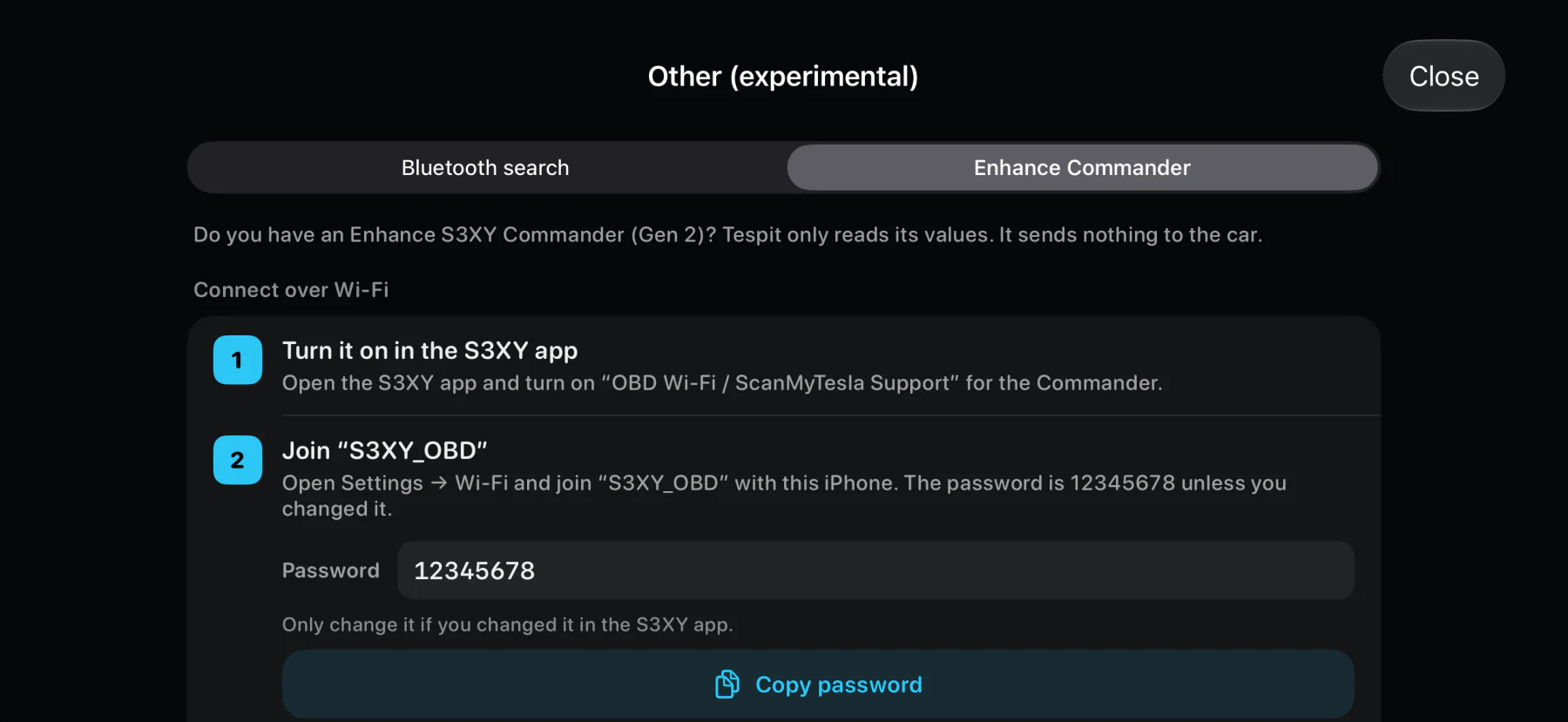
Enhance S3XY Commander Gen 2
3D car
Every light matches the real car.
The 3D model now shows your parking lights, daytime running lights, low and high beams, brake lights, reversing lights, rear fog light and indicators. High beams reach further, and brake lights cast a glow on the ground. With OBD, the lights follow the signals from your car. Without it, Tespit uses ambient light, braking and the selected gear.
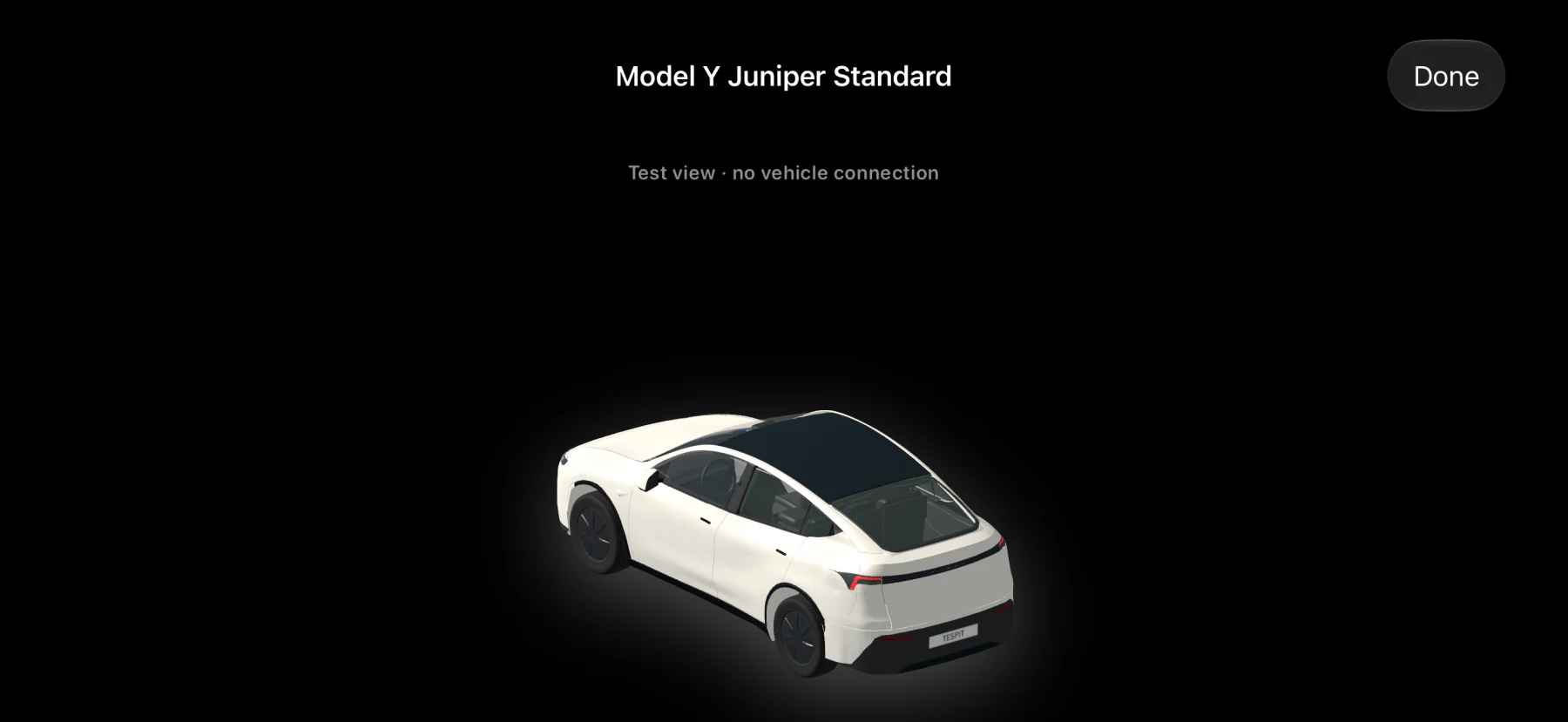
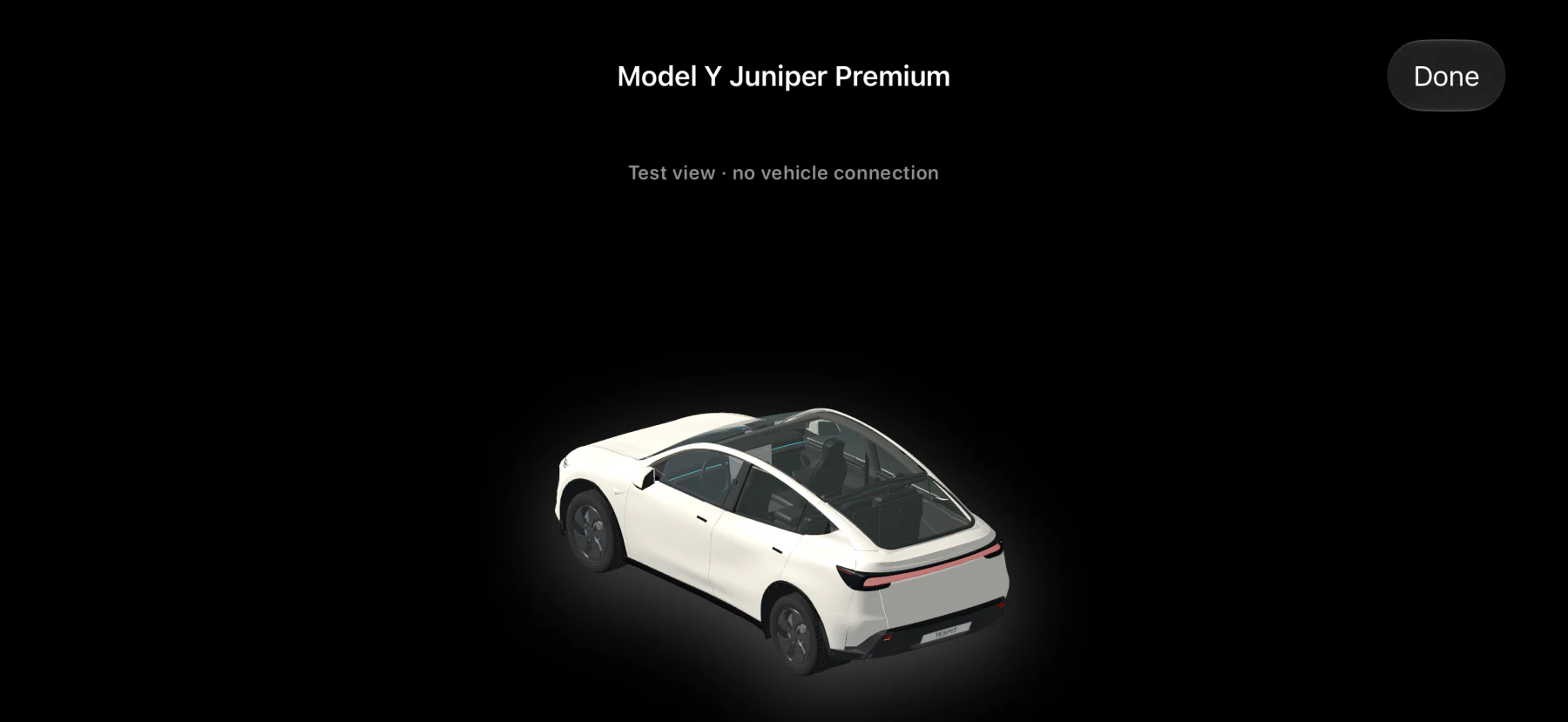
The front wheels steer, and with OBD the tailgate opens at its real angle. The current SUV model gets two more variants: the Standard version with its own light signature and a black rear bar, and the regular Premium version with a continuous light bar.
Every lamp on its own, by day and by night
Front wheels steer
More variants, which you can also choose after setup
3D car
Model Y Standard
Model Y Premium
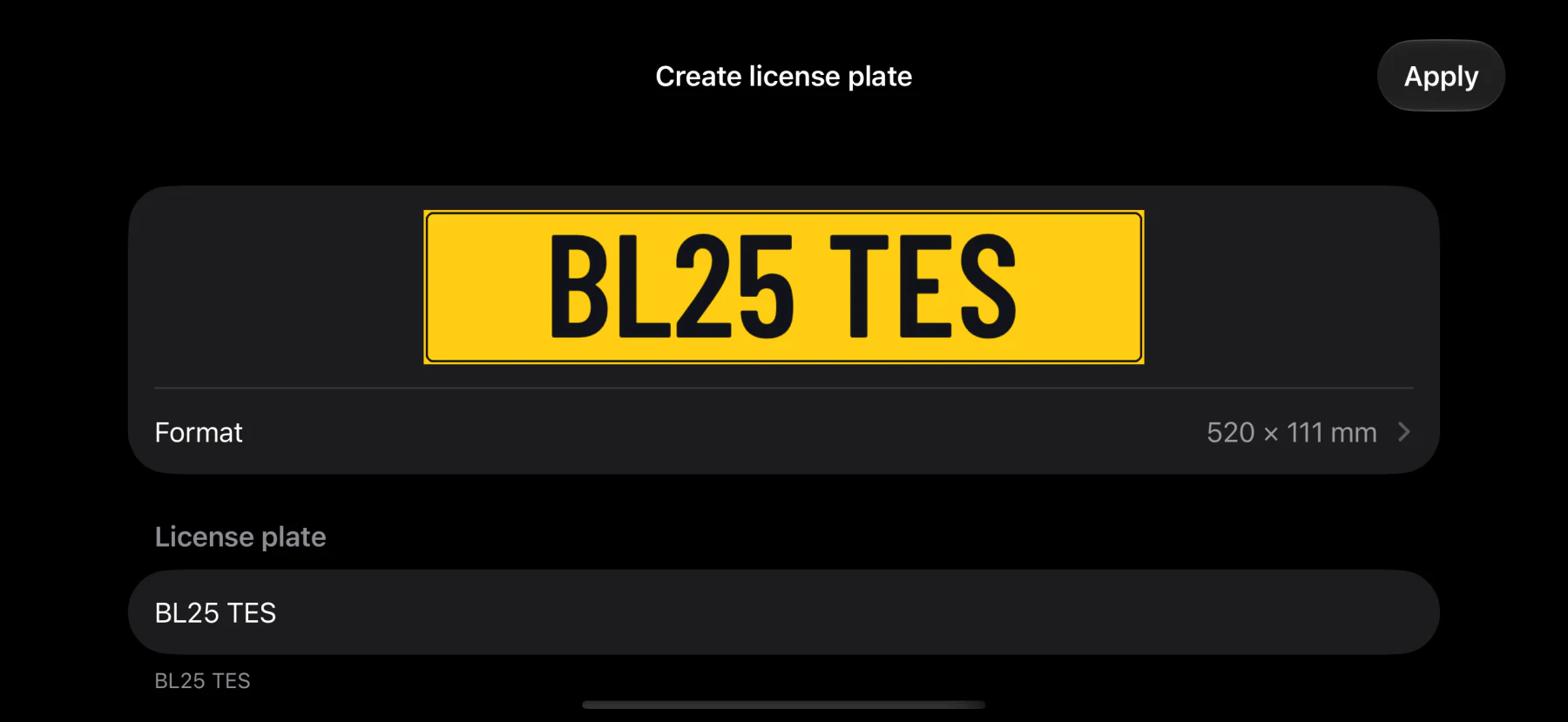
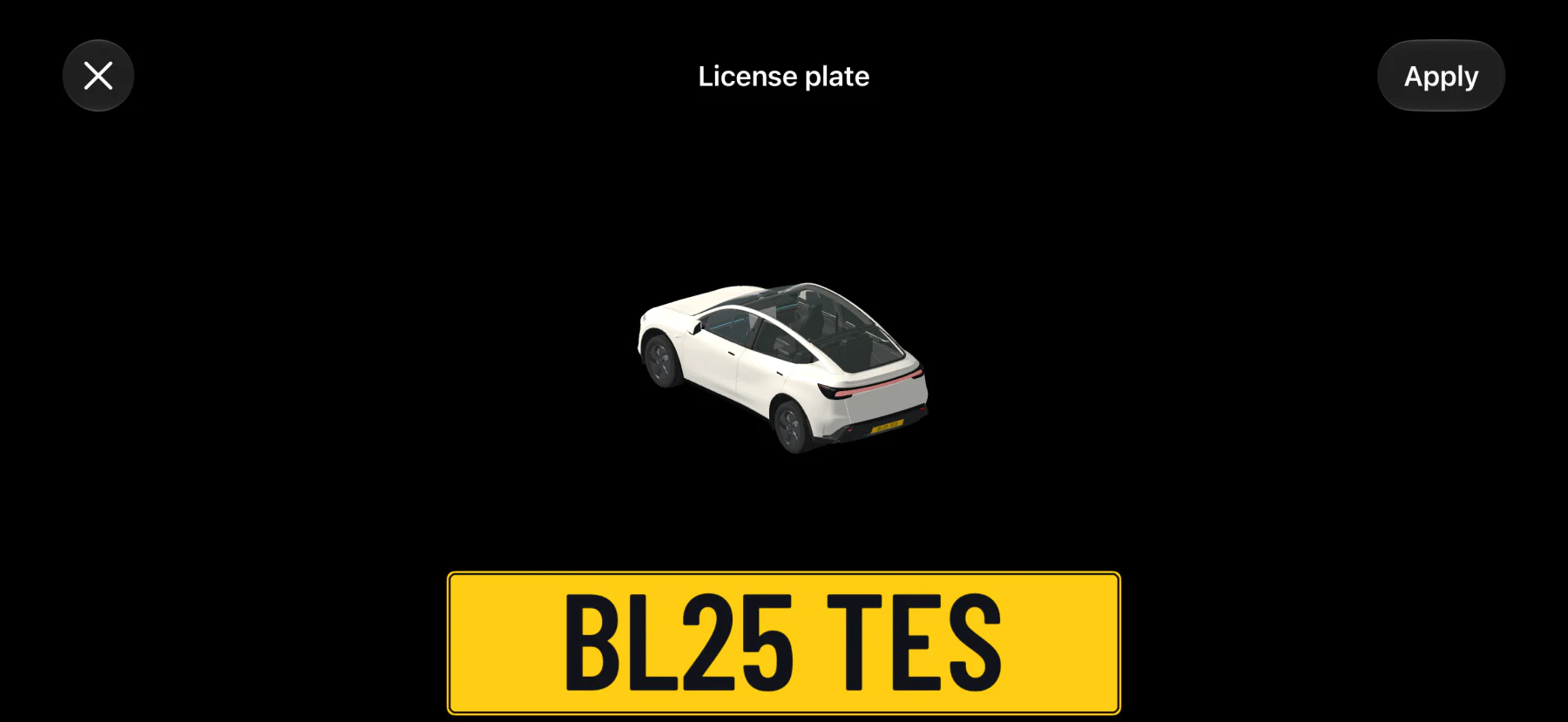
Create license plate
License plate
Light show
The light show on your phone.
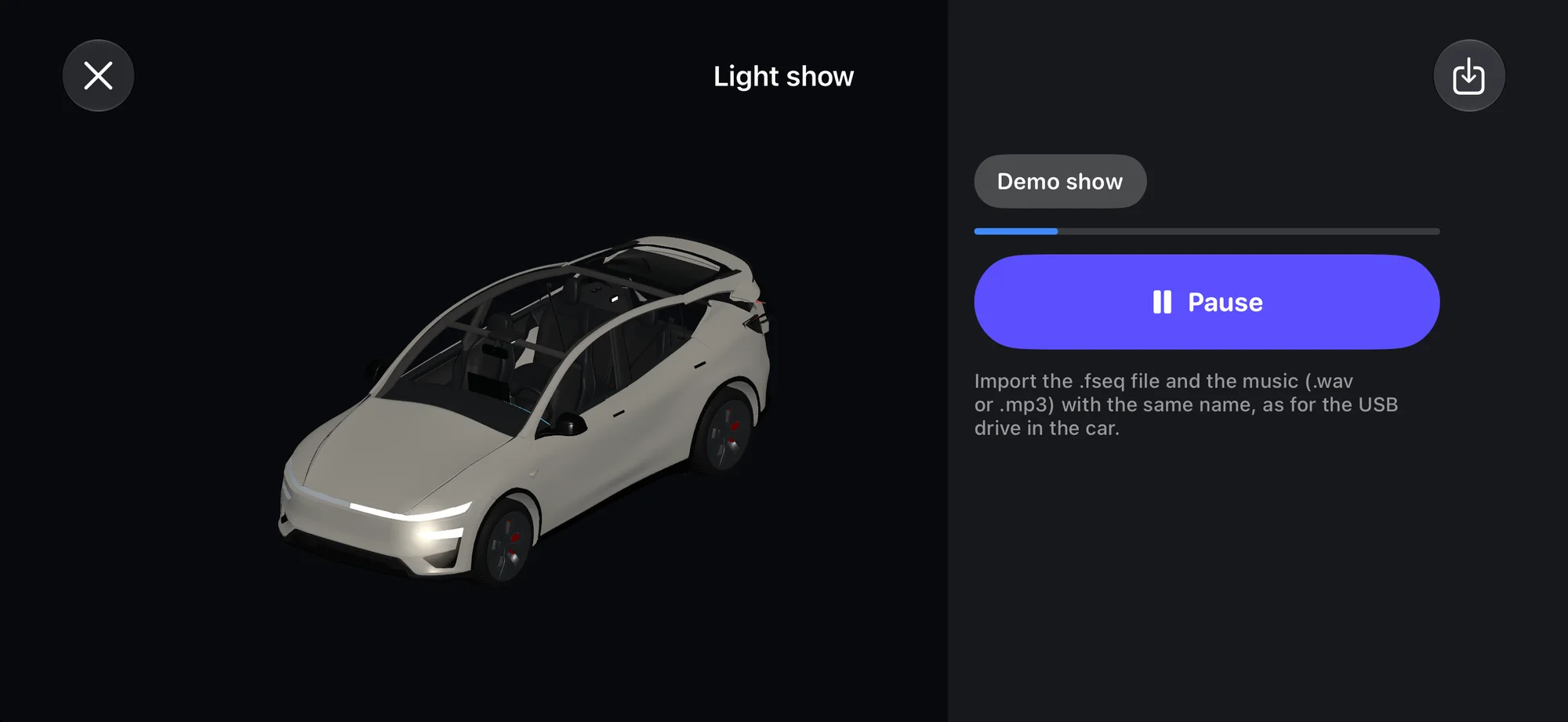
Open Settings › Vehicle › Light show to run a light show on the 3D car. Try the included demo or load your own .fseq file with its matching music. Each side lights up independently, and the tailgate and charge port flap move with the show.
With “Start with the car”, the show on your phone runs together with your car's show. A night view makes the lights stand out.
Demo show to try out
Your own .fseq shows with music
Independent lighting on the left and right sides
Light show
All cockpits
More choice, more colour.
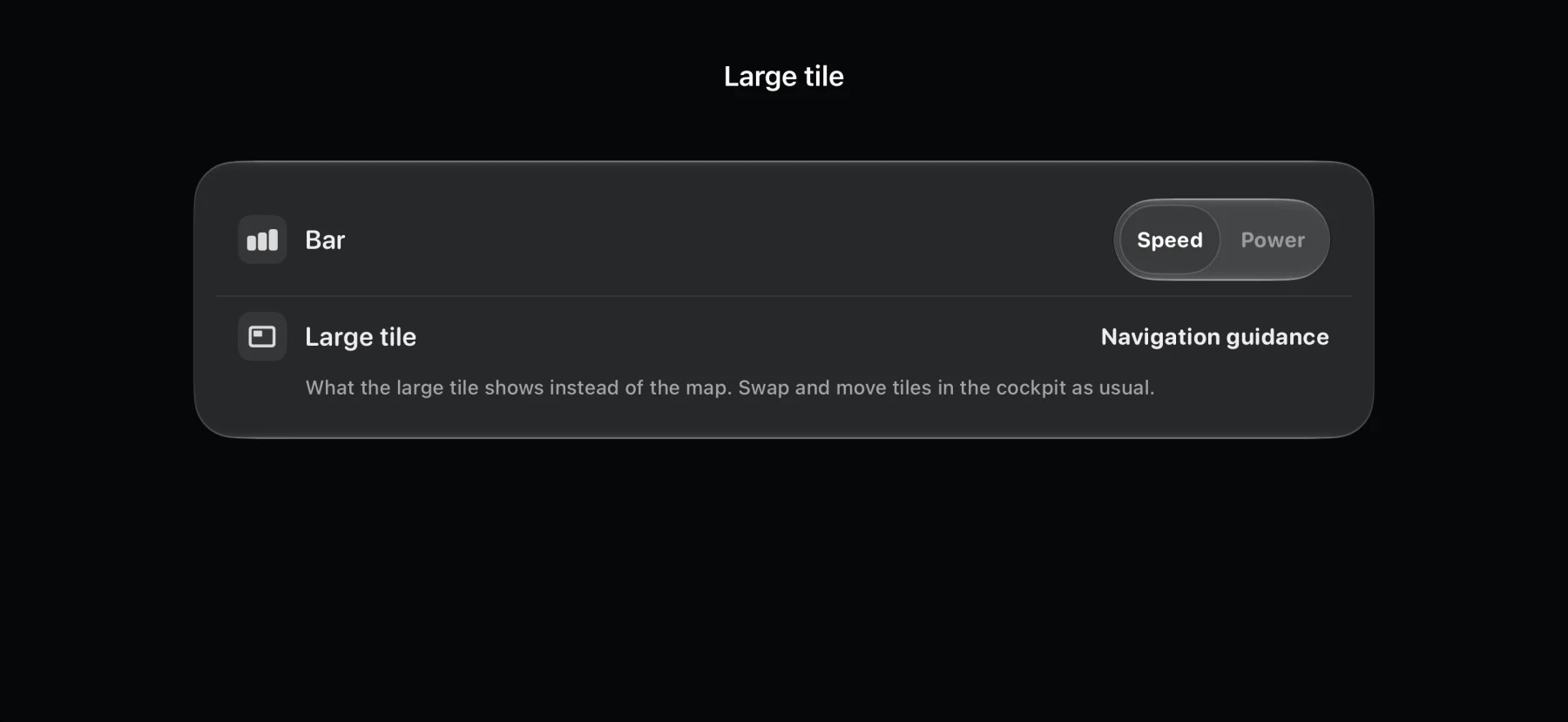
In the Standard cockpit you now choose what the big tile shows: map, media, tyre pressure, trip computer, 3D vehicle or navigation. You find the setting in Settings › Cockpit › Standard › “Large tile”.
In every cockpit, the phone battery indicator turns green with a lightning bolt while charging, orange below 20% and red below 10%. You can see at a glance when it’s time to plug in your phone.
Six options for the large tile in the Standard cockpit
Phone battery in colour, in every cockpit
Large tile
Altimeter
See your altitude as you drive.
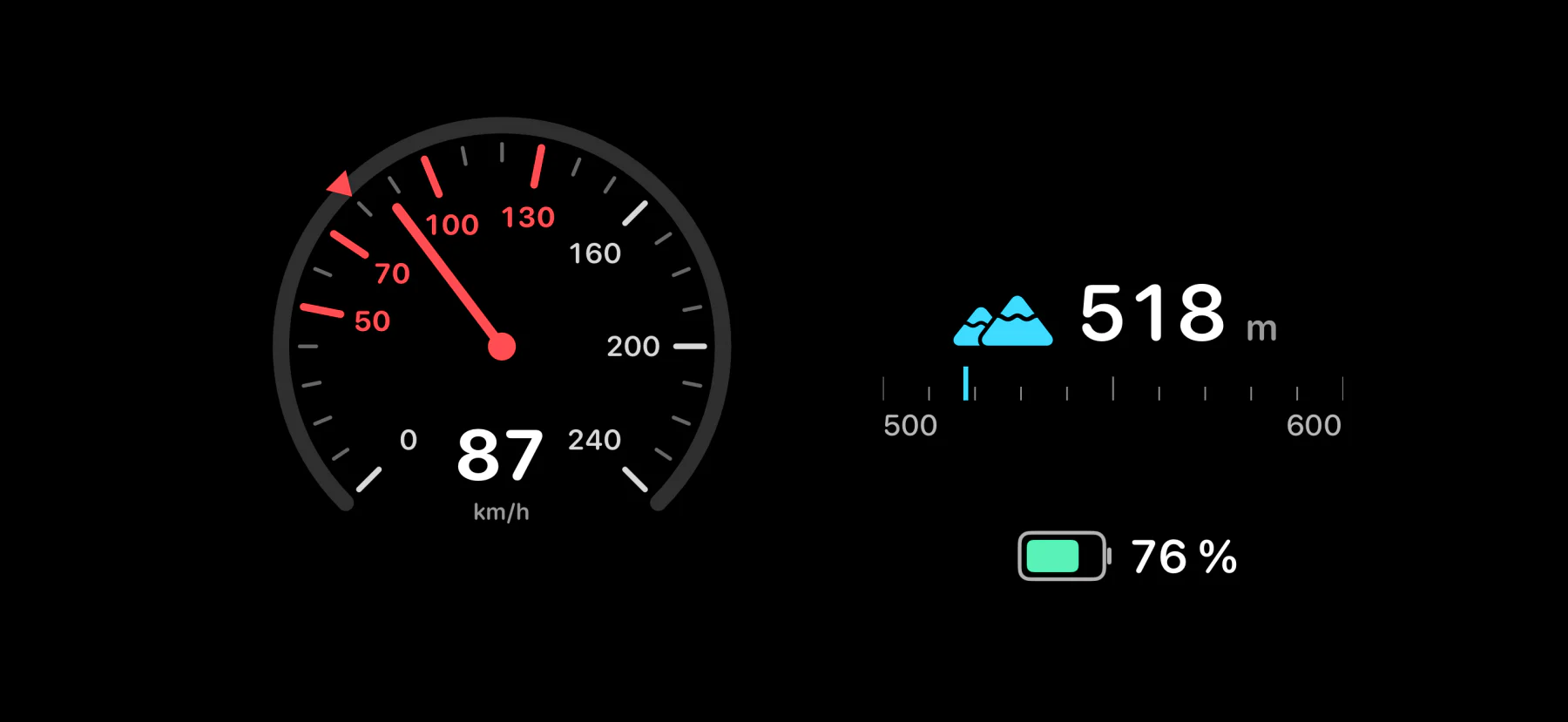
A mountain icon shows your altitude above sea level in every cockpit. In Standard it sits next to the speed unit. In the OBD cockpit it sits below the power reading. Altitude comes from your phone’s GPS, so you don’t need an adapter.
In a custom cockpit, add the altitude gauge from Toolbox › Navigation › “Altitude”. Choose from 80 styles, including a scrolling altitude scale.
Altitude
Map and navigation
Offline maps by region, routes in colour.
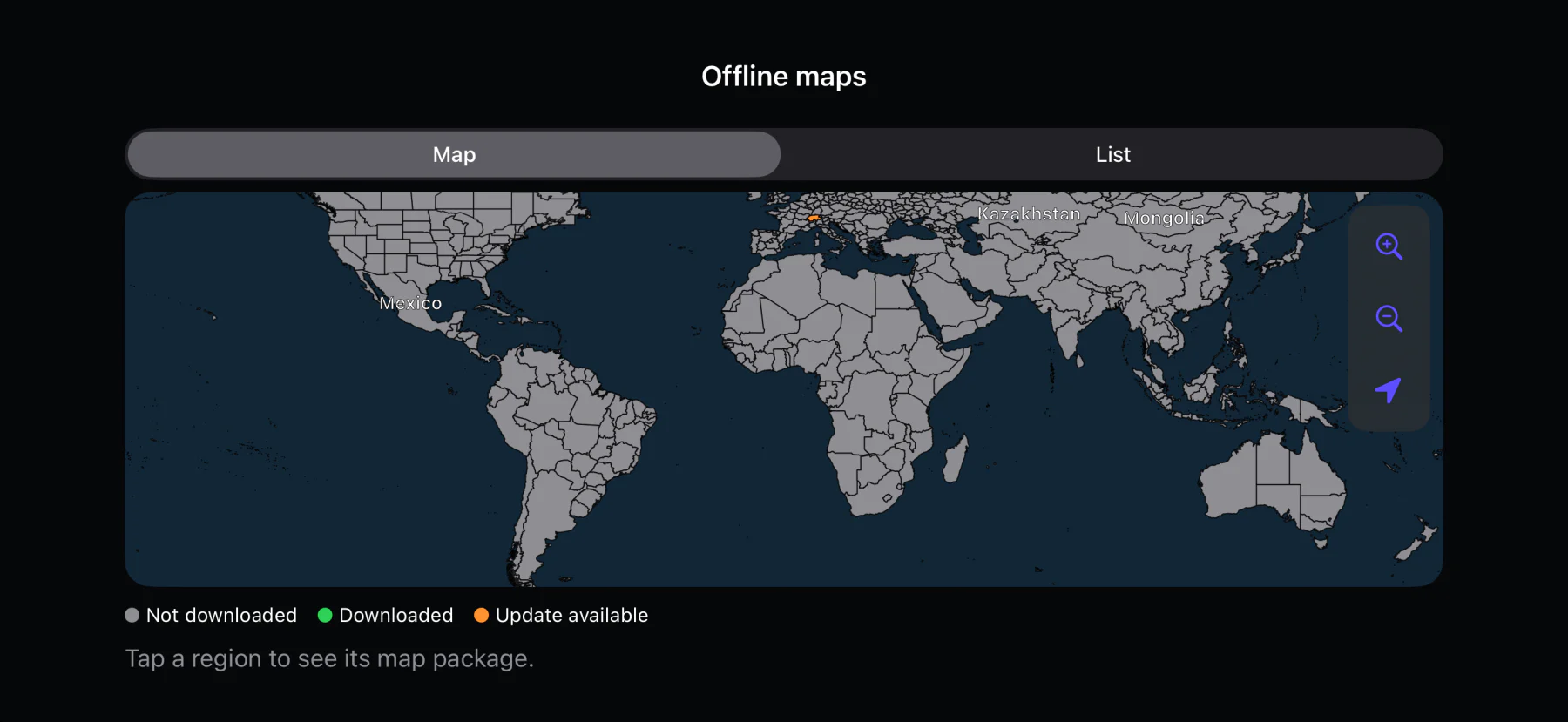
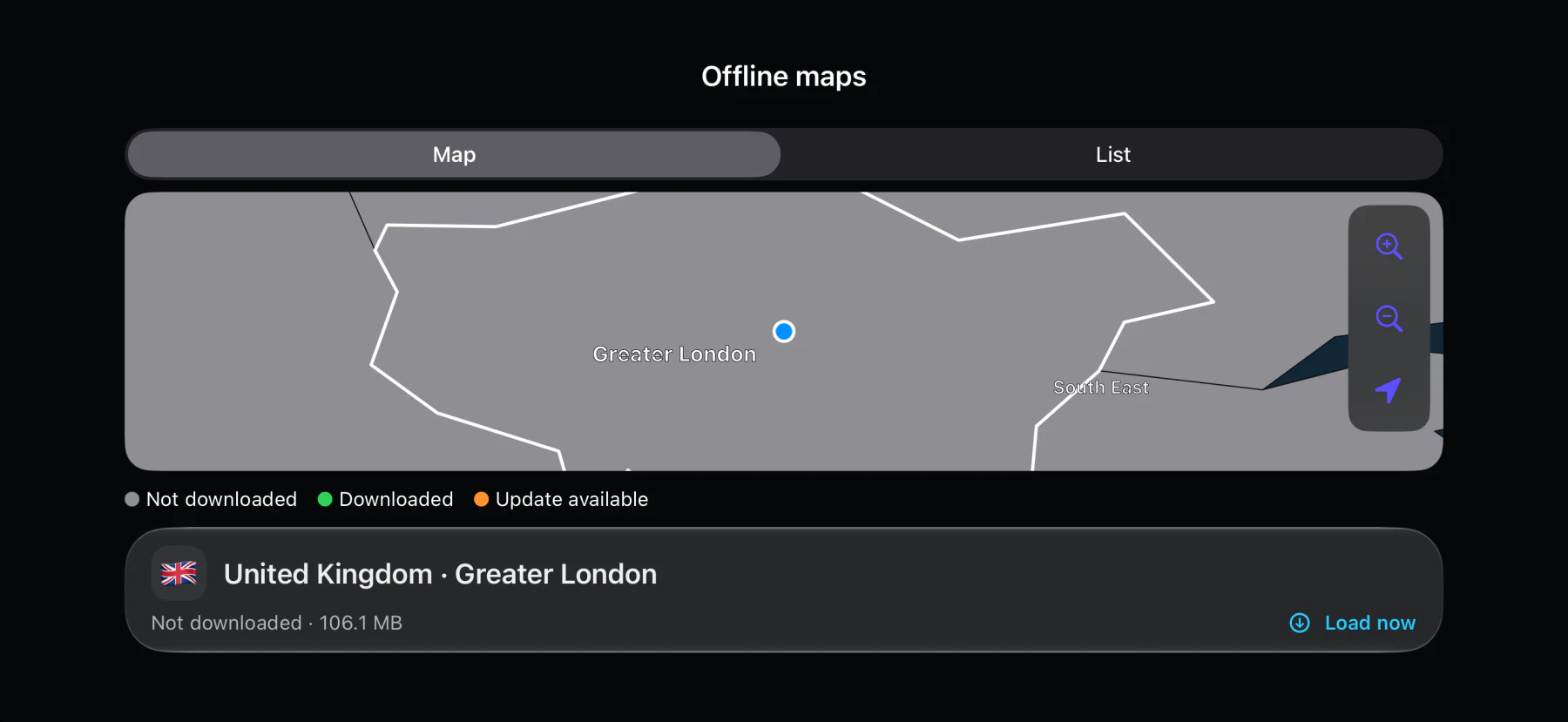
“Download countries” now opens a regional map. “My location” finds your current region. Tap another region to download it before setting off. Grey means the map hasn’t been downloaded, green means it’s ready to use, and orange means an update is available.
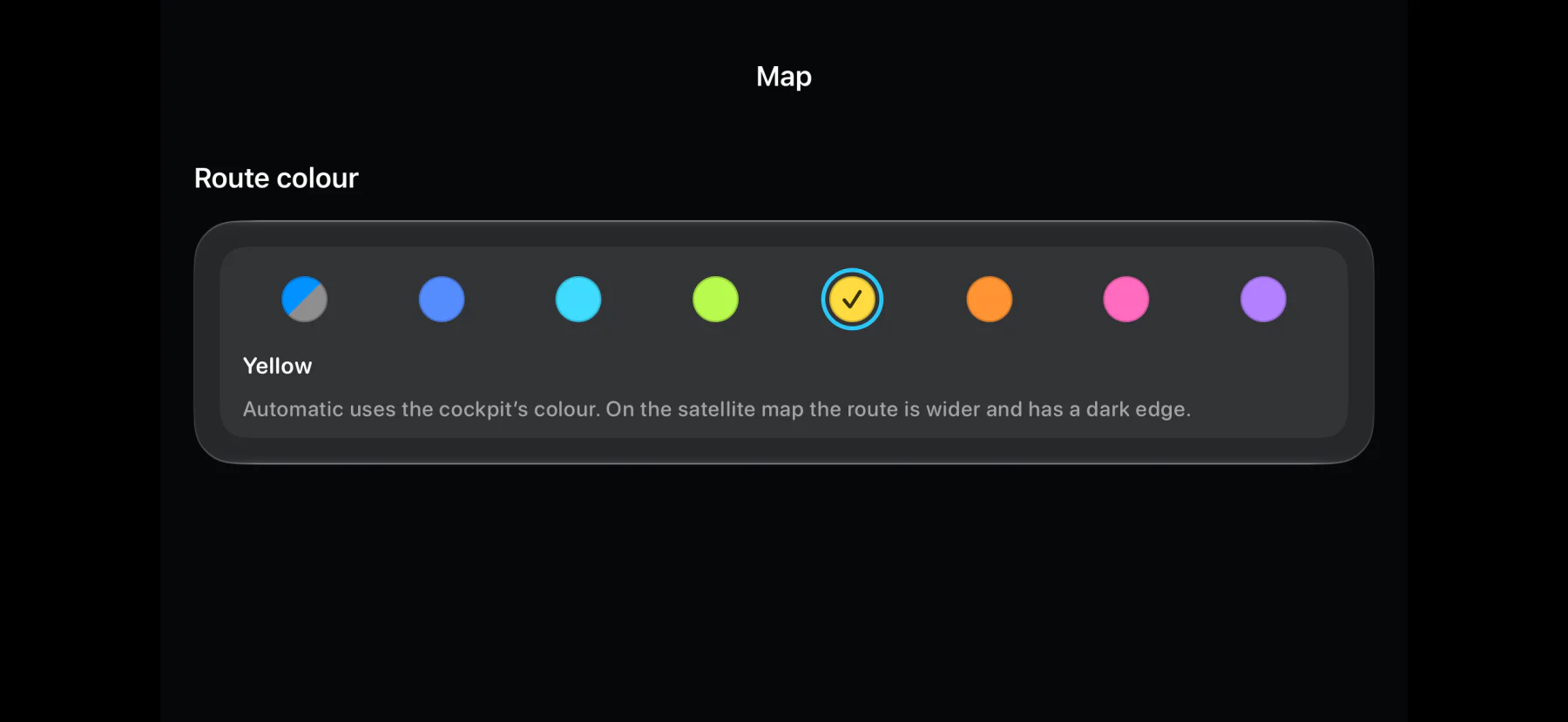
In Settings › Map › “Route colour”, choose one of seven colours or “Automatic”. On the satellite map, a dark outline sets the route apart from the aerial picture.
On routes from Google Maps, Tespit draws roundabouts as rings with the exit marked. This works on iPhone and, for the first time, on Android. If the exit number is known, it appears on the ring.
Regional map with “My location”, plus the existing searchable list
Seven route colours and “Automatic”
Roundabouts with ring and exit, also with Google Maps
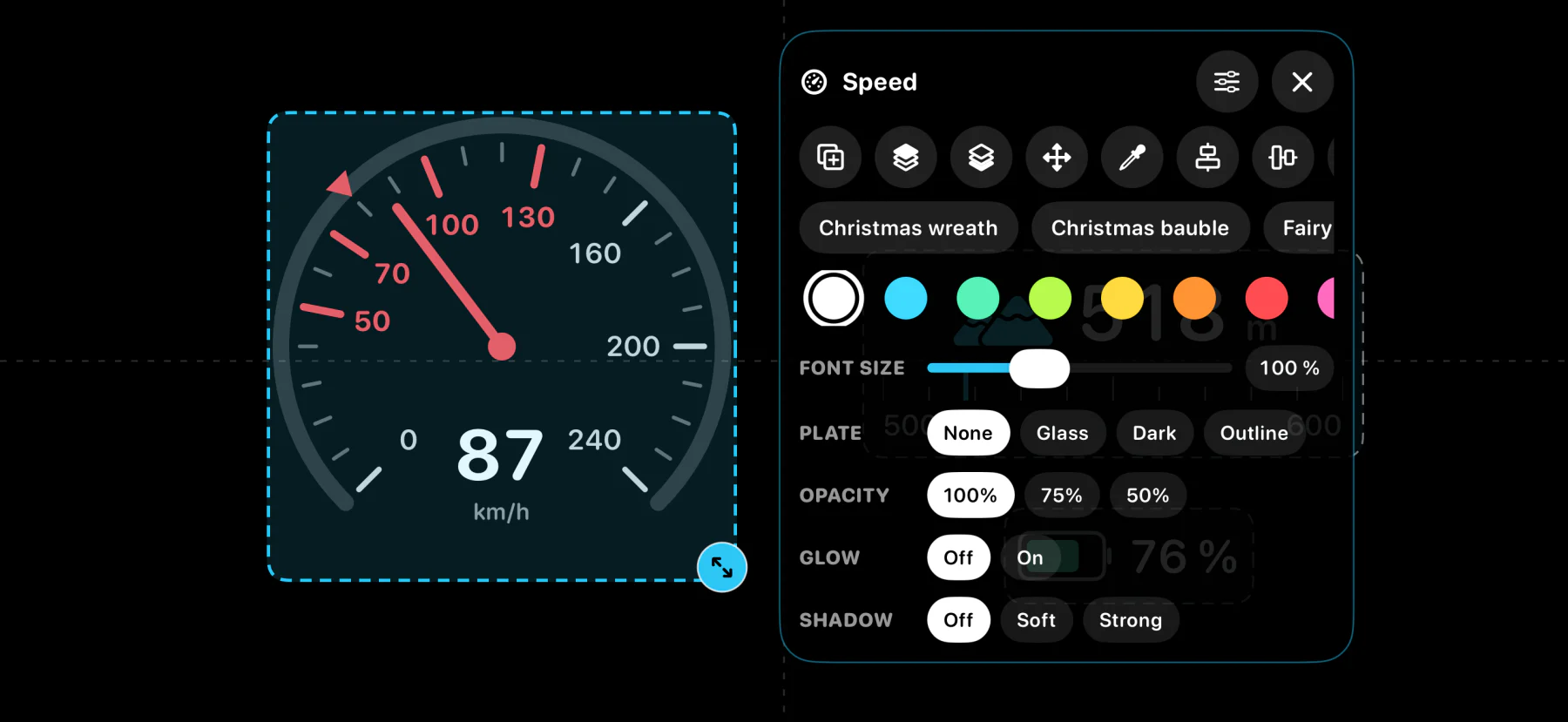
Speed gets the new style “Speed limit dial”: fixed marks show the common speeds, another mark the current limit, and the needle turns red when you drive faster. km/h and mph each have their own scale.
New elements fit the canvas when you add them, and thin lines are easier to select. Enter line thickness and rotation numerically, with rotation in 90-degree steps. You can also enter exact coordinates, match another element’s size, snap to a grid and choose more tile layouts. Each cockpit can use different orientations for driving and charging.
Speed limit dial
Trips
Several legs, one trip.
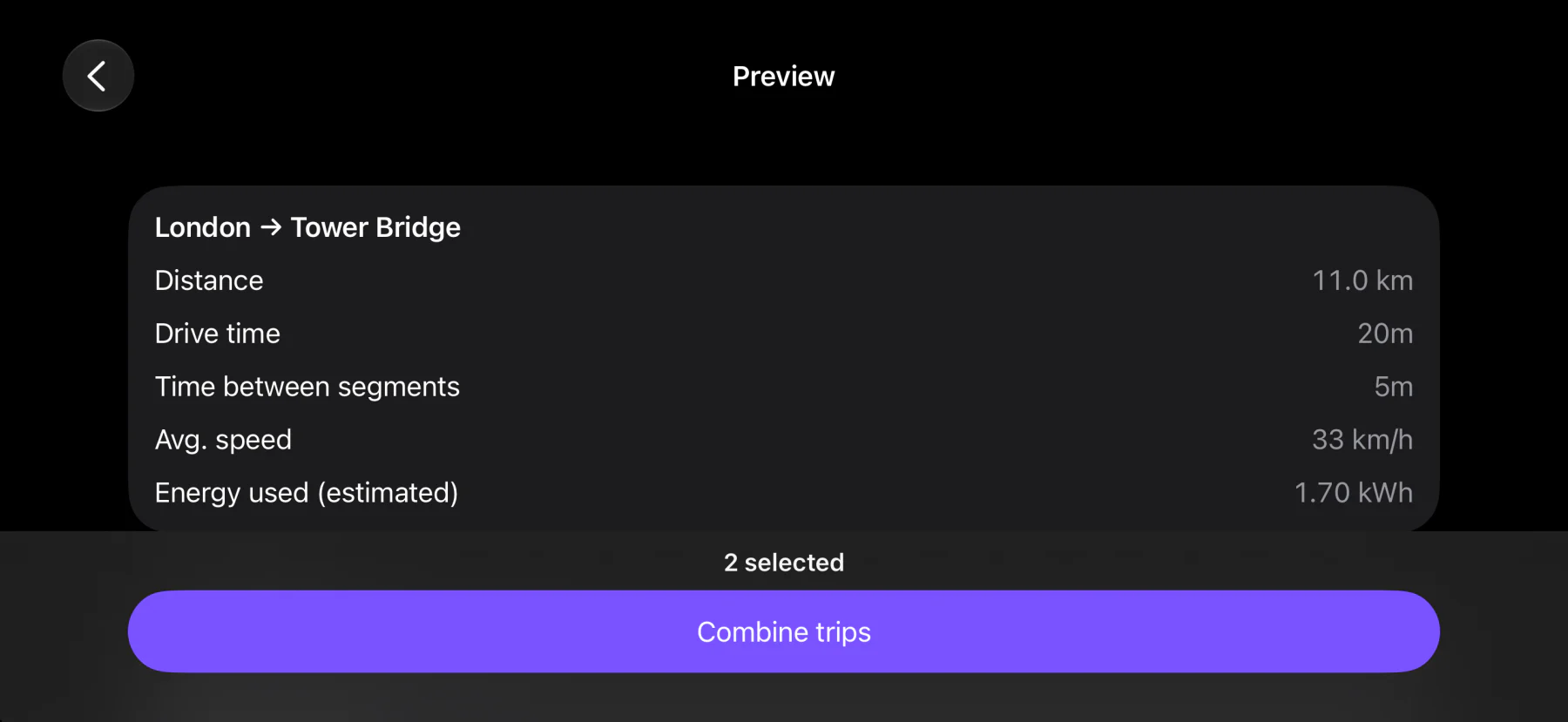
In Settings › Trip data › “Combine trips”, you turn several recordings into one trip, for example after a charging stop. The preview shows the first start, the last destination, the whole distance, the driving time and the breaks in between.
The history then lists the trip as one entry. You can open it and split it again at any time. Export the charging log as CSV under Trips › Export.
Combine trips
Fixes
Other improvements.
The orange “Destination too long” notice appears at most once per trip. On iPhone, “Disconnect when leaving” now reliably closes the connection, and the driving sound responds more quickly to the accelerator.
On Android, Tespit no longer asks you to pair again after restarting your phone. You can use the entire toolbox in portrait or landscape even with a large system font. This update also improves translations and stability.
Pictures: iPhone simulator with a pre-release version of Tespit 1.1.23 and sample values. Details may still change before the update.
Tespit 1.1.23 is coming soon.
The update is coming soon to the App Store and Google Play. Some details may change before release.